
| Where this fits: Workflow Universe › Layer 2 · Shared Mechanics | For: Biller, Admin | |
| Read first: Billing Methods Explained | Read next: Rate and Item Structure · Pricing Setup |
Applies to: Administrators, finance, operations leads | Web
Download the printable guide (PDF)
Quick Reference · Rates and pricing
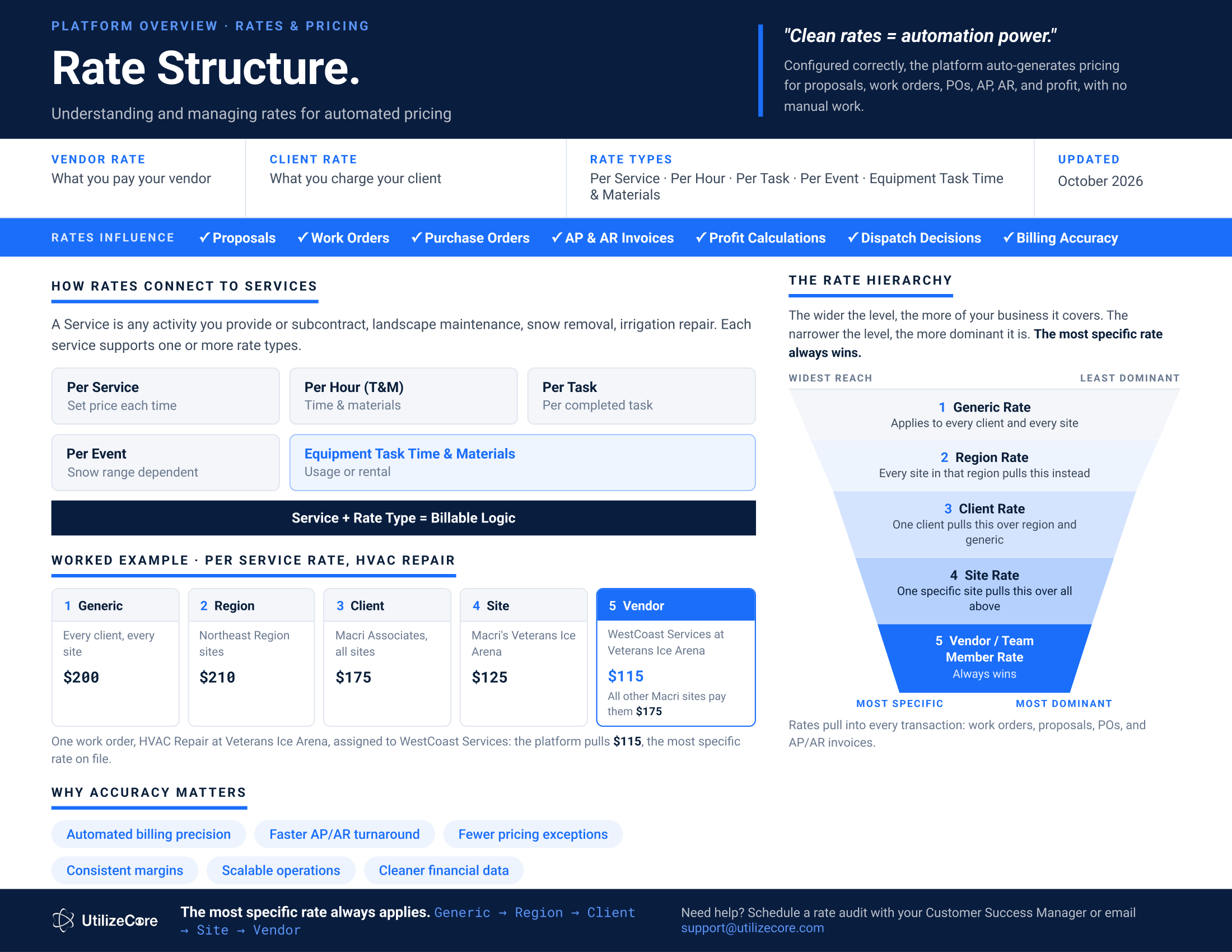
The most specific rate always wins. Generic, then Region, then Client, then Site, then Vendor. The wider the level, the more of your business it covers. The narrower the level, the more dominant it is.
The rate hierarchy.
| Level | What it covers |
|---|---|
| 1. Generic Rate | Every Client and every Site. |
| 2. Region Rate | Every Site in that region pulls this instead. |
| 3. Client Rate | One Client pulls this over Region and Generic. |
| 4. Site Rate | One specific Site pulls this over everything above. |
| 5. Vendor / Team Member Rate | Always wins. |
Worked example: Per Service rate, HVAC Repair.
| Level | Applies to | Rate |
|---|---|---|
| Generic | Every Client, every Site | $200 |
| Region | Northeast Region Sites | $210 |
| Client | Macri Associates, all Sites | $175 |
| Site | Macri's Veterans Ice Arena | $125 |
| Vendor | WestCoast Services at Veterans Ice Arena | $115 |
One Work Order, HVAC Repair at Veterans Ice Arena, assigned to WestCoast Services: the platform pulls $115, the most specific rate on file. Every other Macri Site pays $175.
Rate types.
| Per Service | A set price each time the service is done. |
| Per Hour (T&M) | Time and materials. |
| Per Task | Per completed Task. |
| Per Event | Snow range dependent: priced by the range the official snow total falls in. |
| Equipment Task Time and Material | Usage or rental. |
Service plus rate type is the billable logic. Rates pull into every transaction: Work Orders, Proposals, Purchase Orders, and AP and AR invoices.
Questions? Contact your Customer Success team or email support@utilizecore.com.