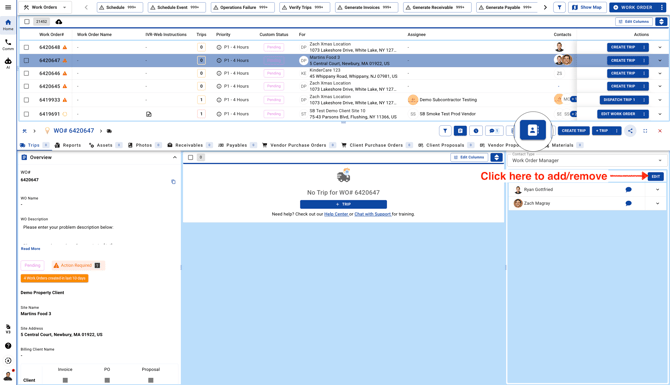
Viewing Contacts
Go to the Work Orders page, open a Work Order, and click the Contacts button to view the Work Order Manager.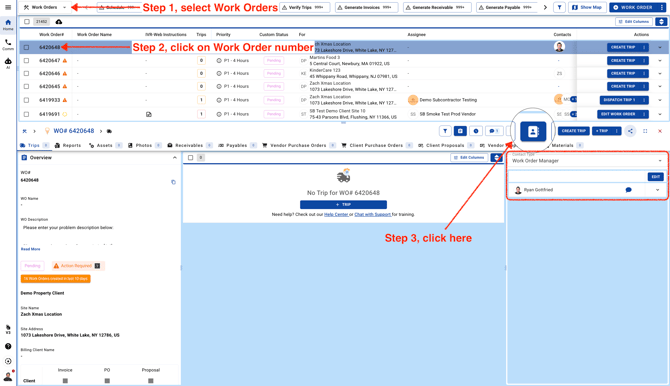
Adding New Contacts
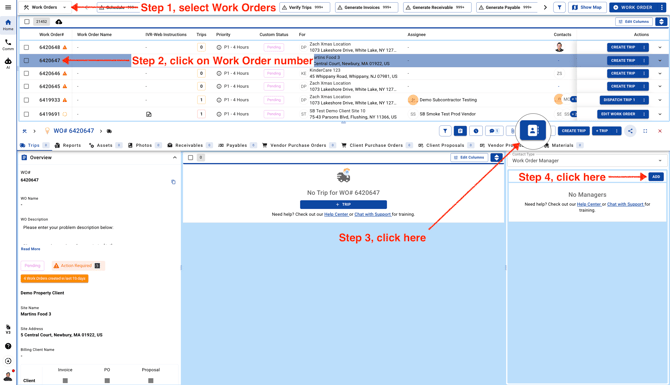
- To add a new Work Order Manager follow these steps.
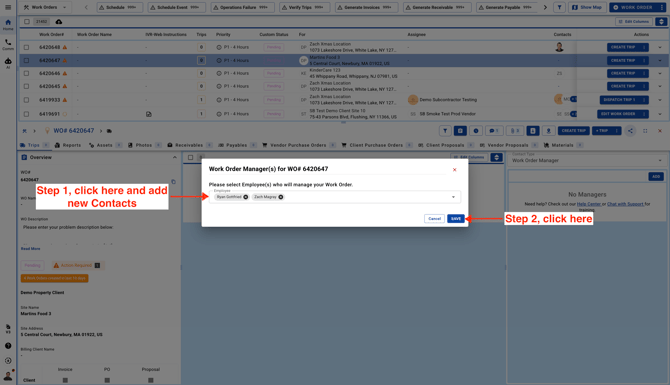
- Select Team Members and click Save. Click on the cross icon to remove any Contact from the Work Order.
Removing Contacts
To add/remove existing Work Order Manager from an existing Work Order click on the "Edit" button to remove existing Work Order Manager and add a new Manager.