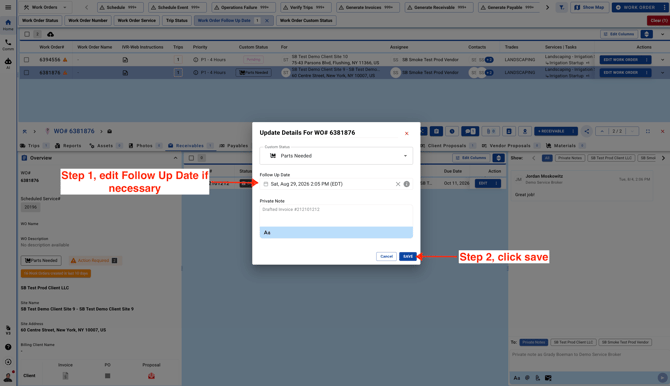
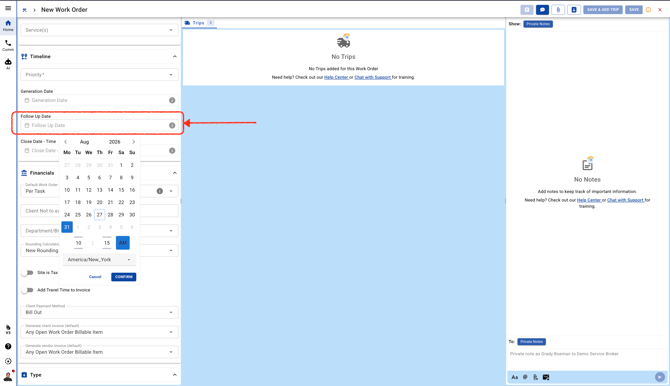
- You can add a **Follow Up Date** to a **Work Order** to help you stay organized. It makes it easier to sort **Work Orders** using the **Follow Up Date** filter and also serves as a helpful reminder. You can update the **Follow Up Date** at any time, whether you're creating a new **Work Order** or editing an existing one.
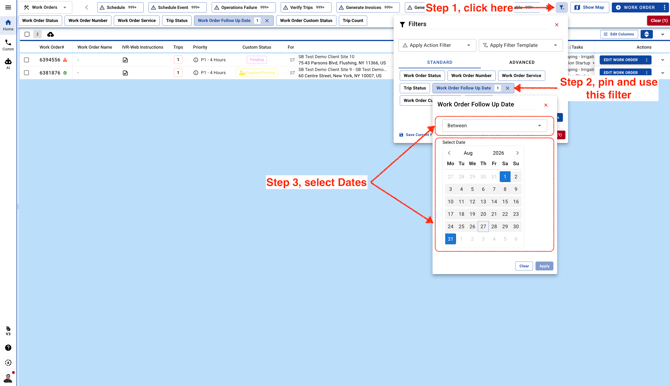
- Once you pin the **Follow Up Date** filter, you can narrow your results by selecting a date range or a specific date. This will show the **Work Orders** with **Follow Up Dates** that match the filter you selected.
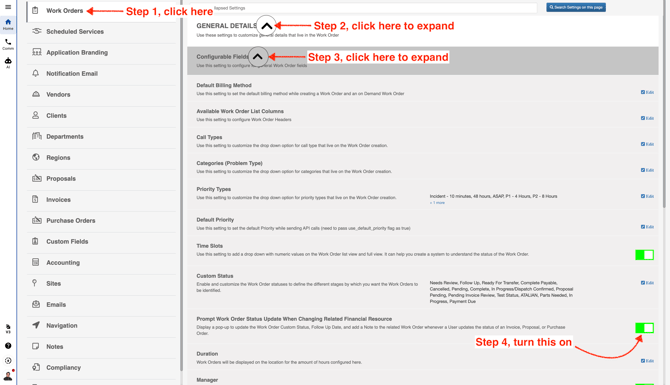
- There’s also a new setting that lets you automatically update the **Follow Up Date** whenever an **Invoice**, **Proposal**, or **Purchase Order** status is changed. Simply turn this setting on to enable the feature.
Here’s how the **Follow Up Date** can be updated when an **Invoice**, **Proposal**, or **Purchase Order** status changes.