- Go to Company Settings Page.
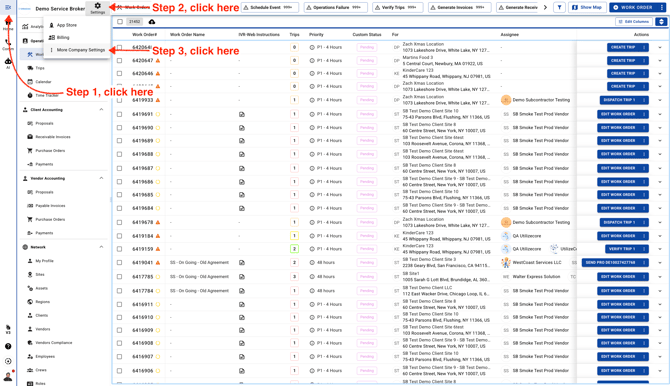
-
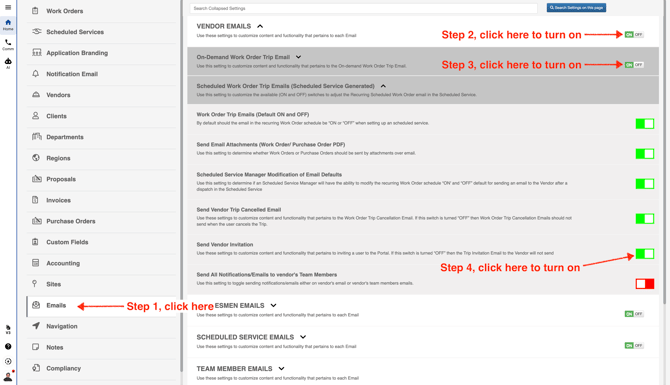
In the left menu, scroll down and select **Emails**. Then turn on the **Vendor Emails** switch and the **On-Demand Work Order Trip Email** switch. Be sure to also turn on the **Vendor Invitation** switch.
If these settings are not turned on, vendors will not receive emails or sign-up invitations.