- Go to Sites page
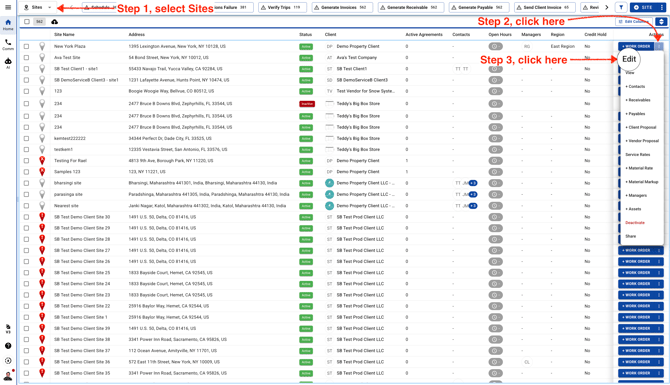
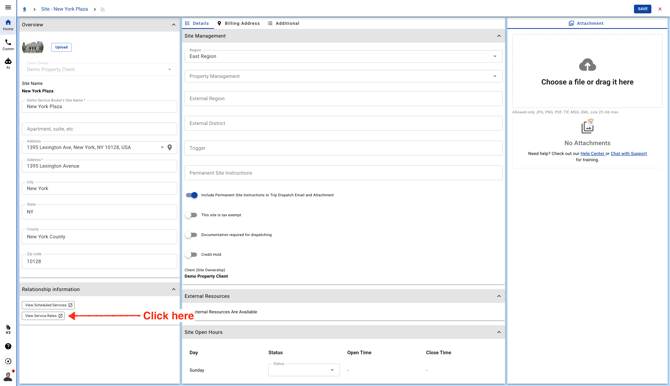
- Click on the Service Rates button in the left panel and this will open a new page and take you to the old Sites page.
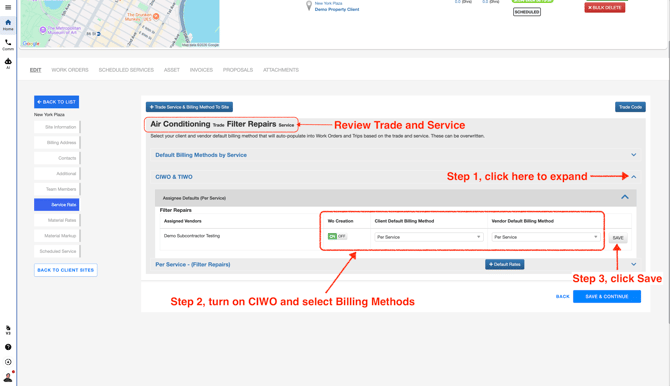
- Expand the CIWO, TIWO & Advanced Scheduler row. Make sure to select the correct Service before turning on the CIWO and TIWO. You can also turn them on for all the Services.
You should see a dropdown with the Vendor/Team Member name. Click "ON" to allow them to create a Work Order from the field.
Select a Client and Vendor Default Billing Method. This will be auto selected while creating and dispatching Work Orders through Advanced Scheduler.
Click "SAVE" to apply changes.