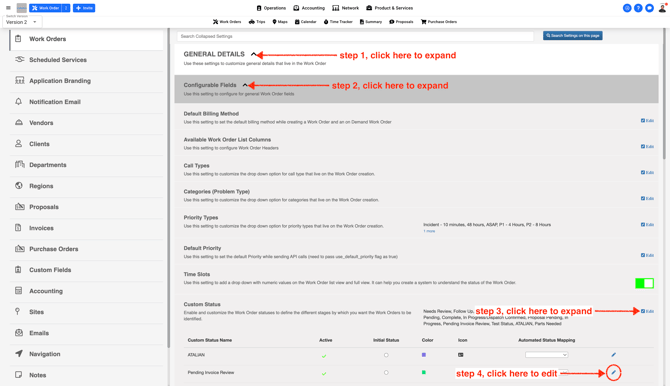
- From the Company Settings page edit the Custom Status
- While editing the Custom Status select the checkbox highlighted in the screenshot
Note: The hours box cannot be left empty or 0. You have to enter a number in the hour box to turn the Work Order to Ready For Billing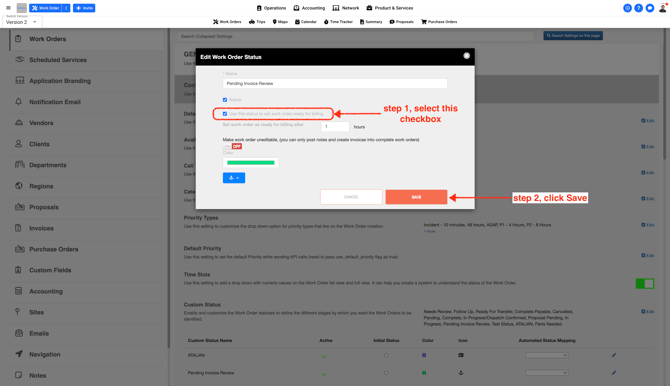
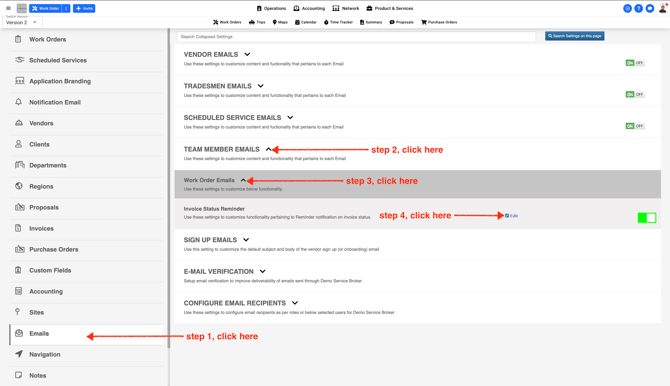
From the email settings turn on this section
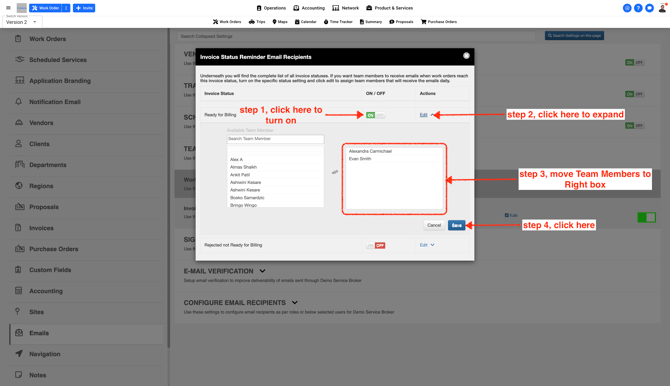
Click on the Team Member name to move them to the right box
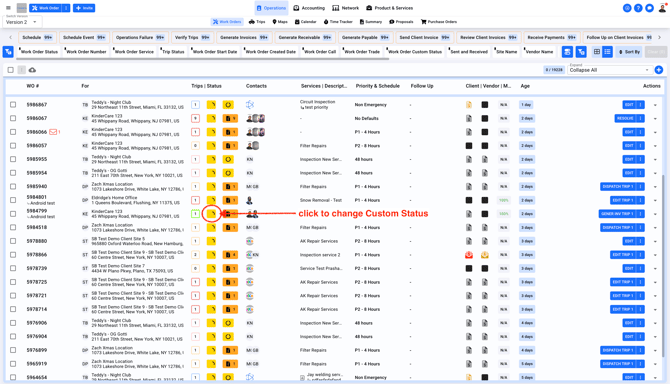
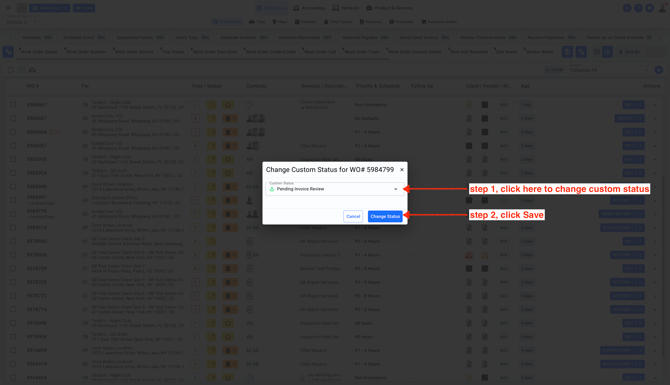
- Change the Work Order Custom Status.This will trigger an email to the Team Member selected from Company Settings on step 3.
Note: If you have multiple Work Orders you can change custom status using the bulk method. Check out the article here