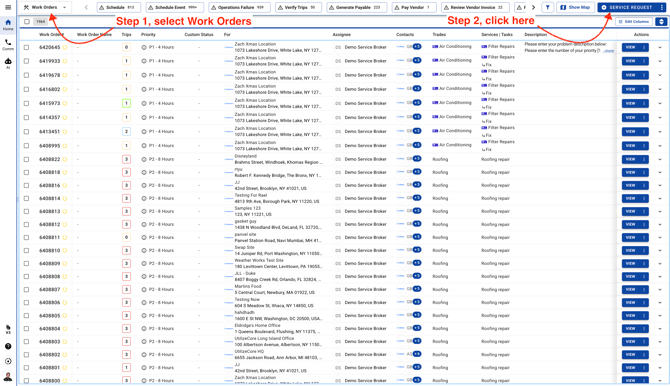
- Go to Work Orders page and click on the button on the top right corner.
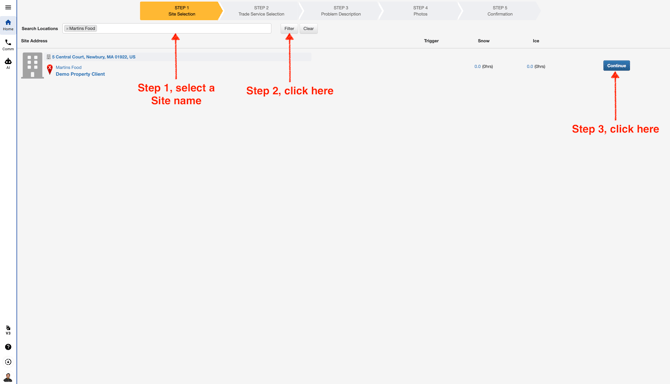
- Use filter to search for your Site name
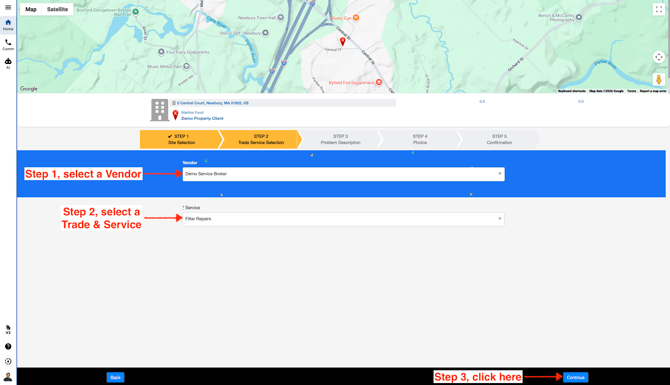
- Select a Vendor and a Trade/Service.
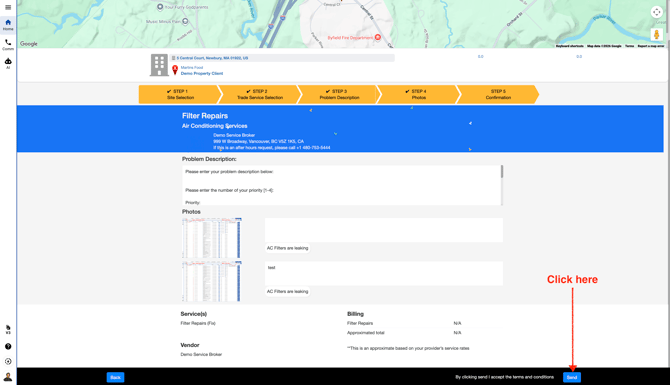
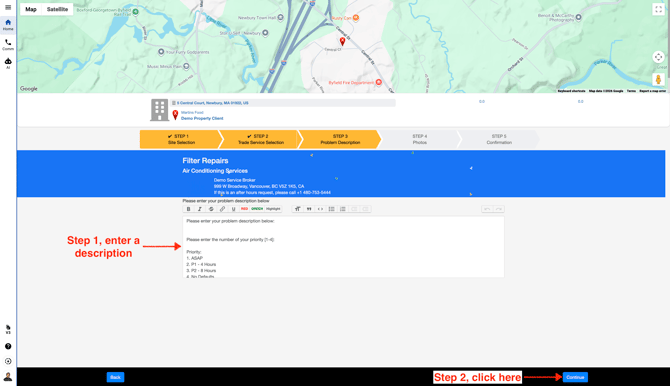
- Enter a Service Request description
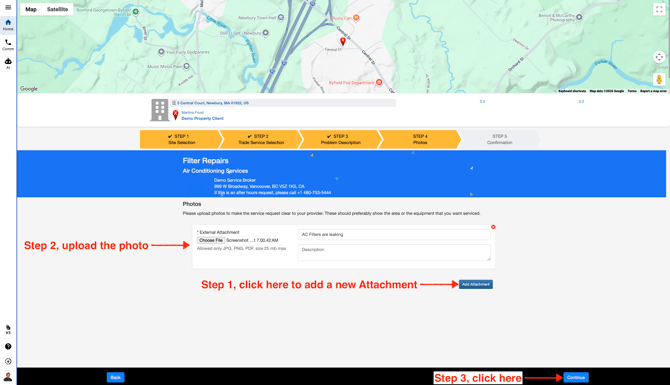
- Add an attachment/photo if required
- Submit the new request and you'll get the new Service Request number