- Go to Company Settings

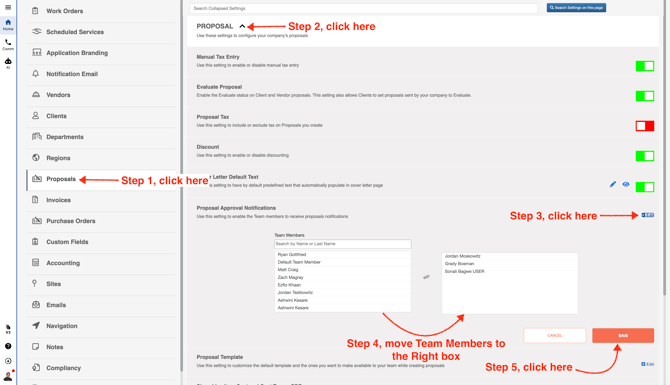
- Click **Proposals** in the left menu. Then, click on the team member’s name in the left box to move it to the right box. Any team members shown in the right box will receive an email whenever a client proposal is moved to **Approved** status.