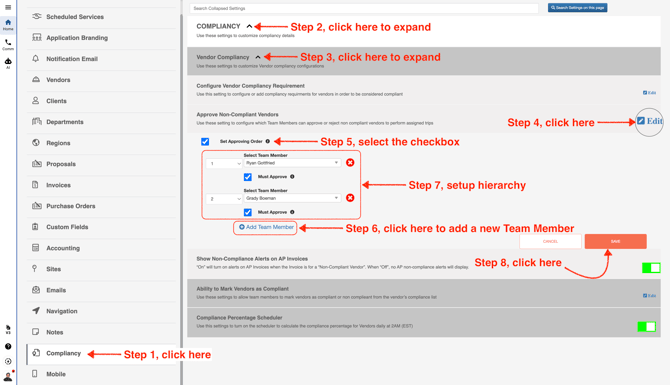
- Go to Company Settings

- From the menu on the left, click **Compliancy**. You can add multiple team members to the hierarchy by choosing a rank and selecting a team member. If you check **Must Approve**, that team member must approve the vendor before the vendor can check in to any trip.
This setting can be used when you’re assigning a non-compliant vendor to a trip.