- Start by logging in to your company’s UtilizeCore account. UtilizeCore automatically sets up your account URL when you sign up. For example, if your company is called Martin’s Snow Removers, your URL would be martinssnowremovers.utilizecore.com, unless you chose a different URL name during signup.
Click the filter icon in the top-right corner to open the dropdown, then click the blue "+ Add Filters" button.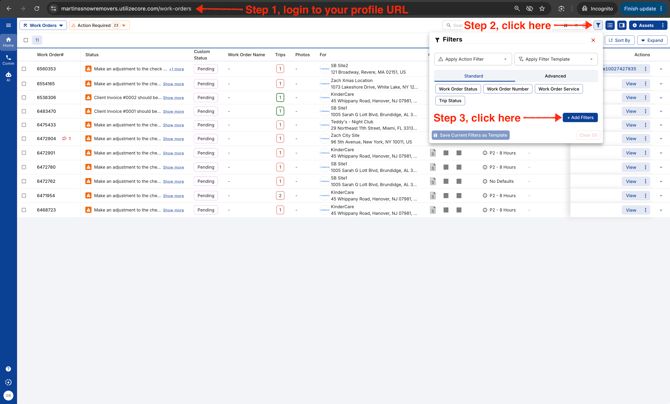
This is the page where you setup your company URL when you sign up.
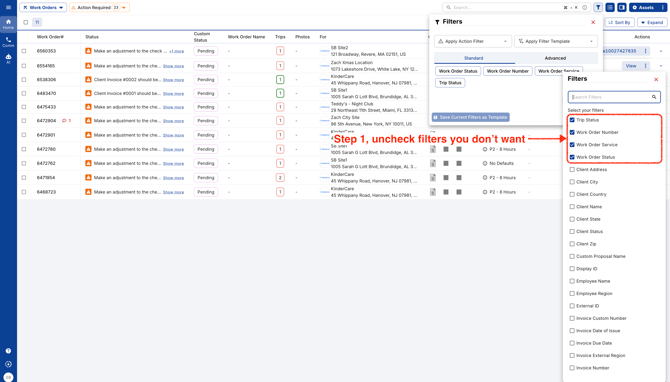
- Uncheck any filters you don’t want, and they’ll be removed automatically.