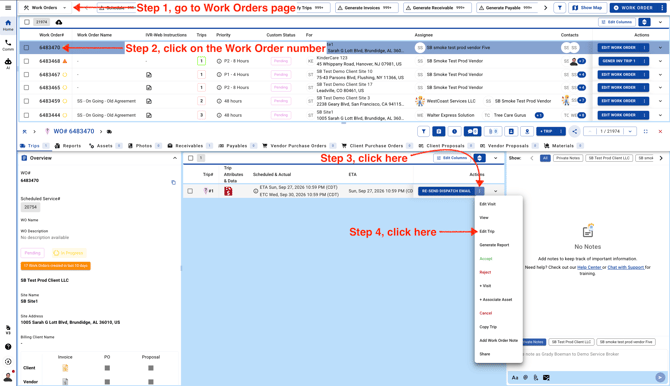
- Open the Work Order and click on Edit Trip.
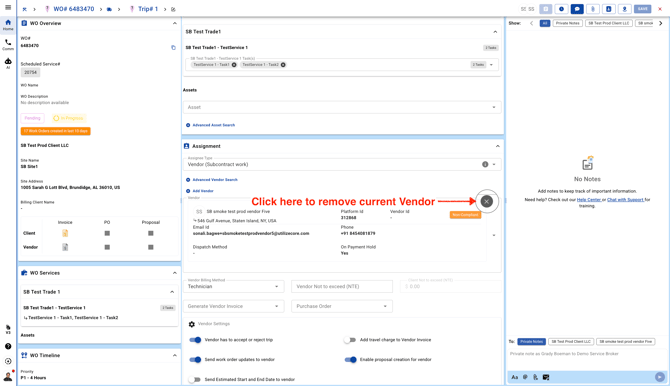
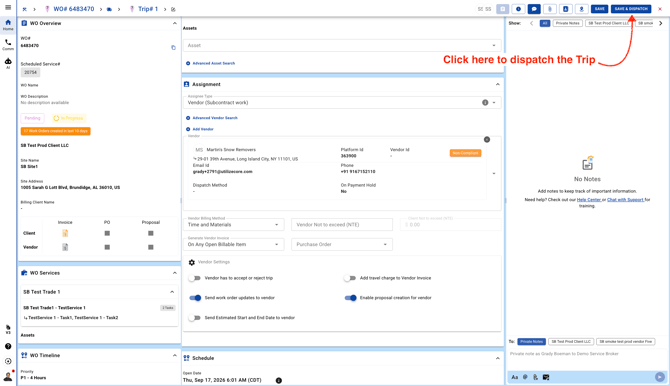
- In the center pane, scroll down to the Assignment section and remove the existing Vendor by clicking on the **X** icon.
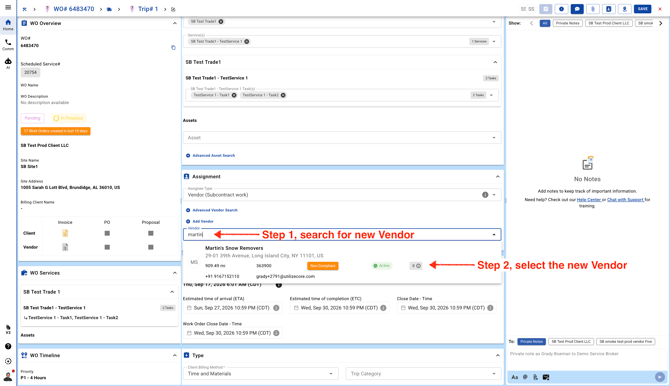
- Search for the new Vendor in the same section and assign the new Vendor.
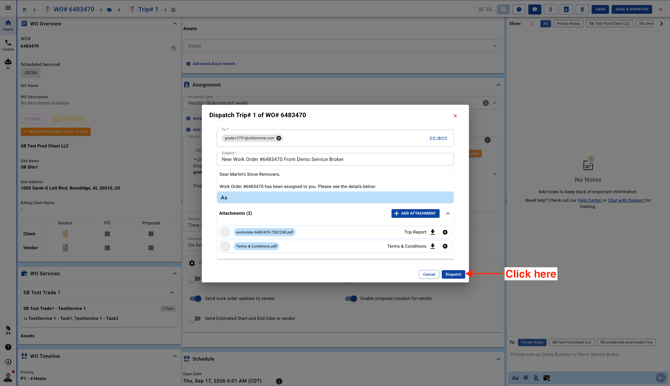
- Click on the blue button on the top right corner to dispatch the Trip.
- Review the dispatch email, attachments and send the Trip to the new Vendor.