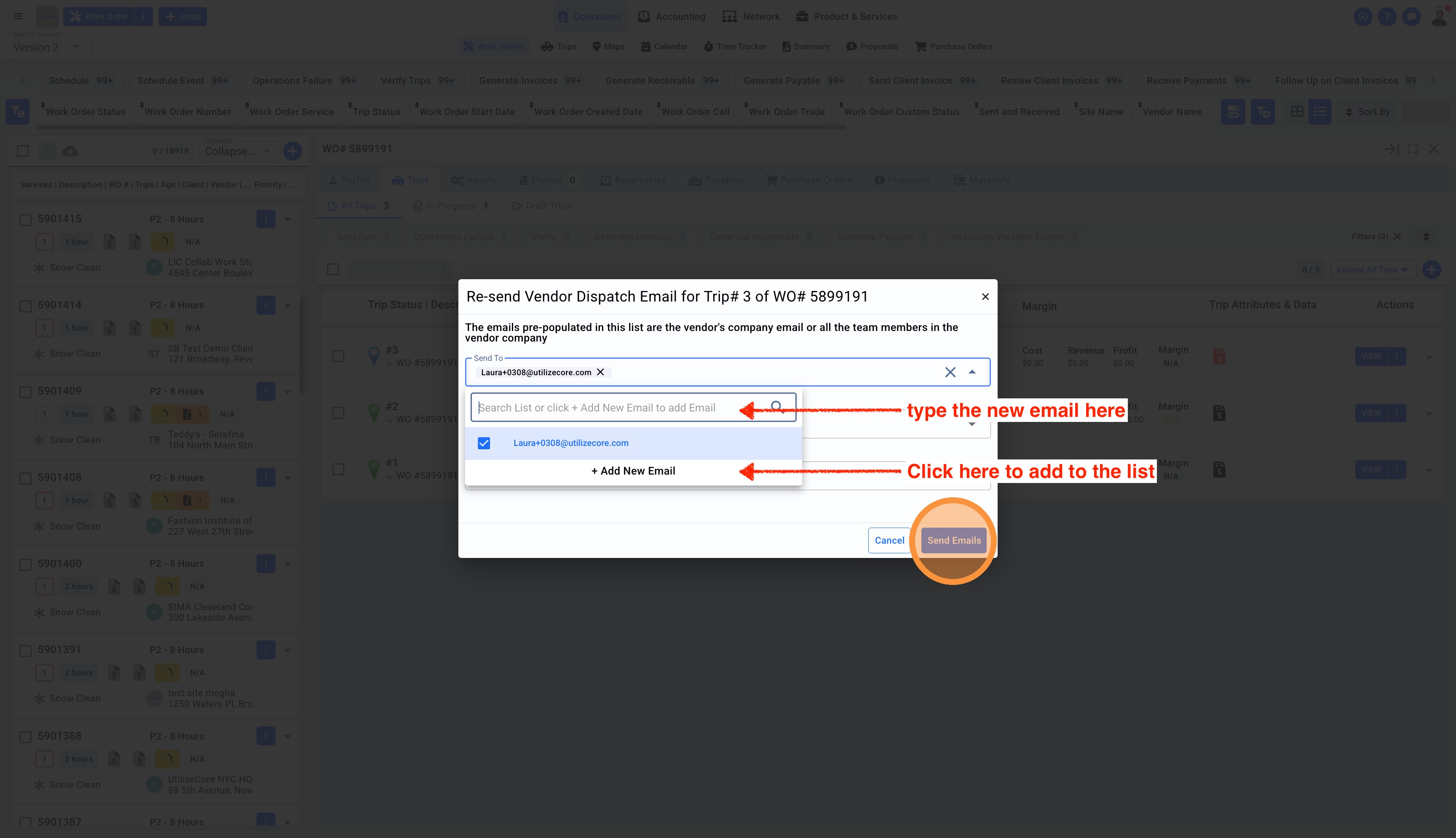
1. Click on Operations in the top center menu
2. Select Work Orders from the sub-menu
3. Switch to Version 2 from top left corner
4. Click on the Work Order number to open the details panel to the right
5. Under the Trips page, click on the three dots on the Trip
6. Select Resend Dispatch Email
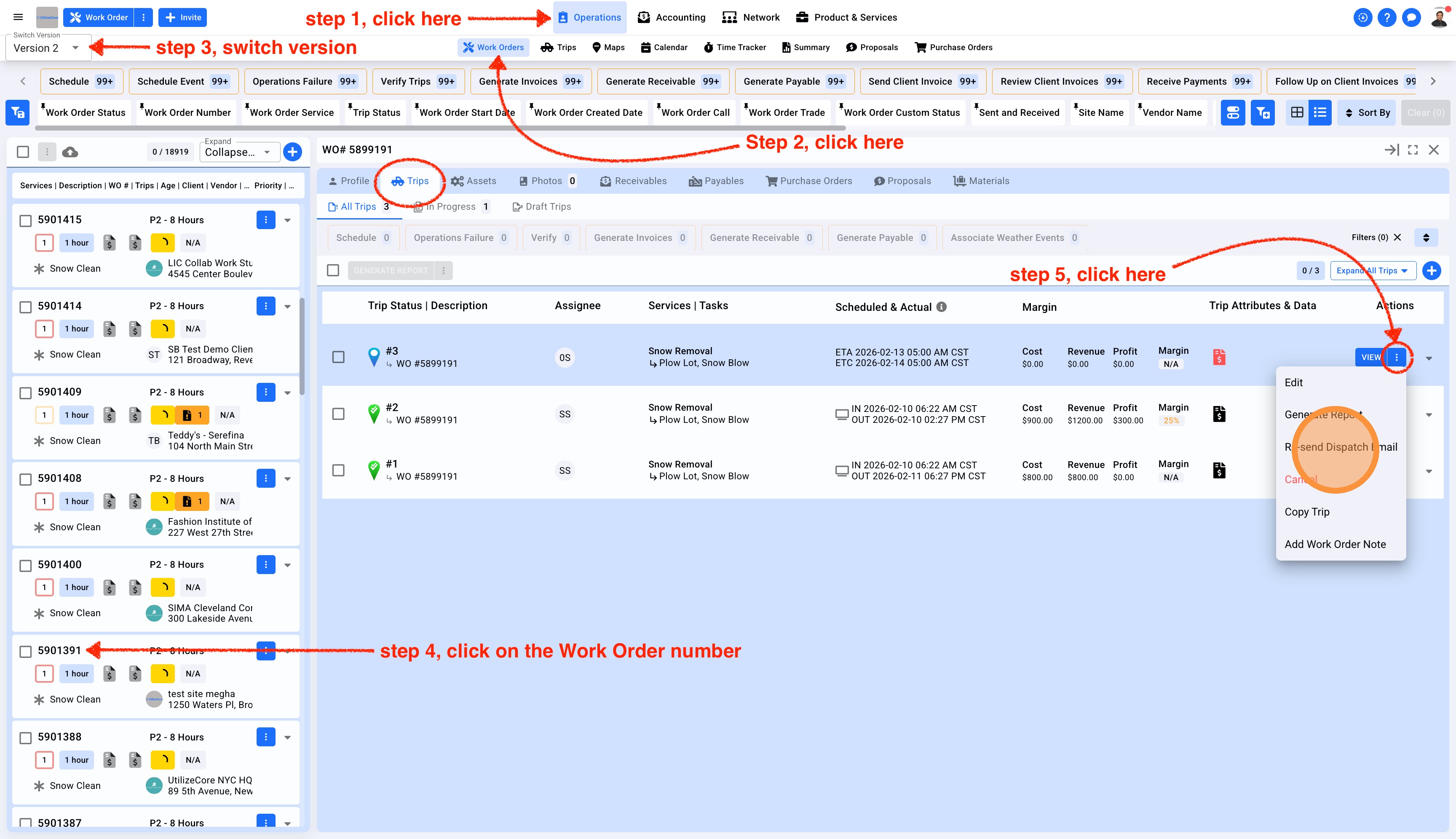
2. You'll see a pop-up with the Vendor's email in it. You can add multiple emails in cc or bcc and click Dispatch