
- Go to Work Orders page
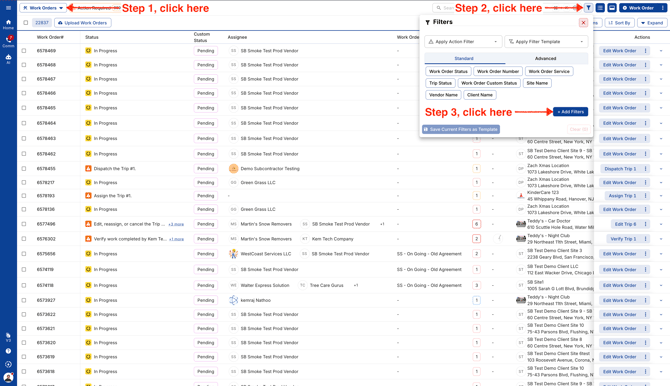
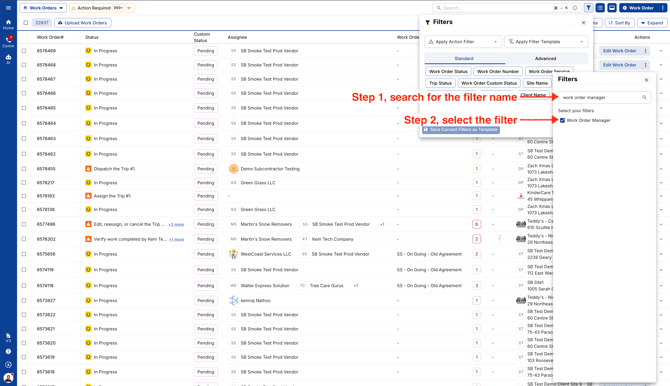
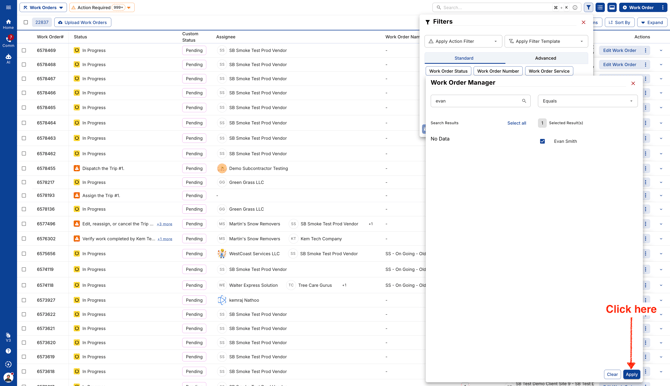
- Search for the Work Order Manager name filter and select it. This will be pinned under Filters to use it.
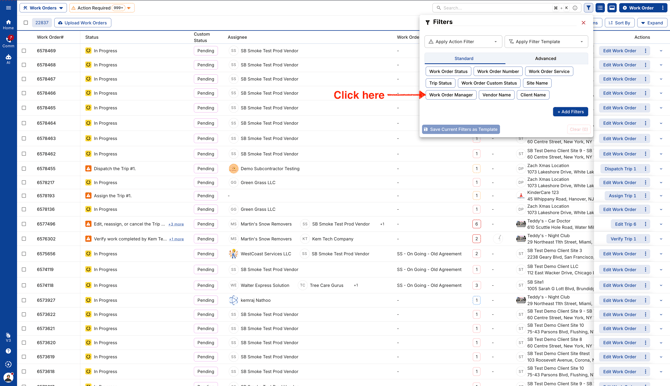
- Click on the pinned filter name Work Order Manager
- Enter the Manager's name and select it
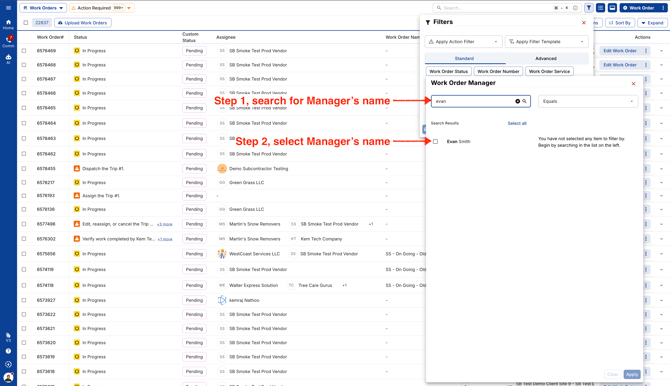
- Click Apply to run filters
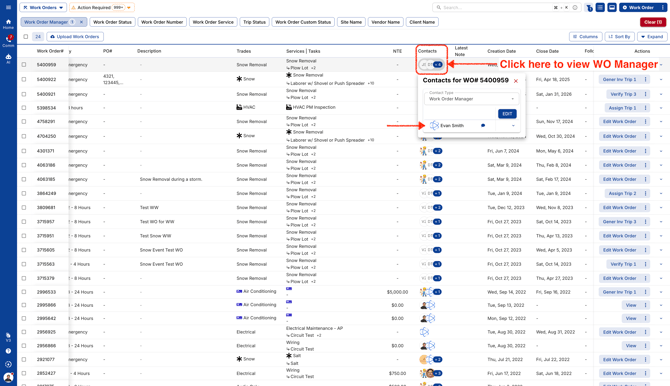
- You'll see a list of Work Orders assigned to the Manager you entered in the filter. Click on the Contacts column to view or edit the Manager.
Video