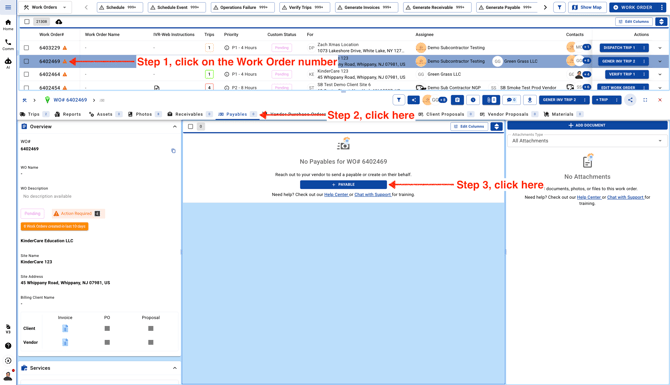
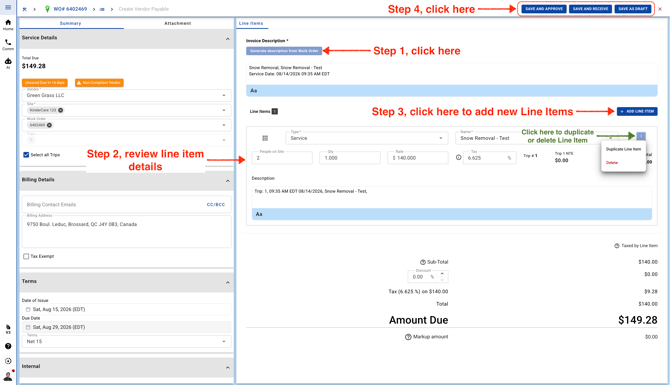
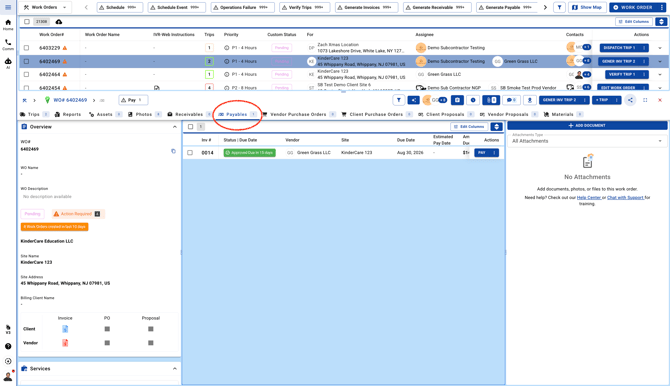
September 11, 2026 How To Generate A Vendor Invoice From A Work Order Go to Work Orders page Review the Vendor Invoice before Approving the Invoice. Send And Approve: This button will change the AP status to Approved and sync to QBO/QBD. The AP will be available under the Payables tab within the Work Order