
- Go to Work Orders page. Follow these steps if your Position Preview is set to Bottom Preview. Check out this article to use Position Preview.
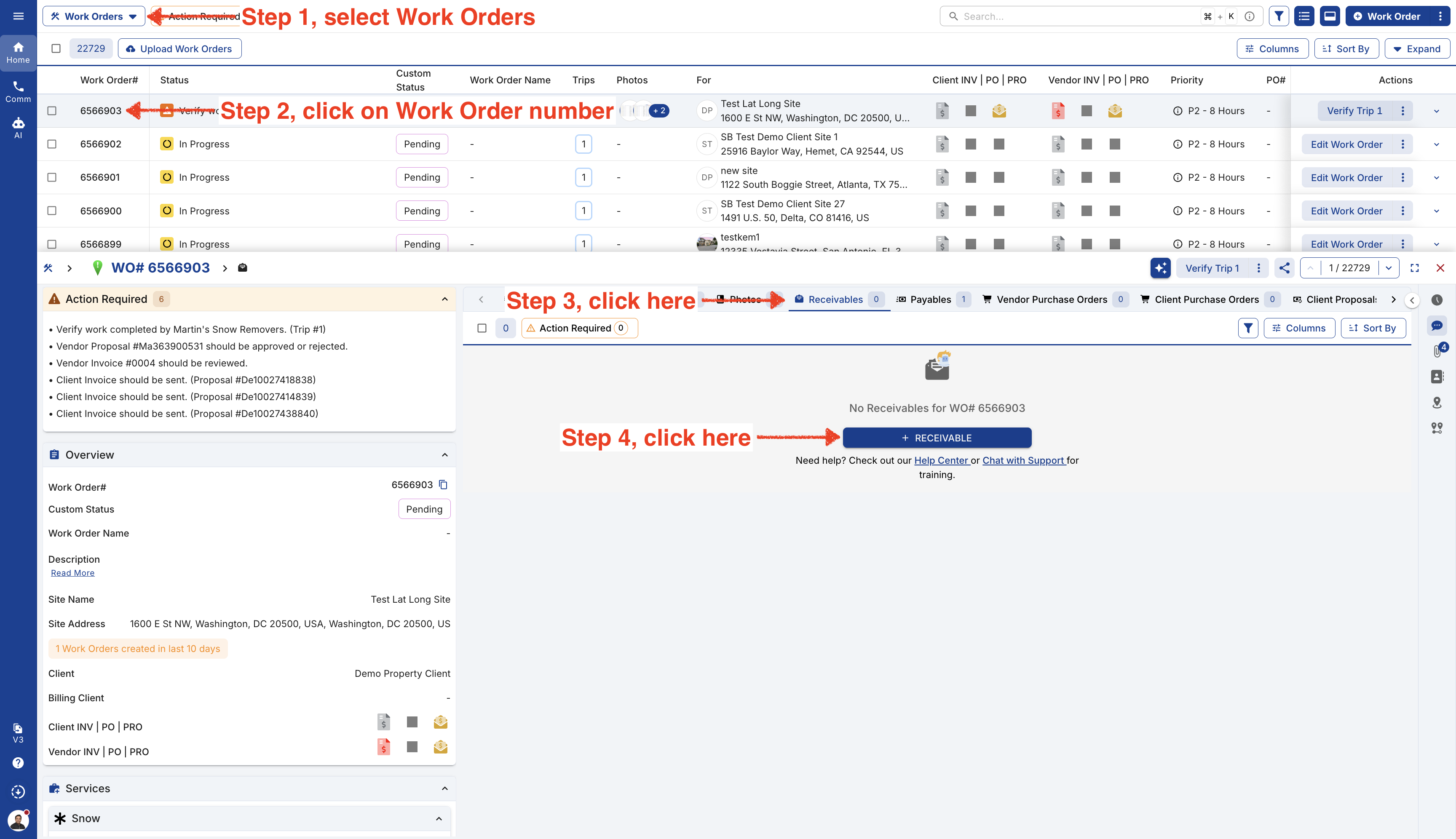
From Wide Right Preview.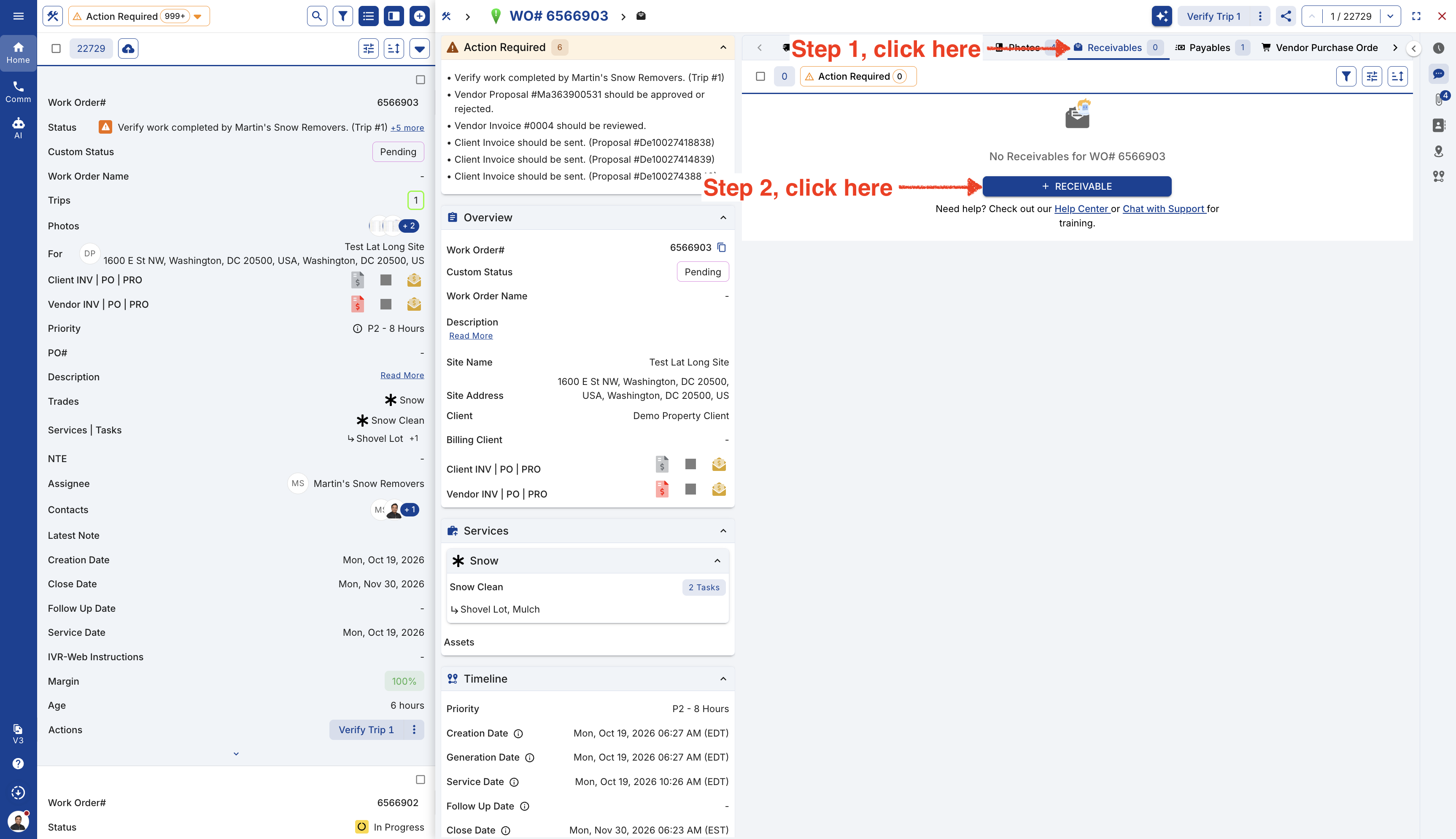
From Right Preview.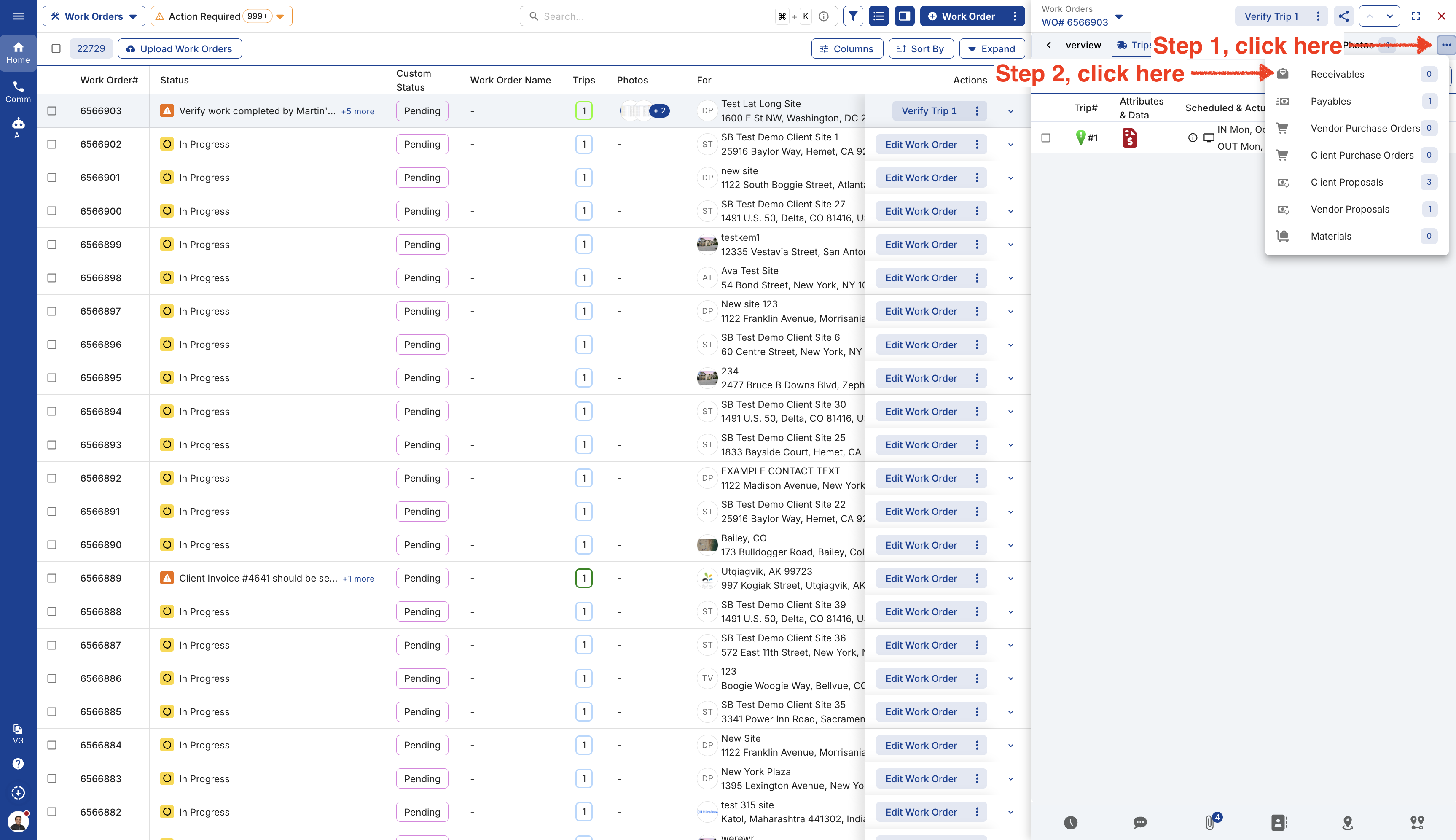
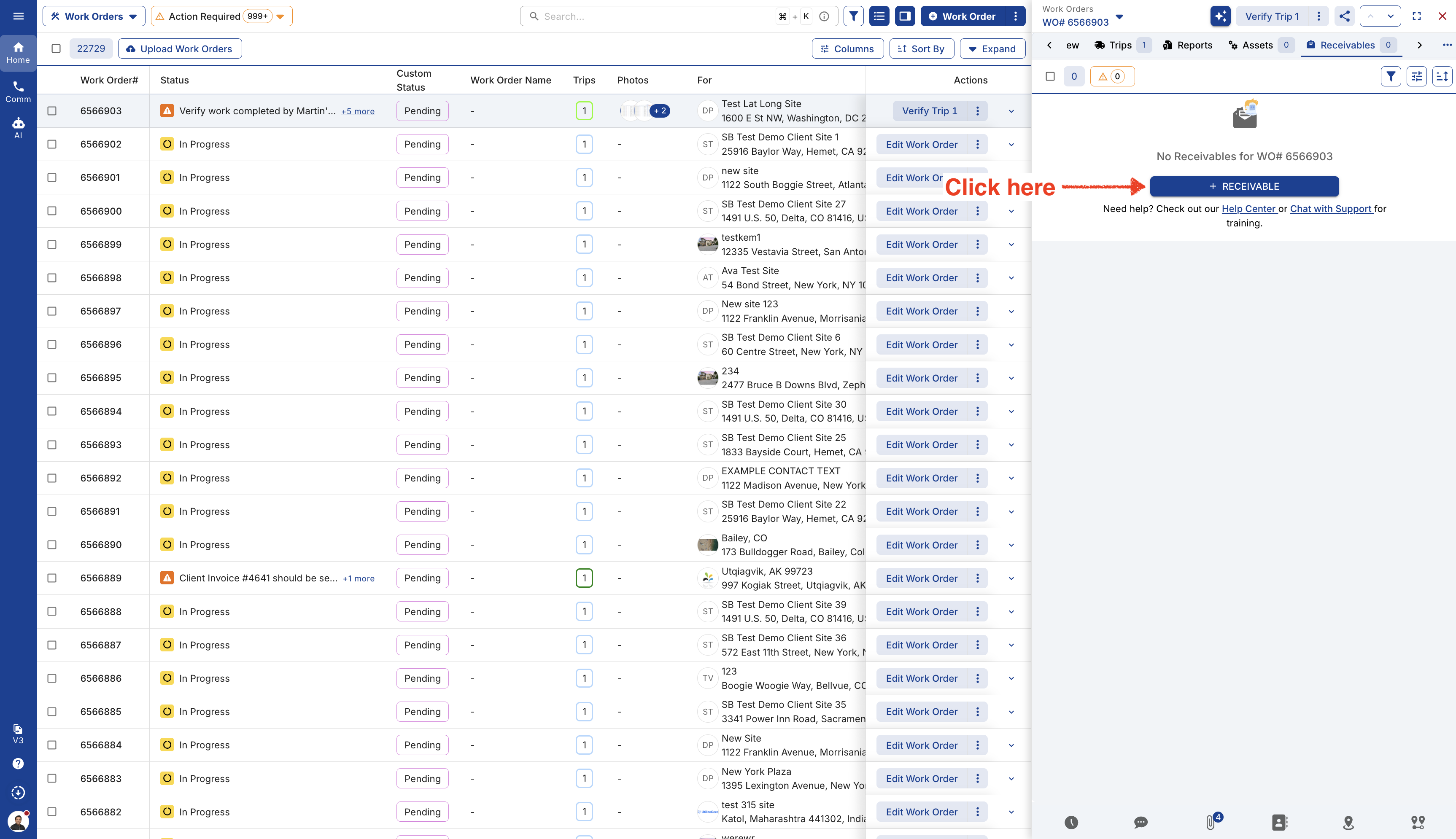
-
These buttons work with your accounting integrations:
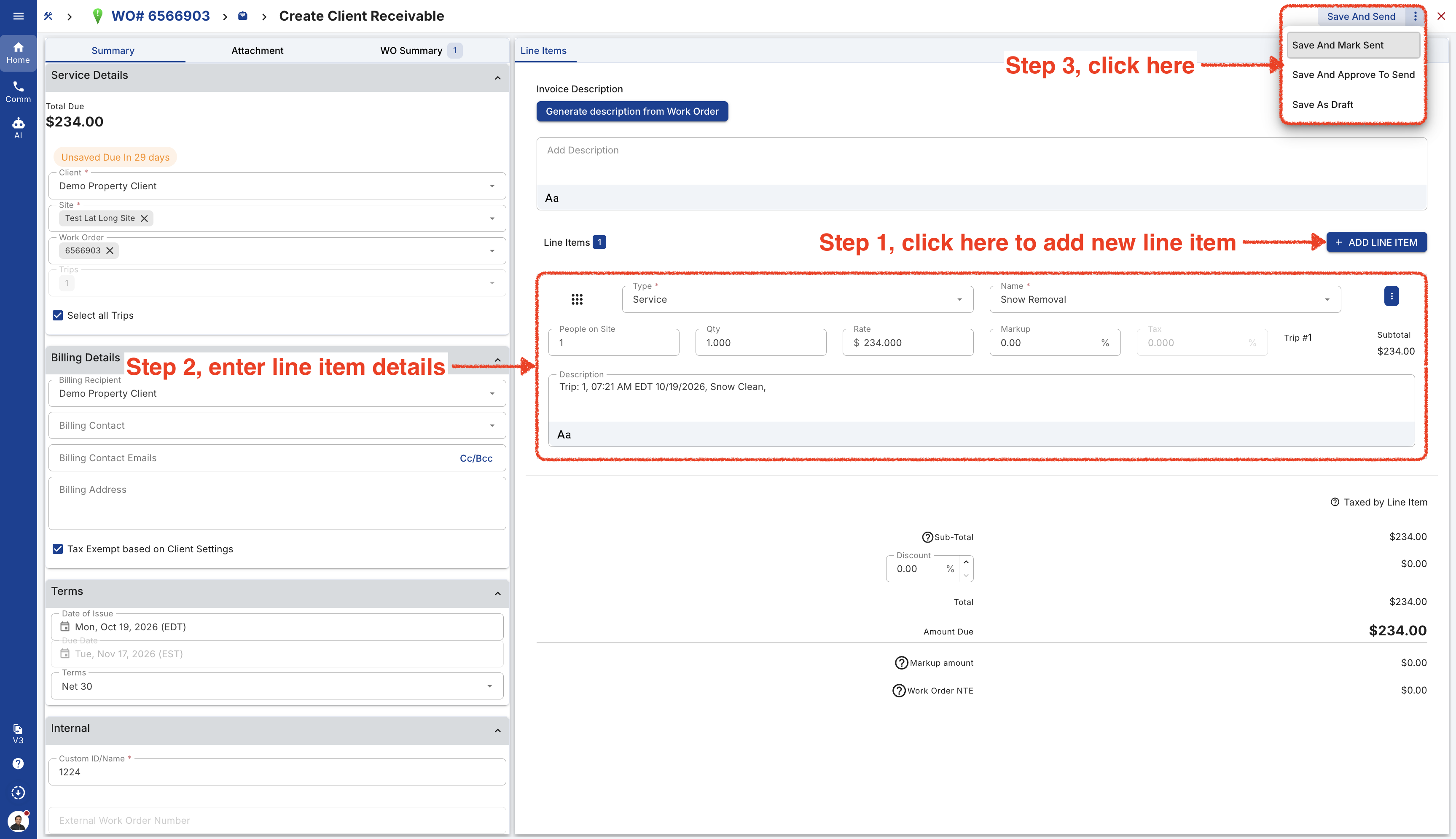
**Save as Draft:** Your invoice will be saved as a draft and won’t be visible to your client unless you send or approve it. If you have an accounting integration, the invoice won’t sync at this stage.
**Save and Mark Sent:** This will sync the invoice to your accounting integration and mark it as sent. It won’t be emailed to your client, so you can keep it in your accounting system without sending it to them.
**Save and Send:** This will email the invoice to your client and sync it to your accounting system.
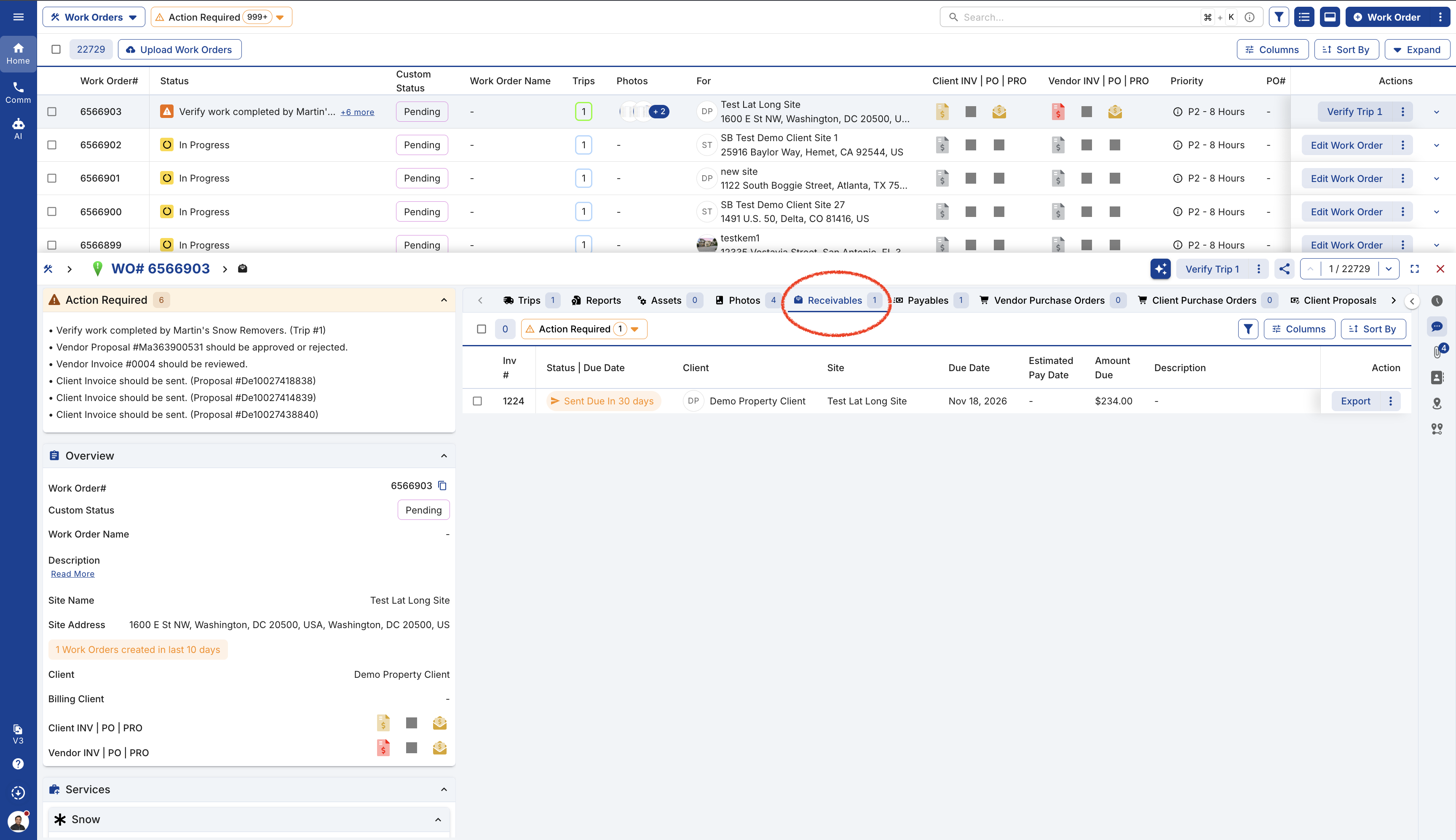
- The new AR will be available under the Receivables tab.
Video