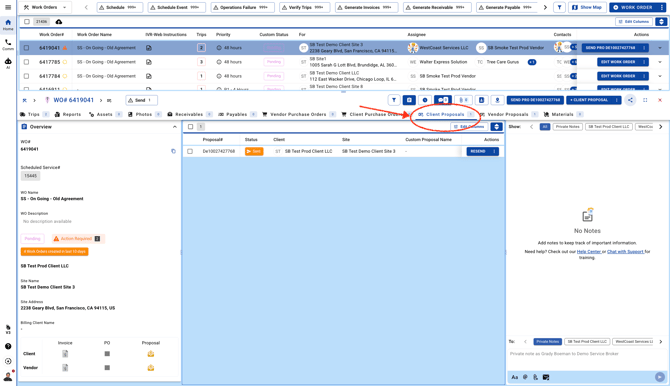
- Go to Work Orders page and open a Work Order
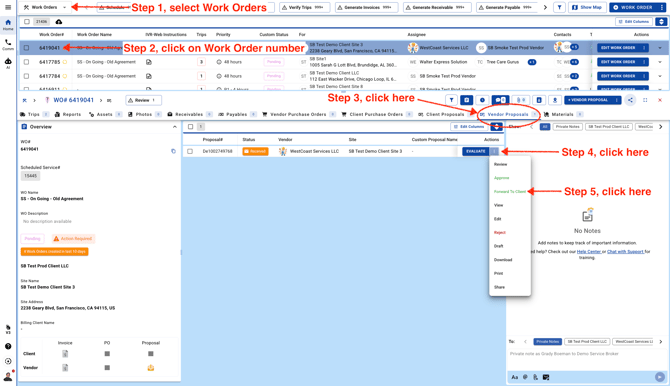
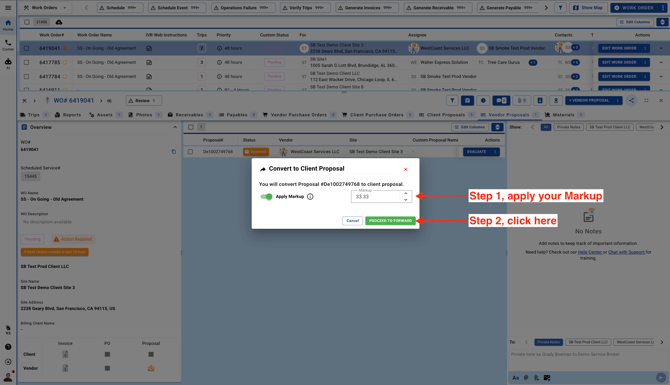
- From the "Vendor Proposals" tab forward it to your Client. Enter your Markup value and create a new Client Proposal
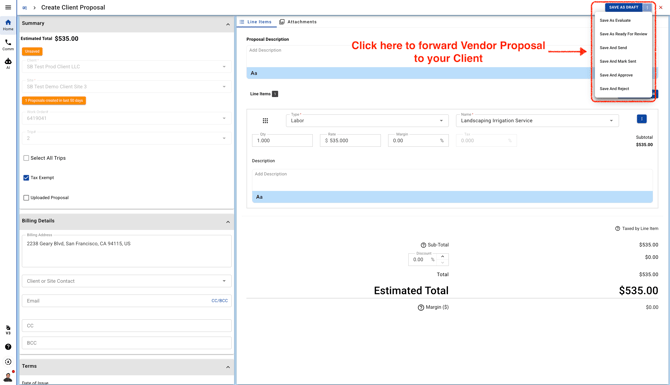
- Review the Client Proposal items and save the Proposal. If you save the Proposal as a Draft it will not be visible to your Client or Sent to your Client.
After forwarding the Proposal you can come back to the Work Order and view the new Client Proposal under the "Client Proposals" tab.