How To Enable Setting To Send Work Order Emails To You Vendors
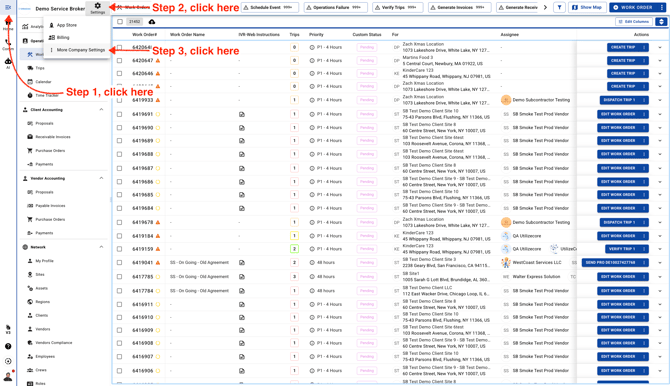
Go to Company Settings.
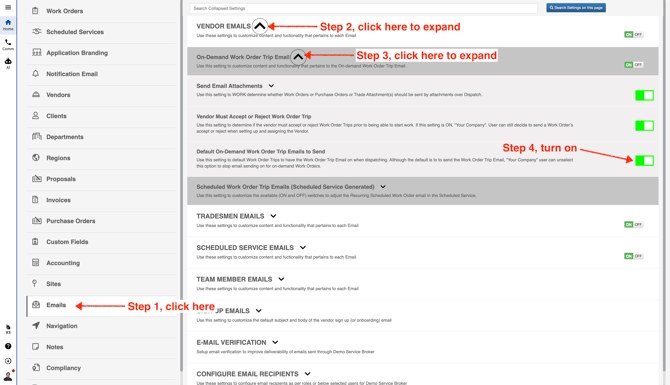
From the menu on the left, click **Emails**. Then expand **Vendor Emails** and **On-Demand Work Order Trip Emails**. When you’re there, turn on the switch for **Default On-Demand Work Order Trip Emails to Send**.