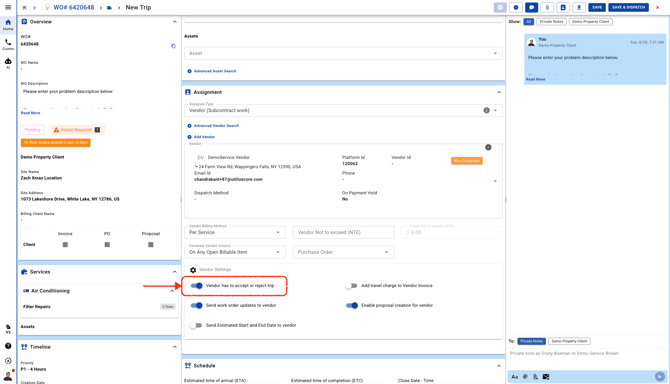
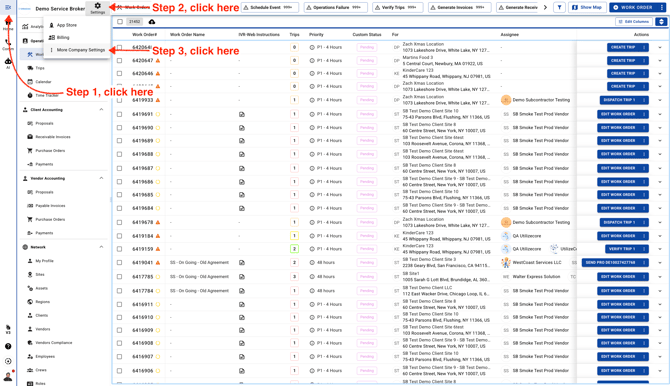
- Go to Company Settings Page
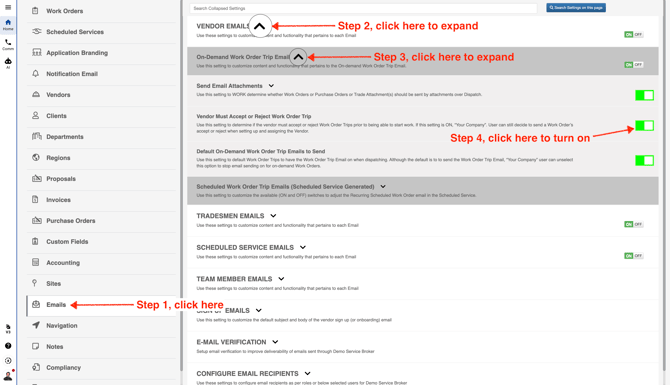
- In the left menu, scroll down and select **Emails**. Then expand the **Vendor Emails** section and the **On-Demand Work Order Trip Email** section. Make sure the **Vendor Must Accept or Reject Work Order Trip** switch is turned on.
This setting turns on the switch automatically when dispatching a trip to a vendor. With the switch enabled by default, the vendor will see the option to accept or reject the trip before checking in.