-
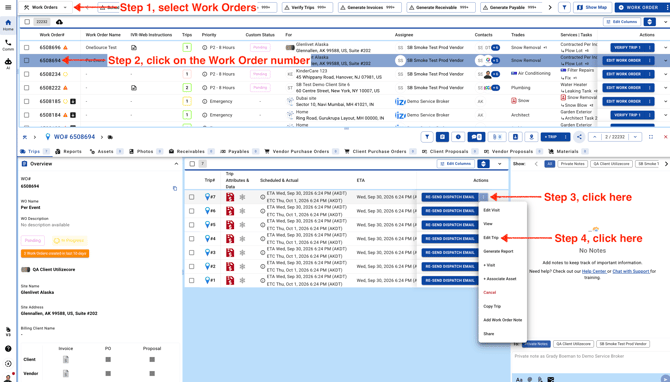
Go to the Work Orders page and open the work order you’d like to update. Click the three-dot menu, then select Edit Trip.
Note: If the trip is verified, unverify it before making changes.
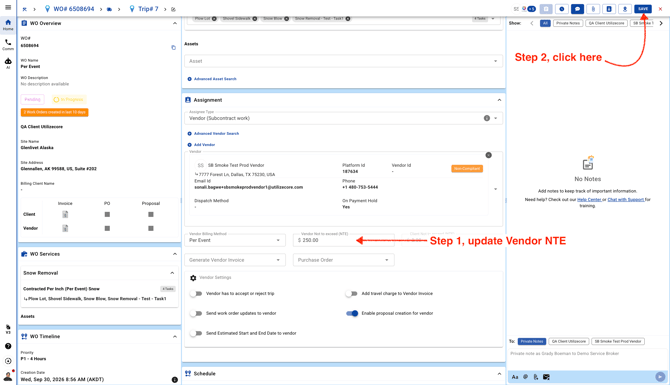
- Scroll down in the center panel, update the Vendor NTE, then click Save to keep your changes.