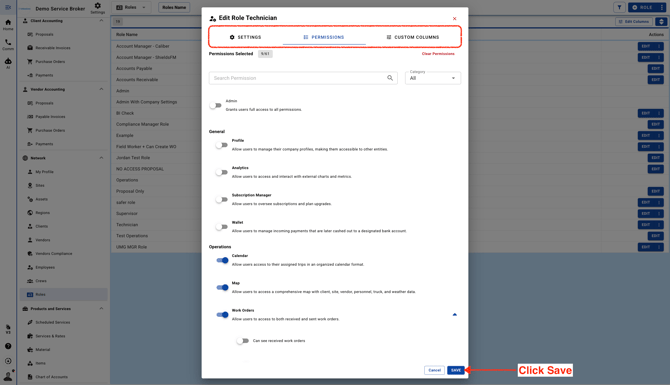
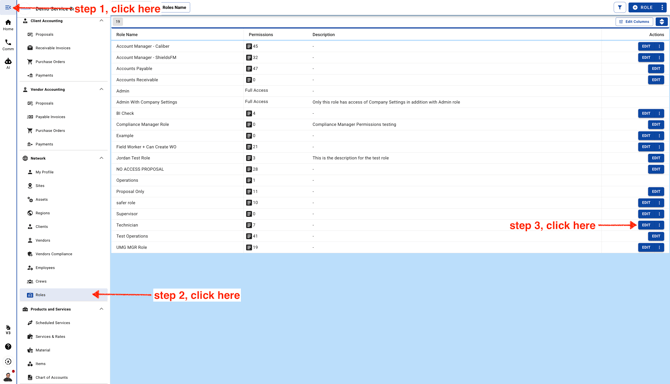
- **Note:** If you don’t see the three dots next to the **Edit** button, it means the role is currently in use and can’t be deleted. The three dots will only appear when the role is not in use.
-
Here’s what you can do in each tab:
**Settings tab:** Update the role name.
**Permissions tab:** Add new permissions or remove existing ones.
**Custom Columns tab:** Choose which columns users will see by default when they log in to their account.