
- Please sign in to your account to get started. Your UtilizeCore account URL is your company name followed by ".utilizecore.com." For example, if your company name is KFC, your login URL would be kfc.utilizecore.com. Go to Work Orders page and open a Work Order.
From Right Preview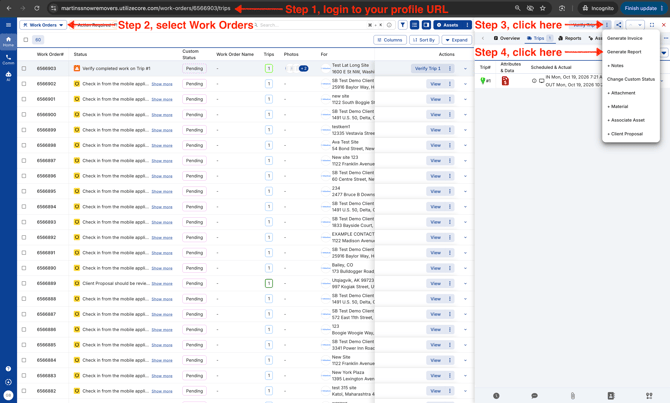
From Wide Right Preview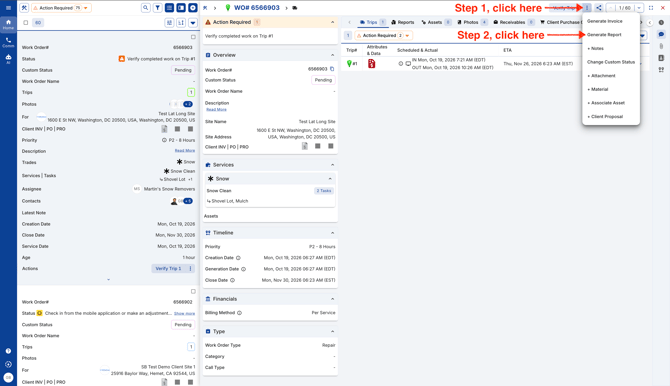
From Bottom Preview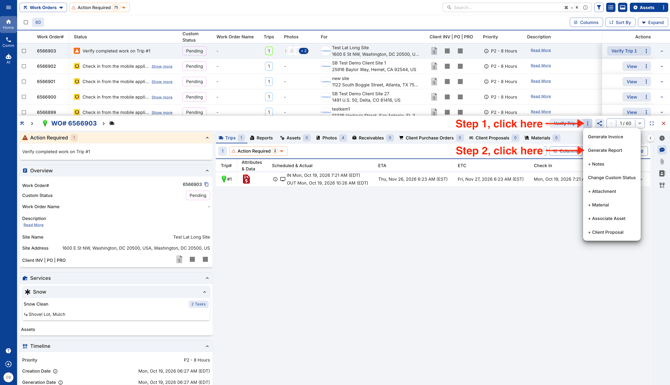
- Select the columns you'd like in your report and export.
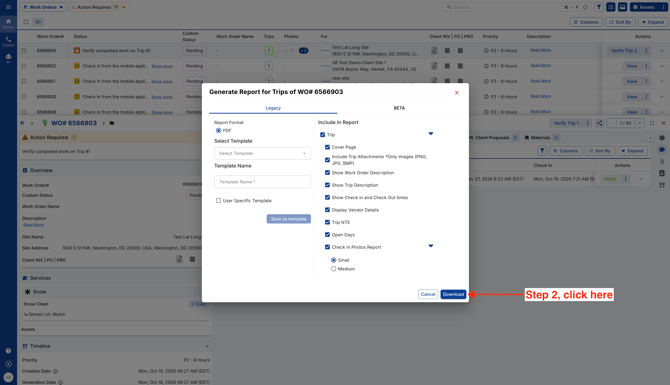
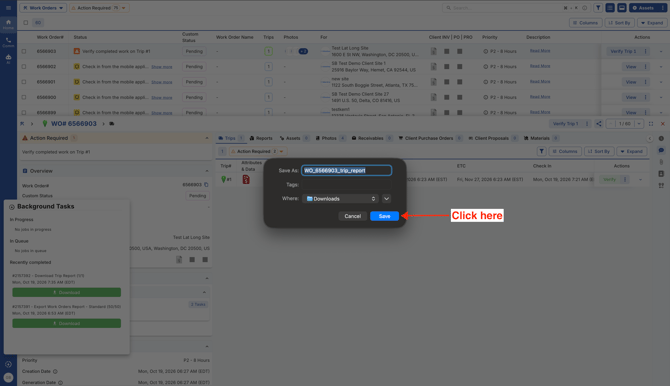
- Click Save. The Trip Report will automatically save in your computer's "Downloads" folder.
Video