- Start by logging in to your company’s UtilizeCore account. UtilizeCore automatically sets up your account URL when you sign up. For example, if your company is called Martin’s Snow Removers, your URL would be martinssnowremovers.utilizecore.com, unless you chose a different URL name during signup.
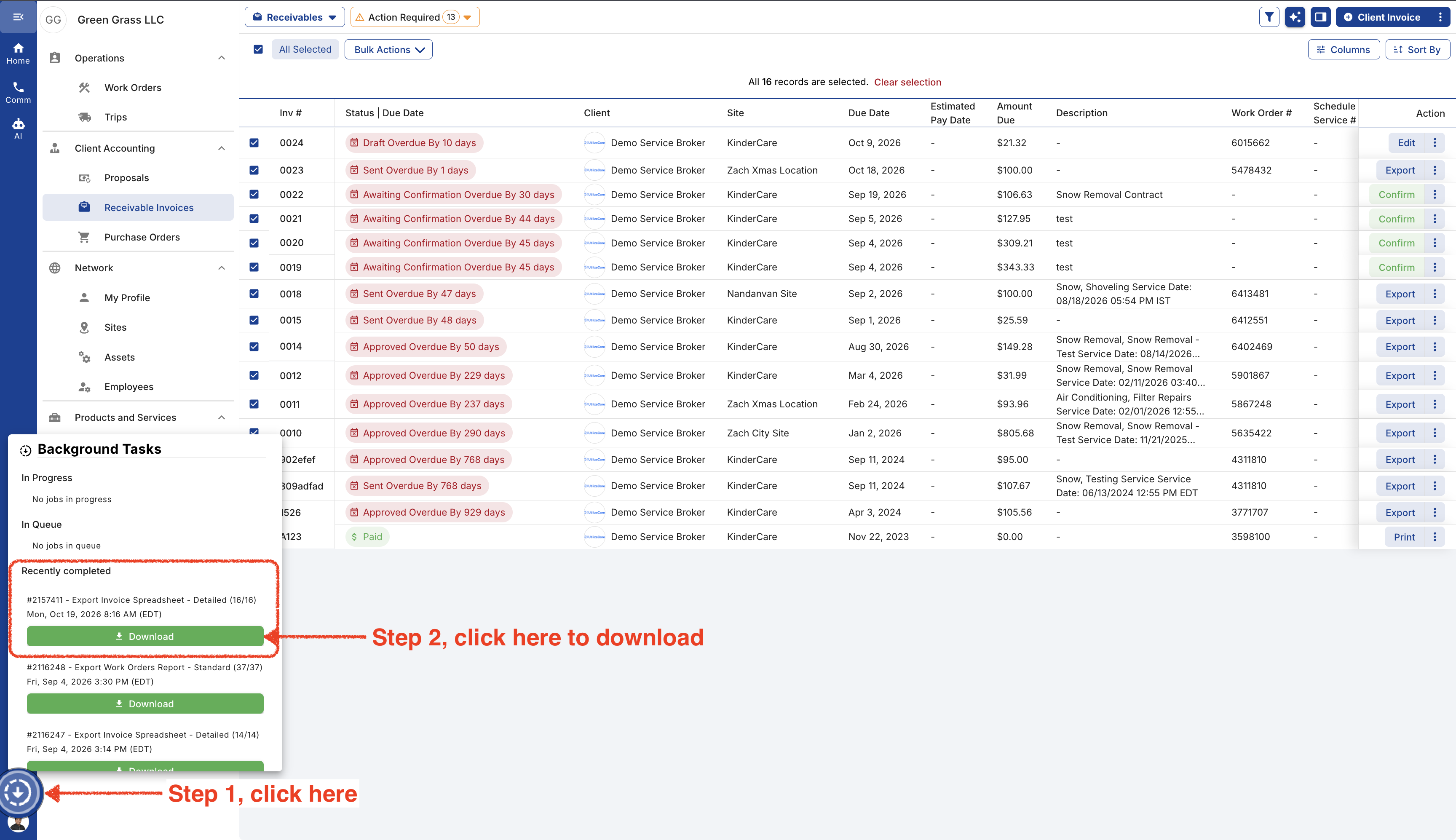
Go to Receivable Invoices page and follow these steps.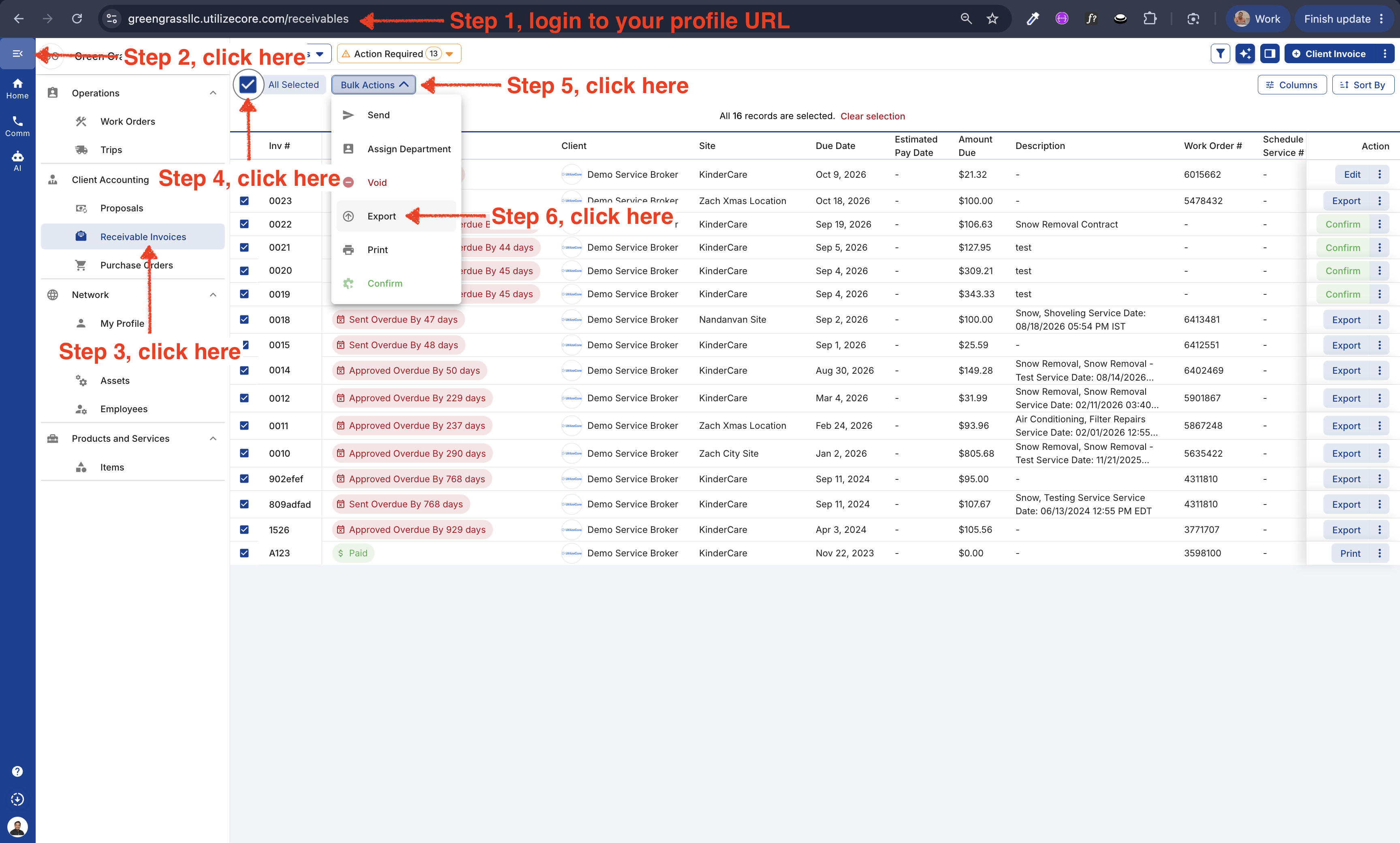
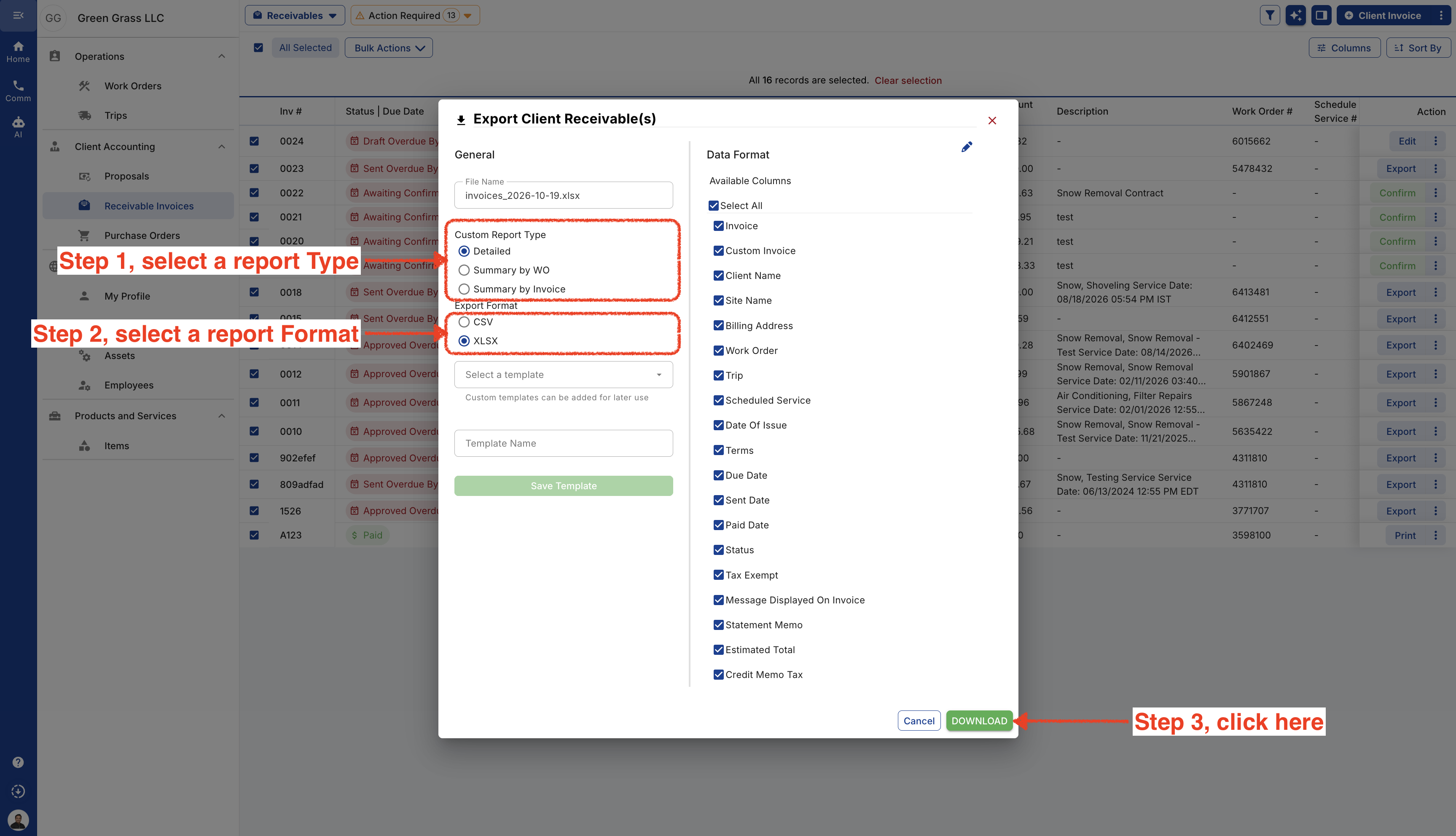
- Select the Report Type, Format and Columns. You can scroll down to view more columns. If you un select a column name, it will not be visible in the report.
- Go to Background Tasks to download the file.