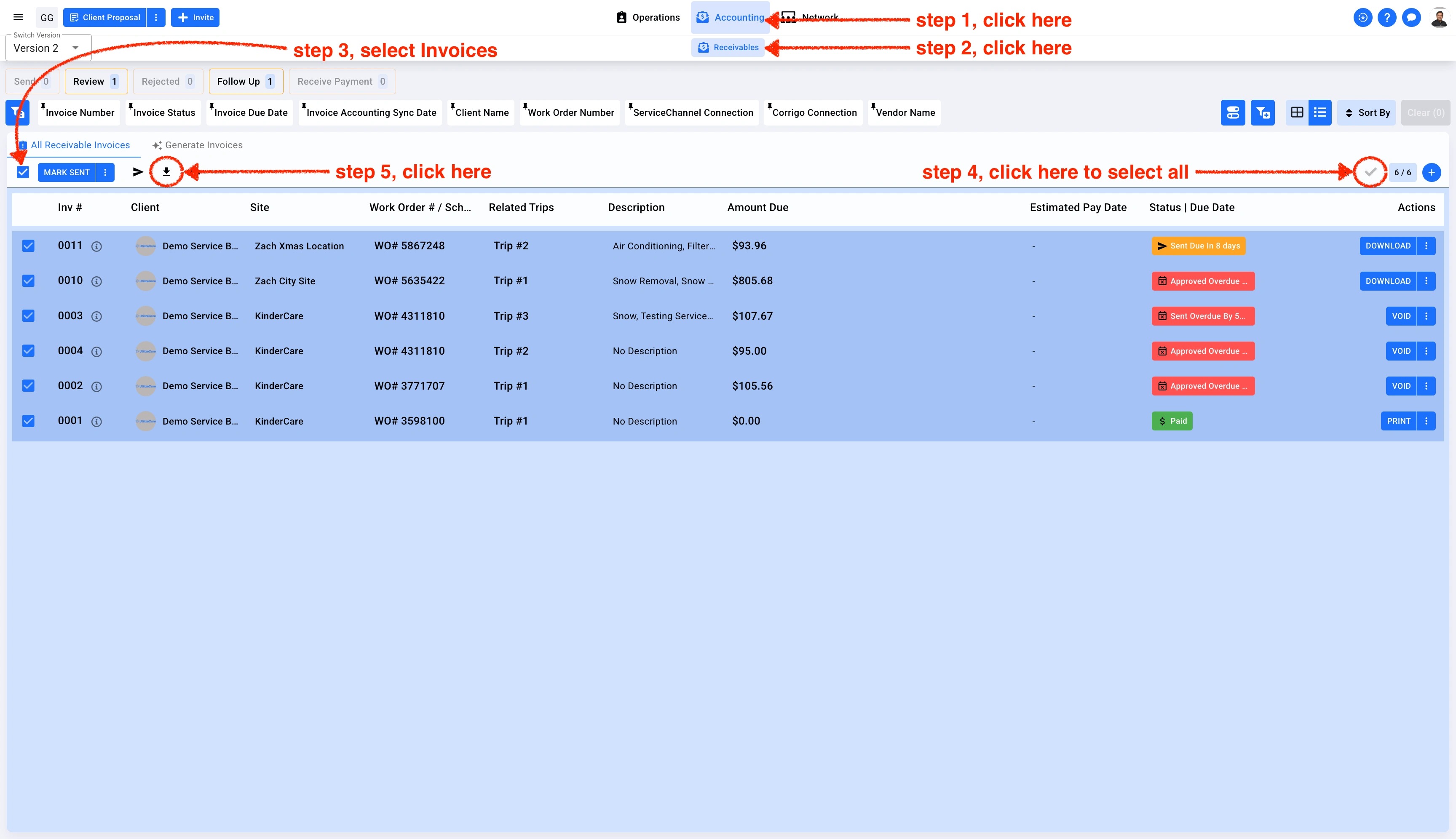
1. Click on Accounting in the top center menu. Select Receivables from the sub-menu. Click on the main checkbox on the left side and click on the check mark on the right side to select all Invoices. Click on the download icon.
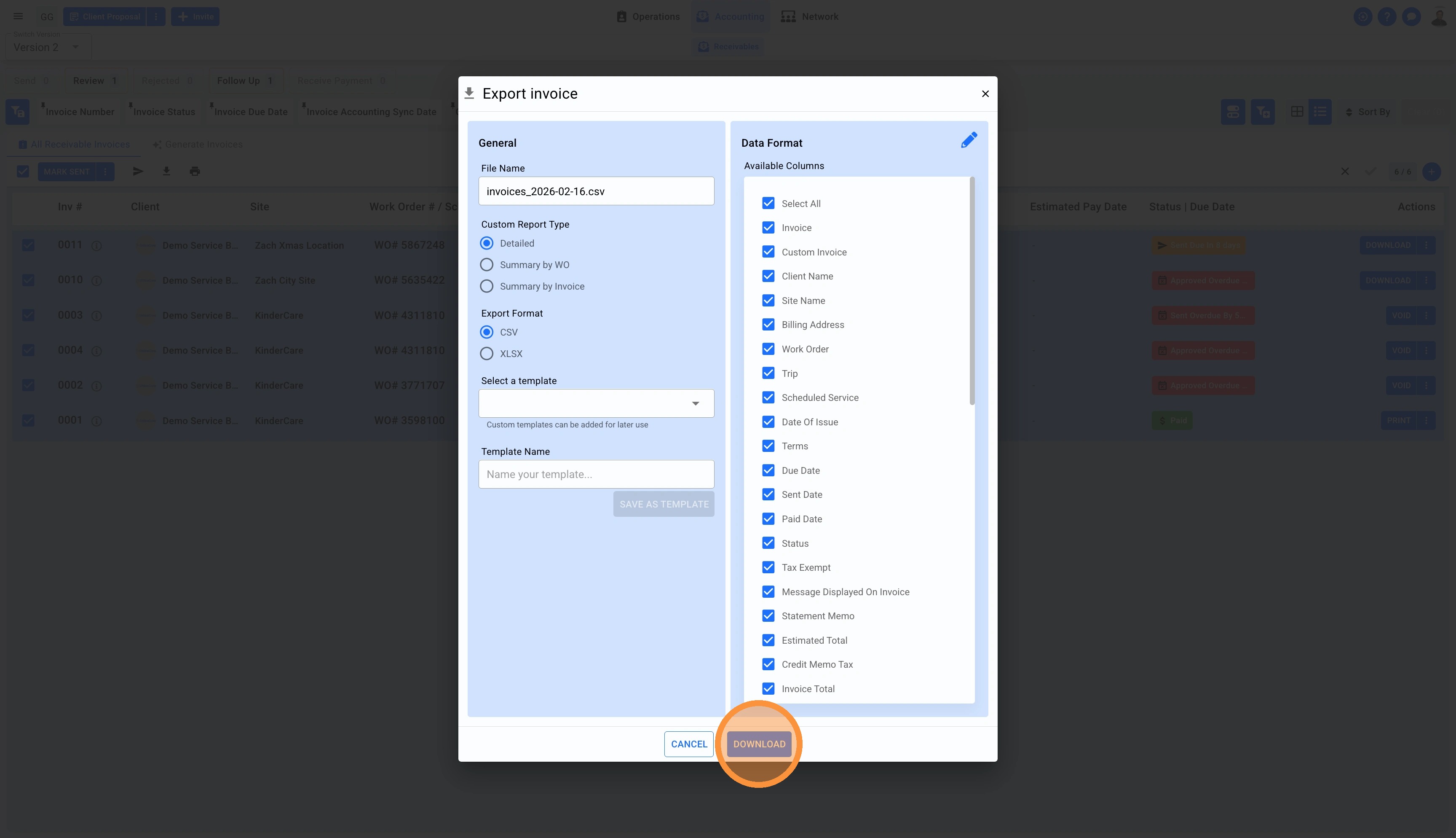
2. Select the report type and click on Download
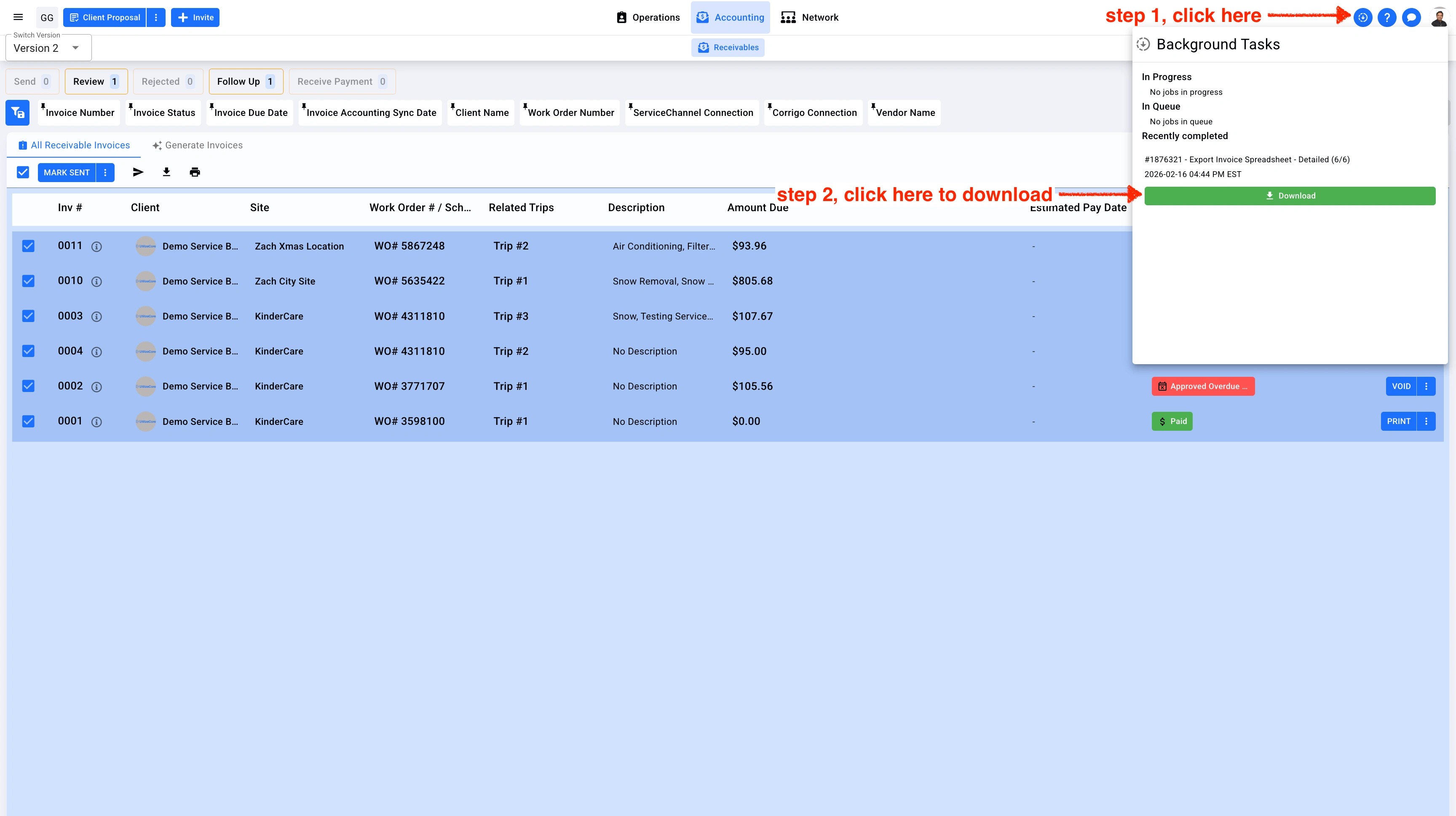
3. The report will be available in the Background Task on the top right corner.