- Please sign in to your account to get started. Your UtilizeCore account URL is your company name followed by ".utilizecore.com." For example, if your company name is KFC, your login URL would be kfc.utilizecore.com.
Go to Work Orders page and follow these steps to select all the Work Orders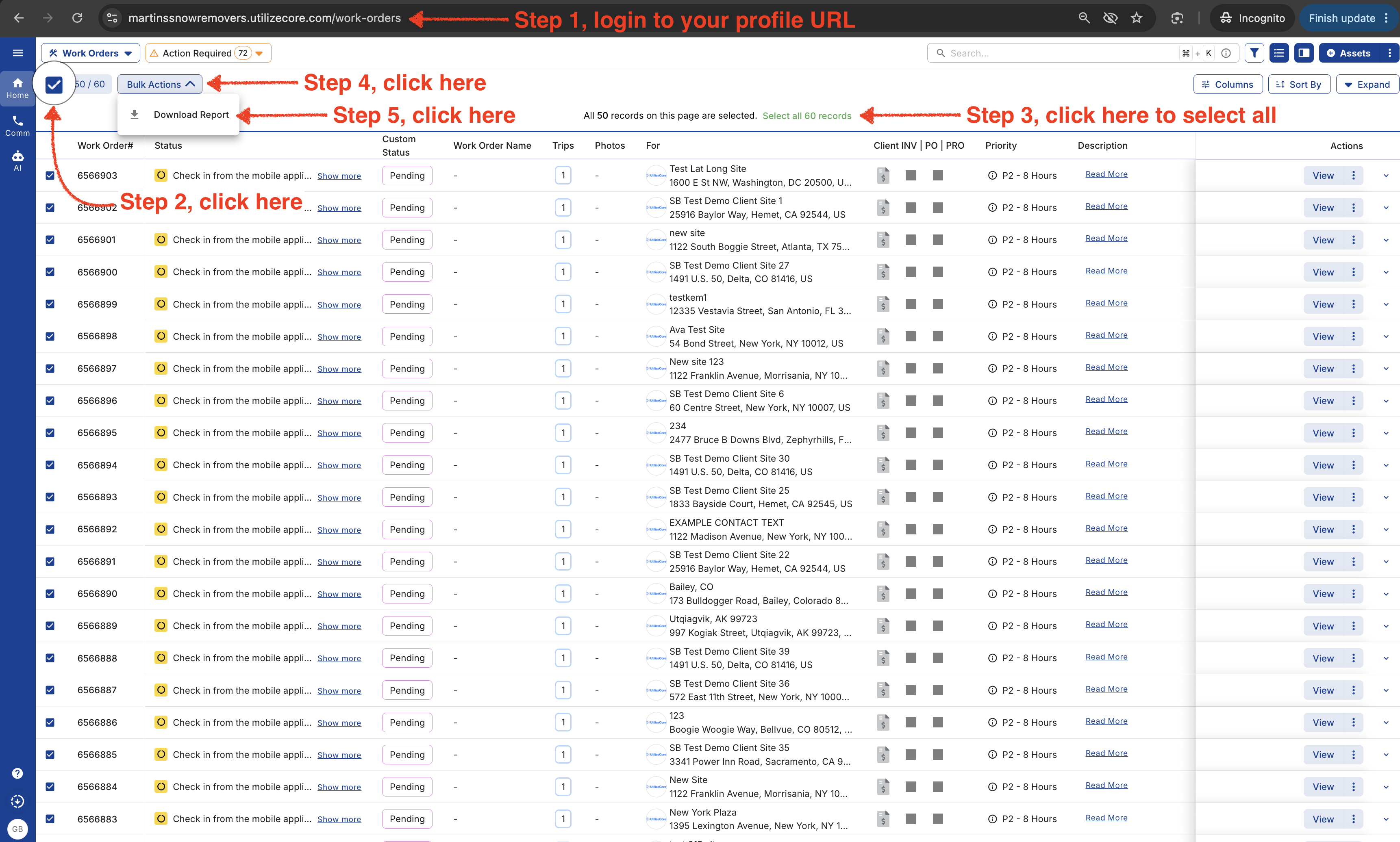
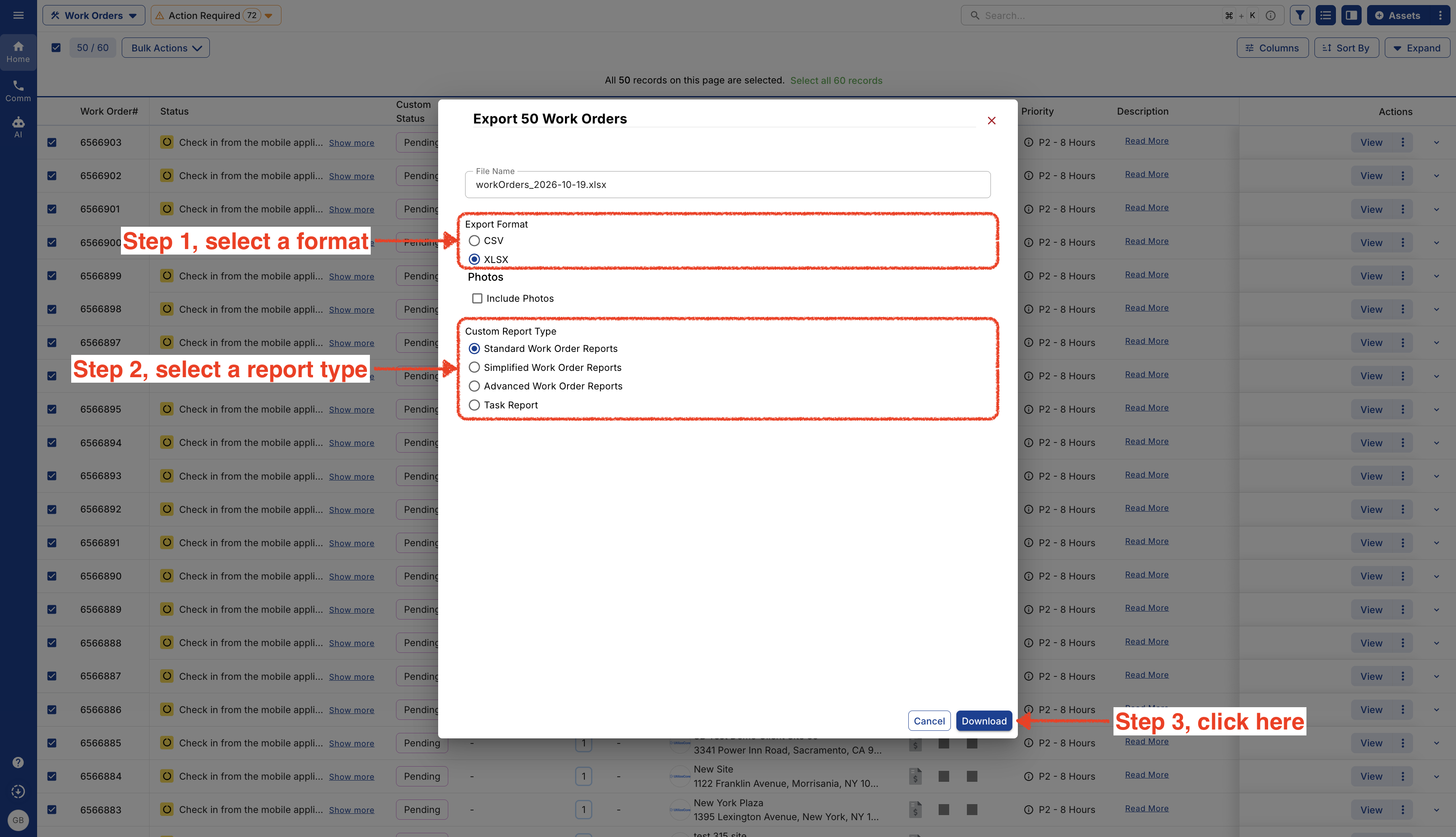
- Select a Report Format, Report Type and click on Download.
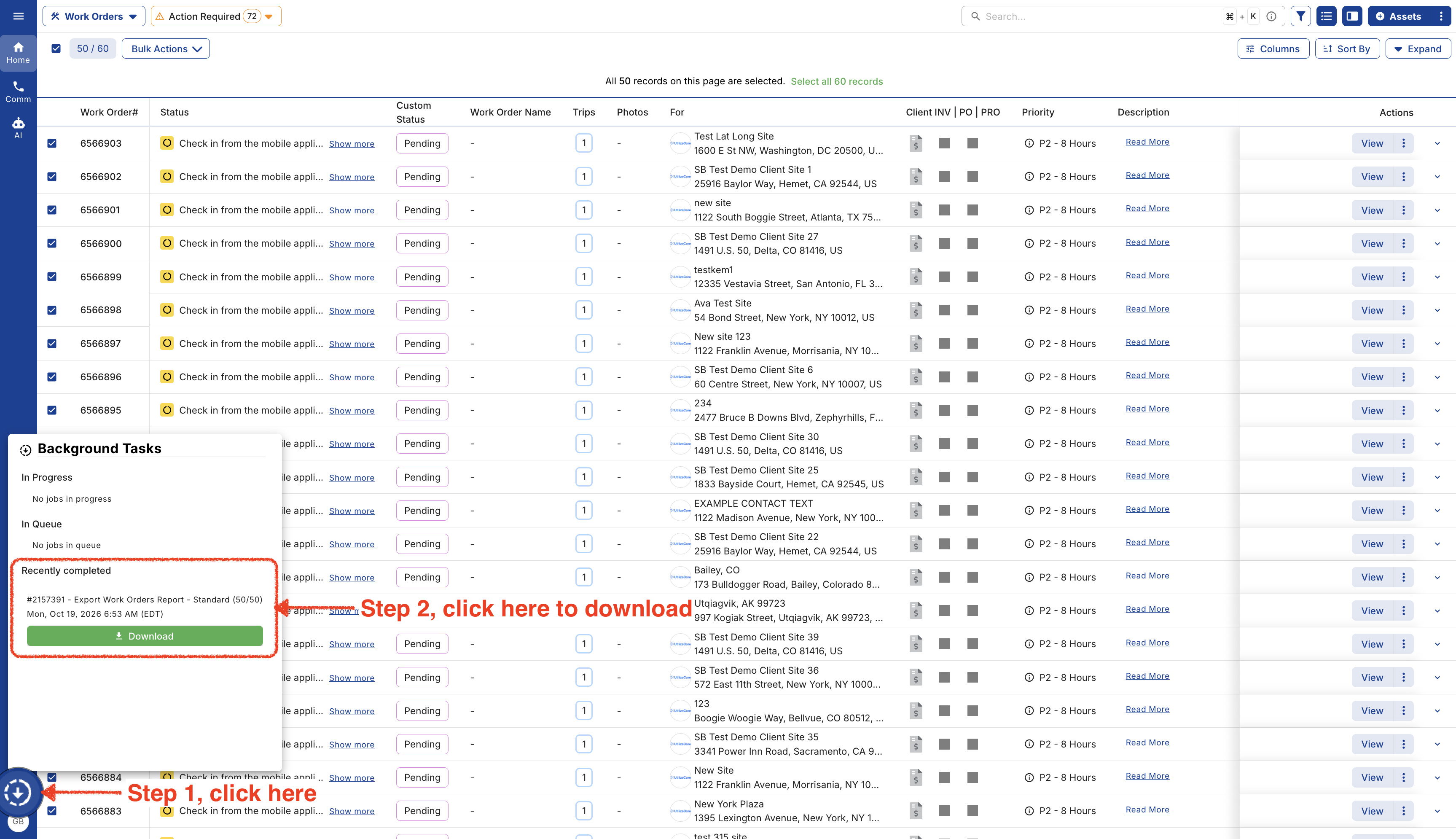
- Go to Background Tasks to download the report.