
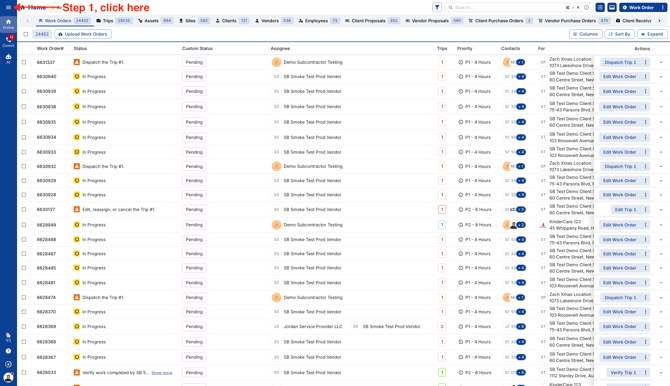
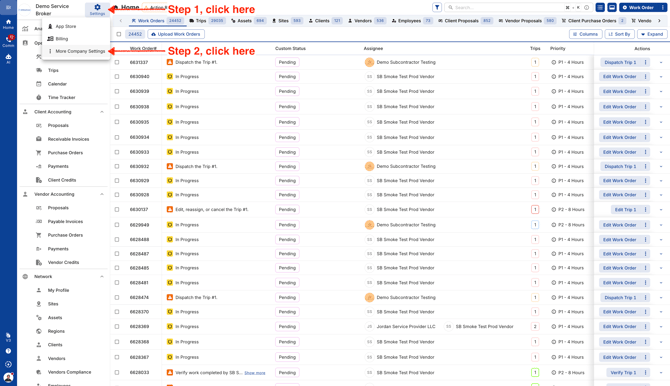
- Click on the menu icon on the top left corner and choose "More Company Settings."
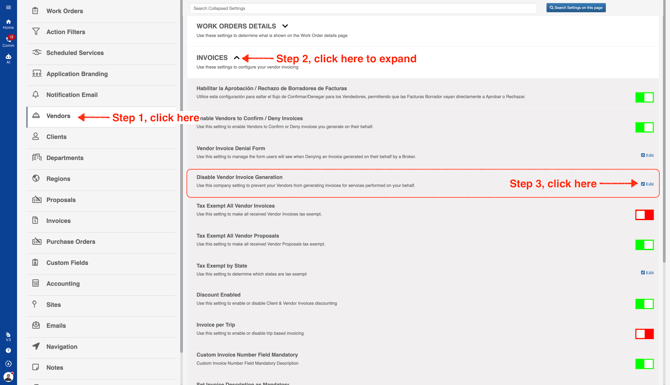
- Choose Vendors in the left menu, expand Invoices section and click on "Edit" for "Disable Vendor Invoice Generation."
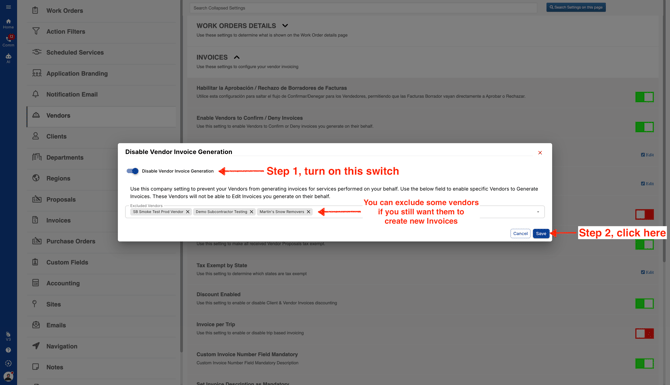
- Turn the switch on. This will not allow your Vendors to create new Invoices. If you still want some Vendors to create new Invoices, you can add them to the exclusion list. This setting will not apply on Vendors added to the exclusion list.
Video