
- Go to the Work Orders page and filter for your work order. Click the three dots to see more options, then select **Delete Work Order**.
This option appears only when the trip does not have check-in or check-out information. If the trip already has check-in or check-out details, remove them first, then delete the work order.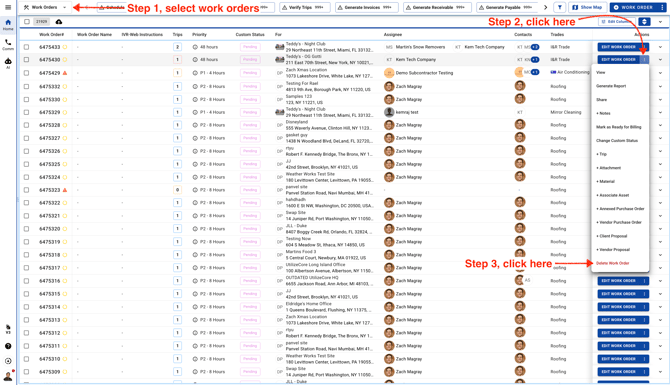
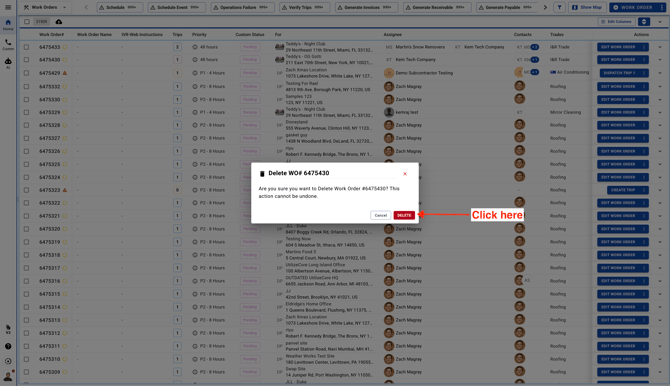
- Confirm deletion. This action cannot be undone.
Video