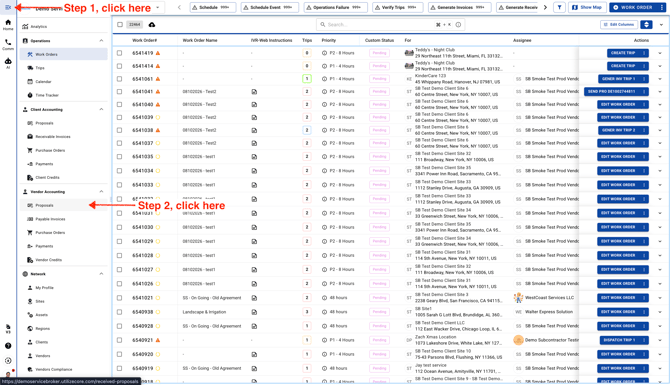
- To get started, click the menu icon in the top-left corner, then select Proposals from the Vendor Accounting menu.
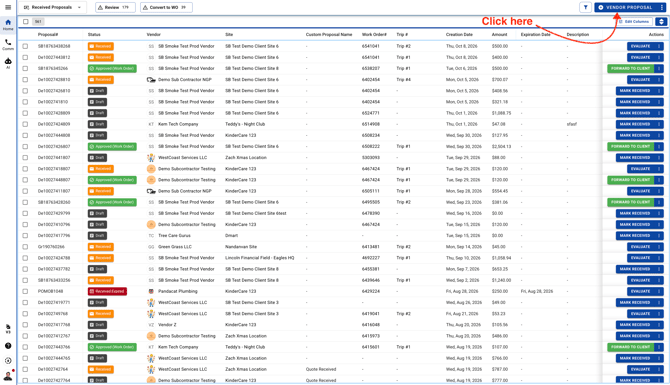
- Next, click the button in the top-right corner to continue.
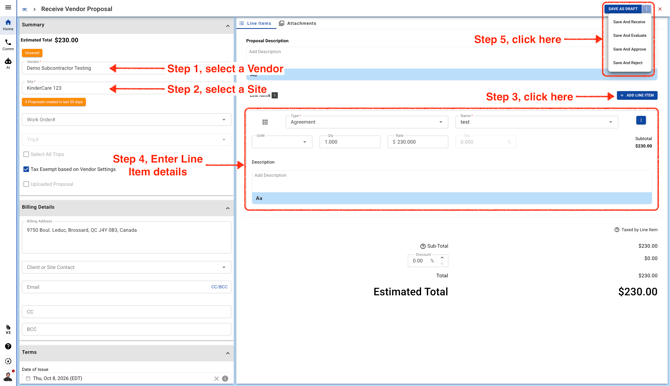
- Choose the Site and Vendor, then enter the line item details. When you're ready, select a different status and save your Vendor Proposal.