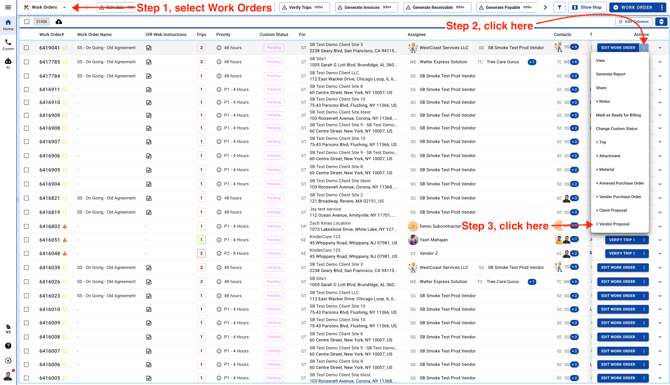
- Go to Work Orders page and click on the 3 dots to create a new Vendor Proposal
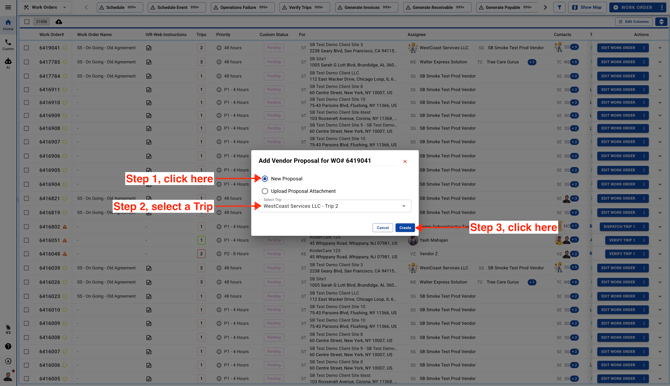
- If the Work Order has multiple Trips, select one Trip before proceeding.
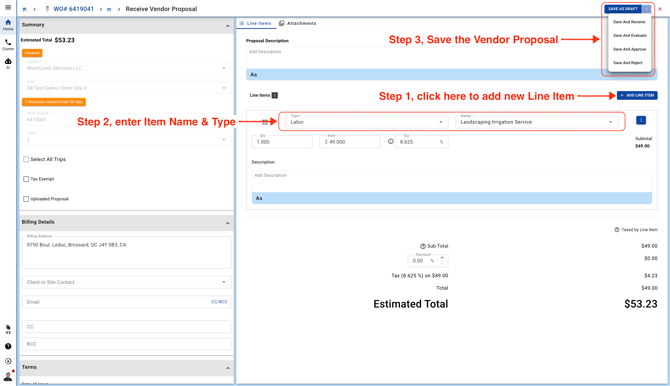
- Enter Proposal details and Save the Vendor Proposal.
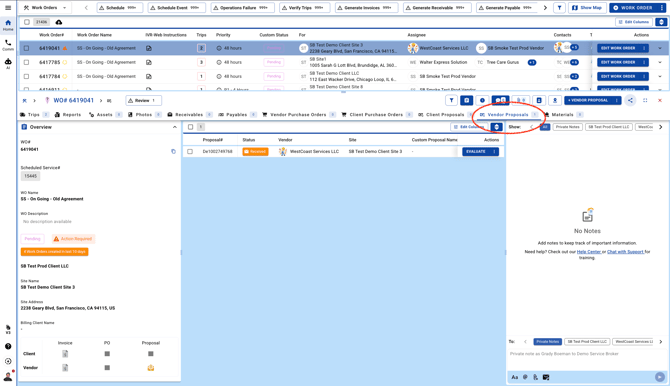
This will bring you to the Work Order details page. The system will take you to the "Vendor Proposals" tab by default within the Work Order.