Skip to content
English
  • There are no suggestions because the search field is empty.

How To Create A New Role

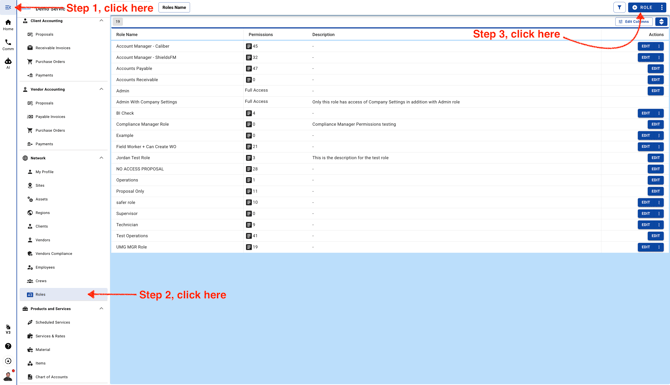
  1. Go to Roles page

    Screenshot 2026-09-12 at 9.07.13 AM
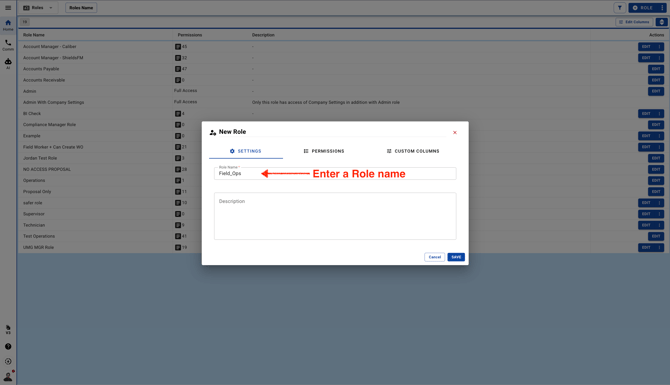
  2. Enter a Role name

    Screenshot 2026-09-12 at 9.09.11 AM
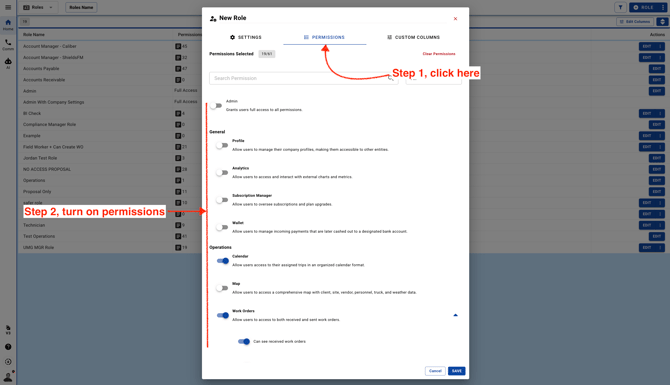
  3. Click on the Permissions tab and turn on Permissions as per your requirement
    Screenshot 2026-09-12 at 9.10.23 AM
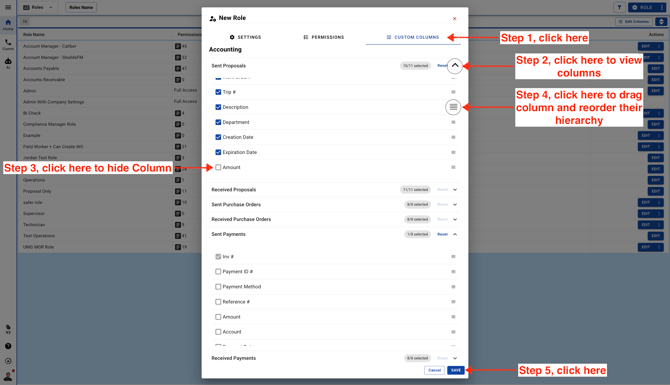
  4. Click on the Custom Columns tab. Choose which columns users will see by default when they log in to their account.
    Screenshot 2026-09-12 at 9.13.52 AM
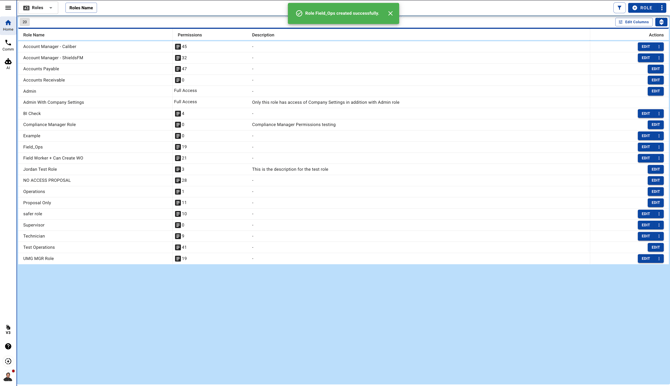
  5. The new Role will be available to use

    Screenshot 2026-09-12 at 9.16.04 AM
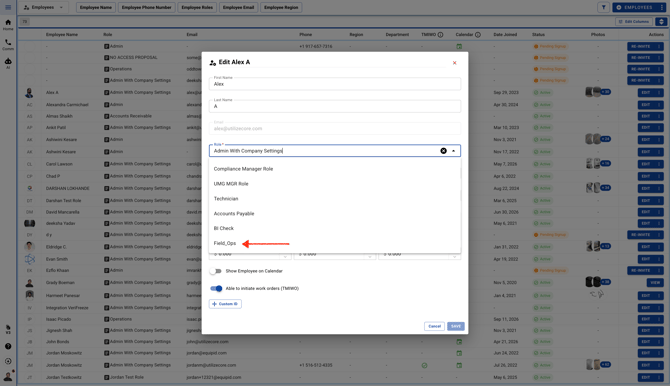
  6. You can assign the new Role to your Team Members
    Screenshot 2026-09-12 at 9.18.21 AM