
- Go to Work Orders page and you can generate Client Proposal two ways:
Click on the 3 dots on the Work Order list view and generate Client Proposal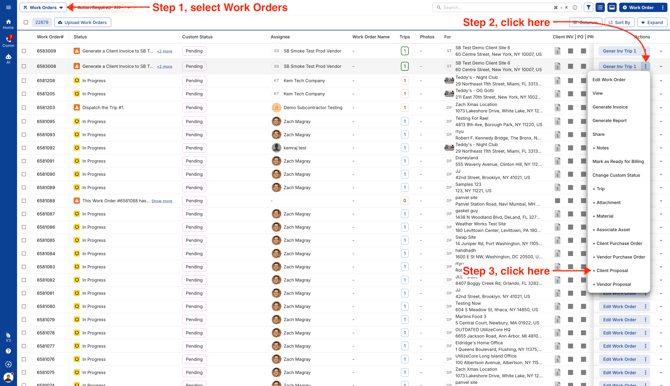
From Work Order Bottom Preview, click on Client Proposals tab and generate a new Client Proposal.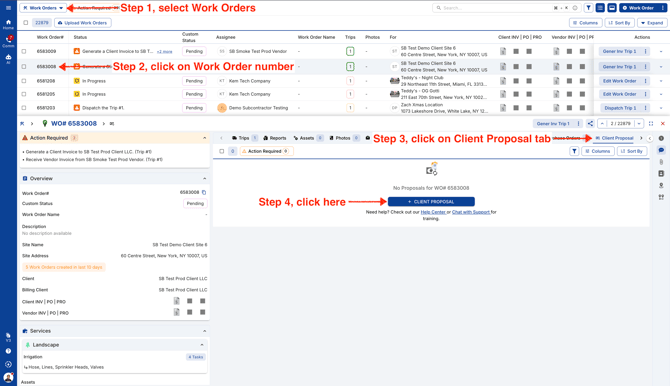
Wide Right Preview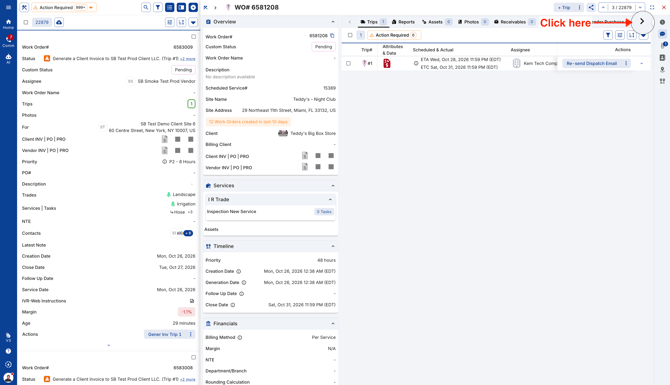
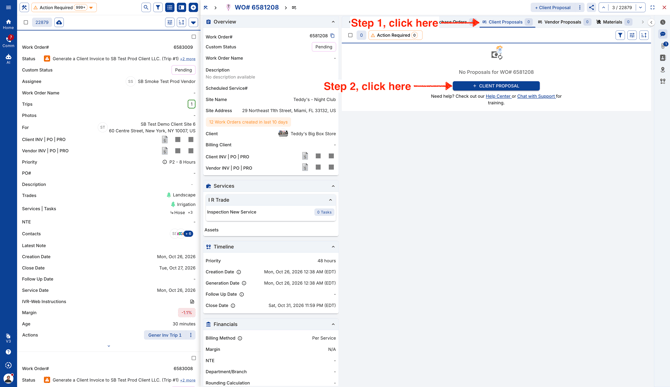
Right Preview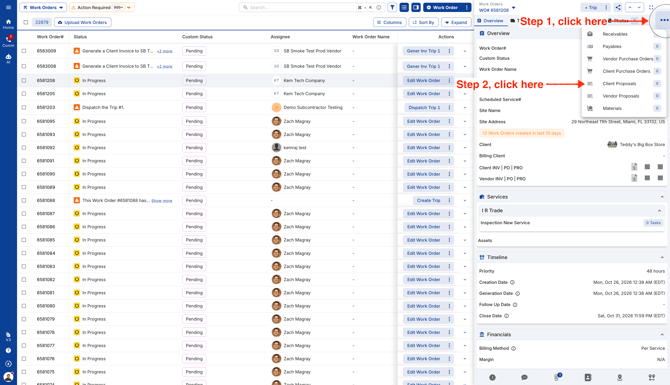
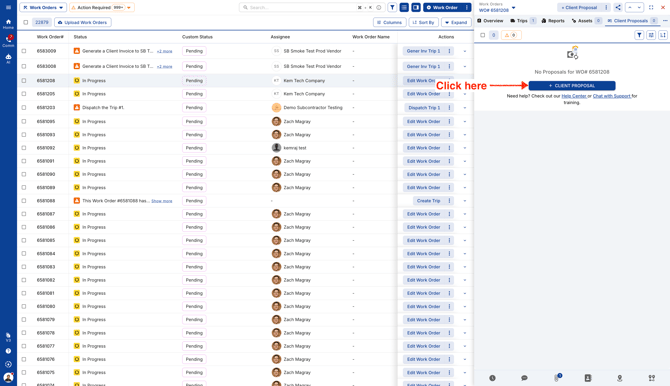
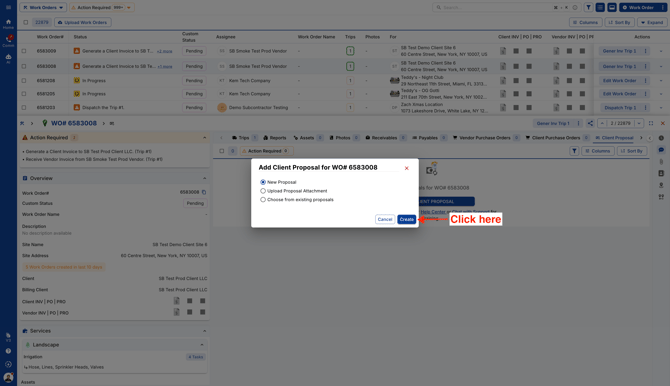
- Click on the first radio button to create a new Client Proposal.
- Select a Trip in the left panel, add a new Line Item and it's Cost. You can duplicate line items or delete them by clicking on the 3 dots on each Line Item.
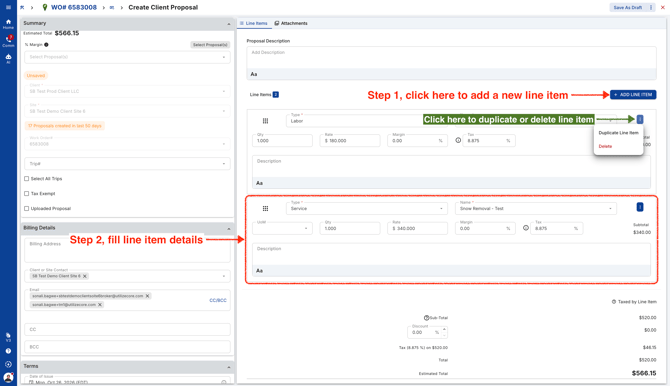
- On the top right corner, you can click on the 3 dots to Save and update Proposal Status.
When you save Proposal as Draft, you can edit the Client Proposal before sending it to your Client.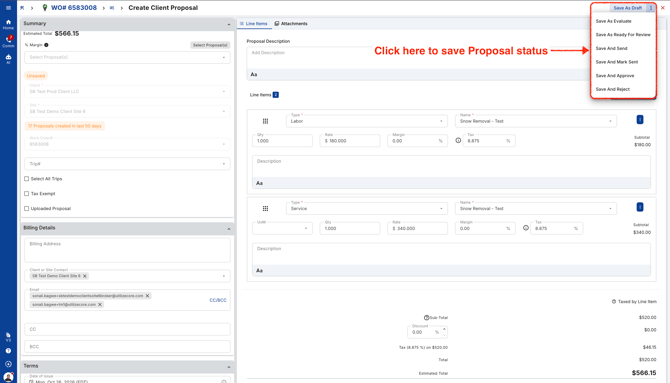
You can view the newly created Client Proposal from the Client Proposals tab in the Work Order.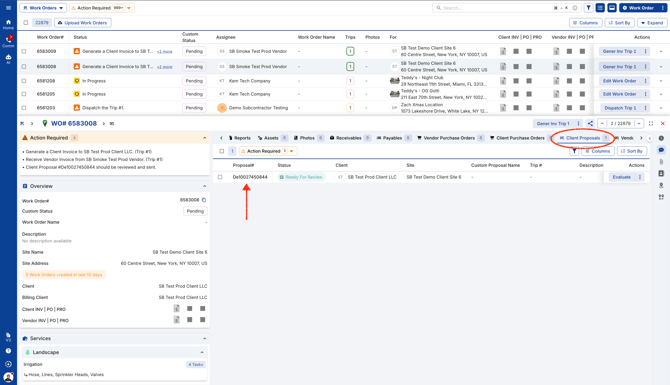
Video