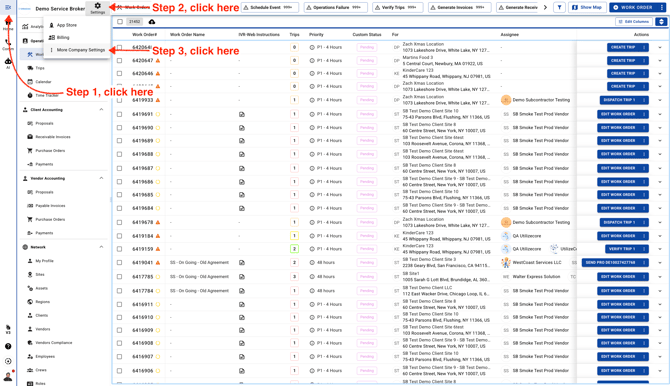
- Go to Company Settings page.
-
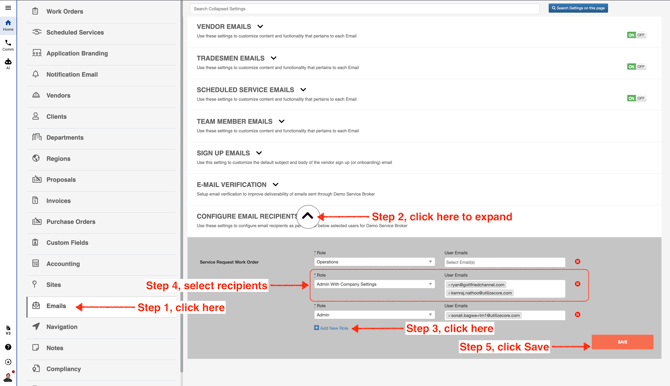
In the left menu, scroll down and click **Emails**. Then expand **Settings - Configurable Email Recipients**. Click the blue text to add a new row, and select a Role and the User Emails.
**Note:** If you select a Role and leave the User Emails field blank, all users with that role will receive the email.