
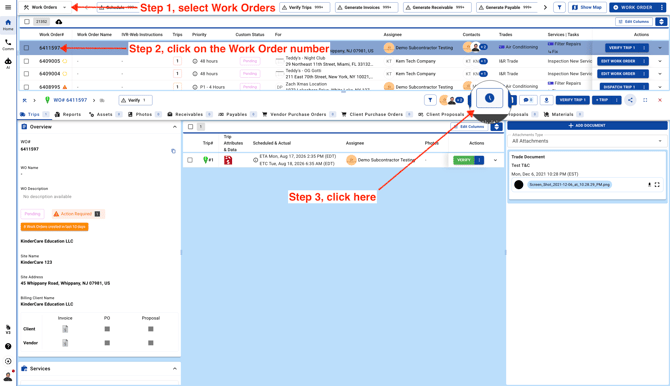
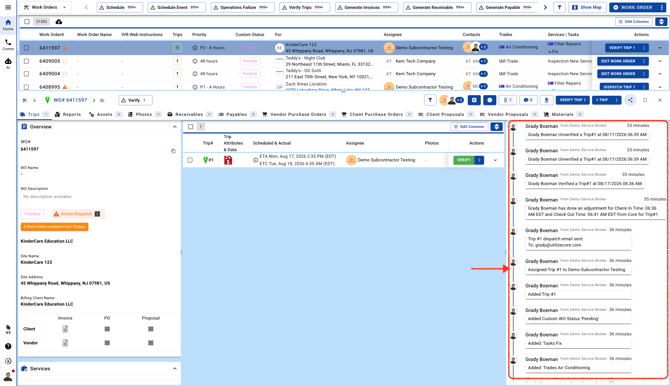
Go to the Work Orders page and open a work order. Click the Activity icon to view the activities in the left panel, and click it again anytime if you’d like to hide them.
Go to the Work Orders page and open a work order. Click the Activity icon to view the activities in the left panel, and click it again anytime if you’d like to hide them.