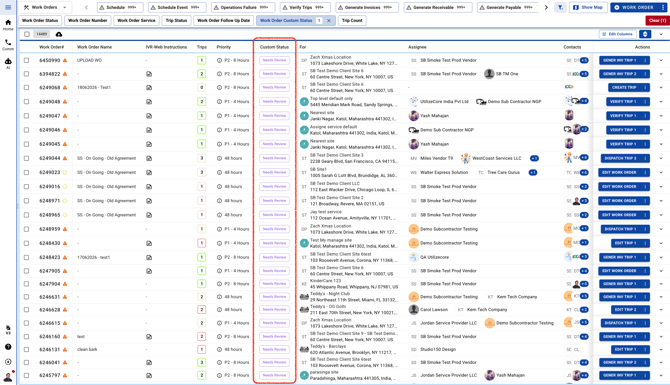
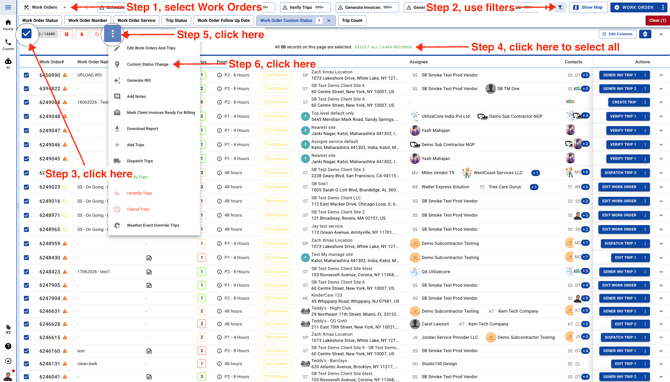
- Go to the Work Orders page, then use the filters to find the work orders that need a custom status update. Once you’ve found them, select all of the work orders you want to update.
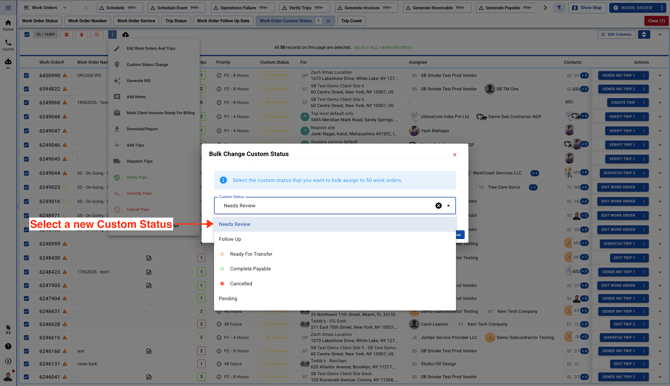
- Next, choose the new Custom Work Order Status you’d like to apply. These custom statuses come from your Company Settings. If you need to add a new custom status first, click here for instructions.
- Click on the blue button to change Custom Status in bulk
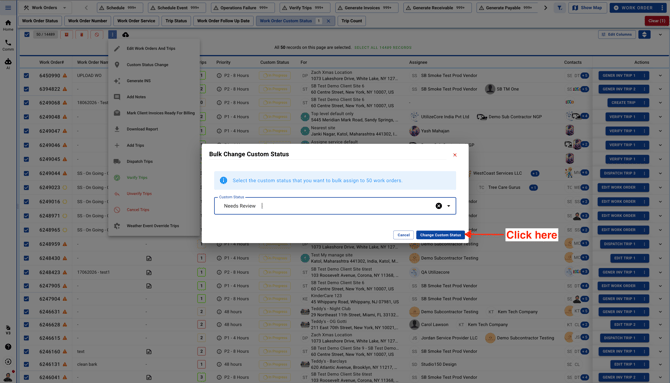
Once the update is complete, you’ll see the new Custom Status in the Work Orders list