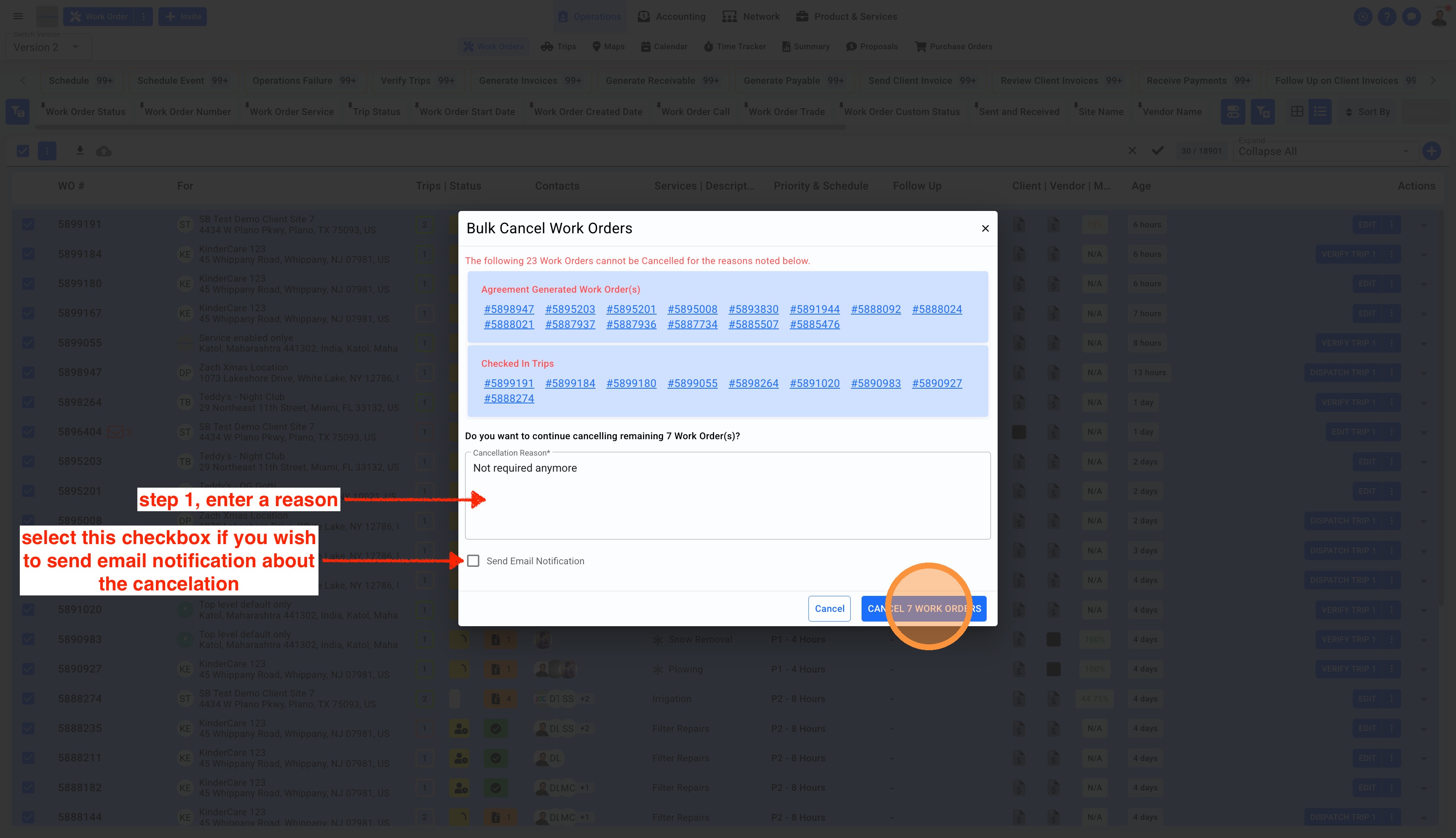
1. Click on Operations in the top center menu, select Work Orders from the sub-menu. Make sure to switch to Version 2 from the top left corner. Select the Work Orders in bulk by clicking on the main checkbox and click on the three dots to view multiple options. Select Cancel Work Orders.
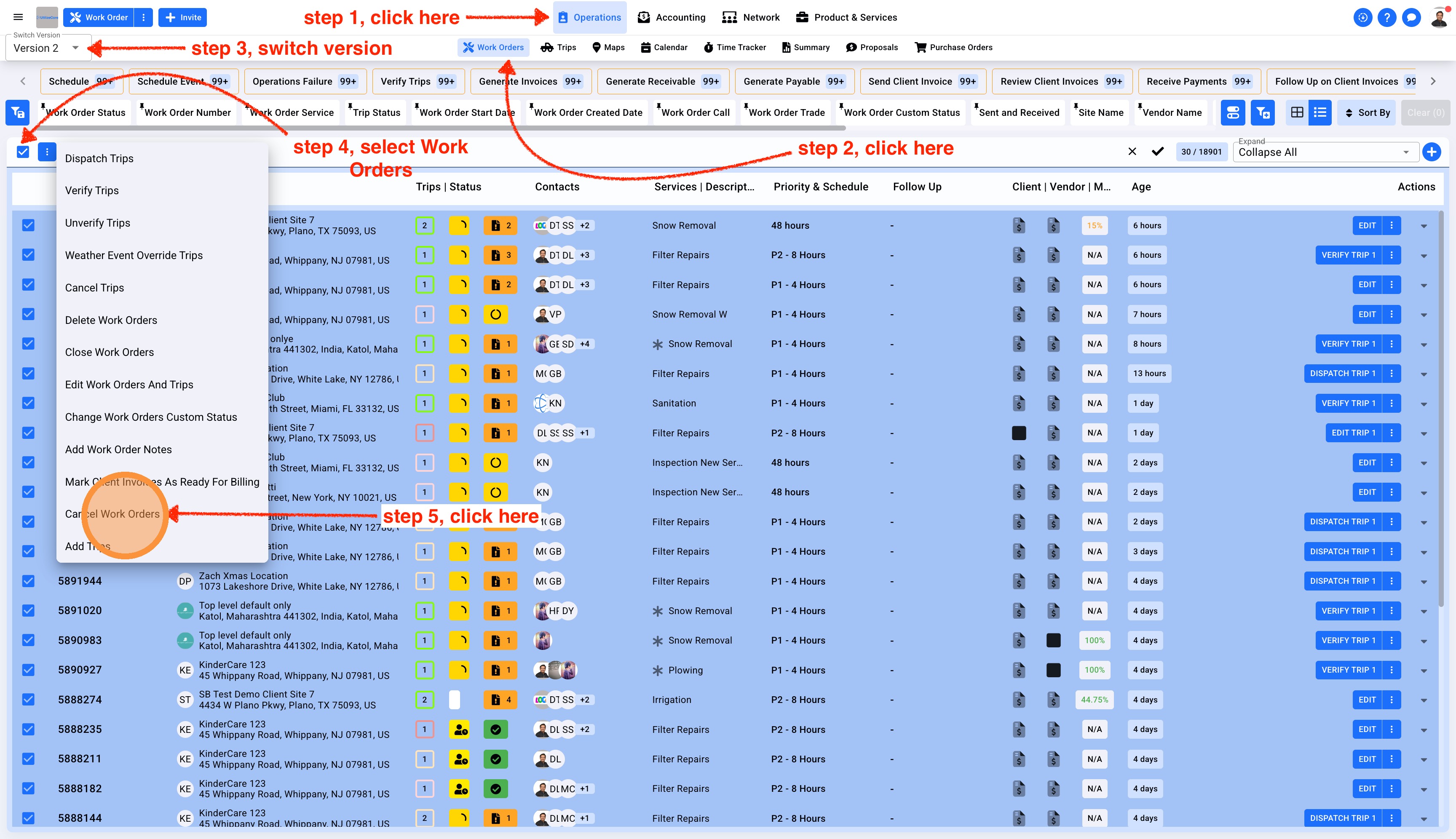
2. You will see a pop-up. Enter the reason for canceling the Work Order and if you wish to send an email select the checkbox under before clicking on the blue button Cancel Work Orders
Note: Work Orders generated from a Scheduled Service cannot be canceled. Work Orders with existing Trip Check In/Out data cannot be canceled until the Check In/Out data is removed.