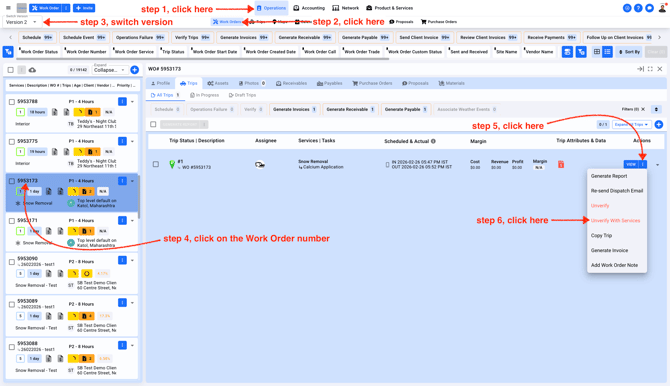
- In order to cancel a Verified Trip, the Trip Check in/out data must be removed. Follow these steps to open the Trip and un verify the Trip
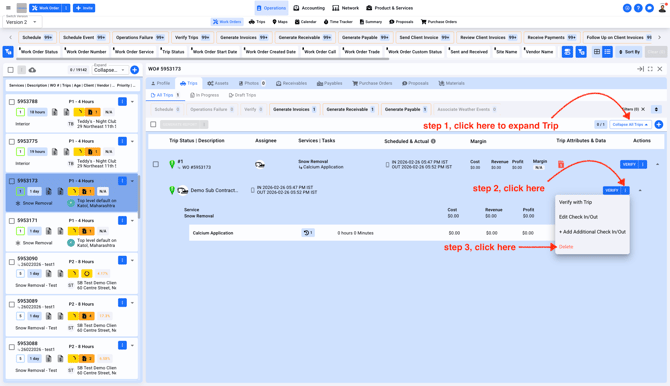
- These steps will help you delete the Trip Check in/out data
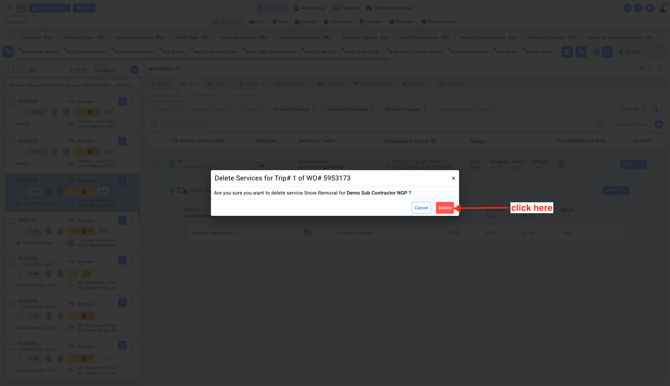
- You'll see a pop-up. Confirm deletion
- Now your Trip is ready for cancelation. You'll not see the Cancel button until the Trip Check in/out data is removed.
Note: If the Trip doesn't have a check in/out data, you can directly cancel the Trip without following the 3 steps above.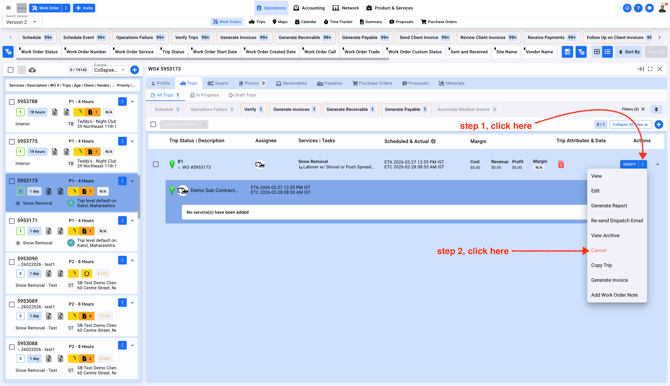
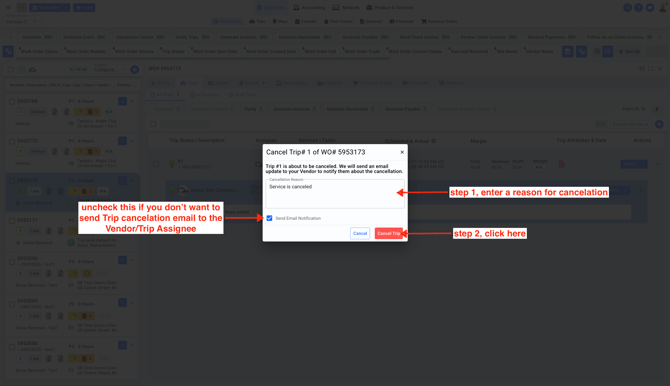
- Confirm Trip cancelation