- Go to Vendors page and click on the blue button on the top right corner
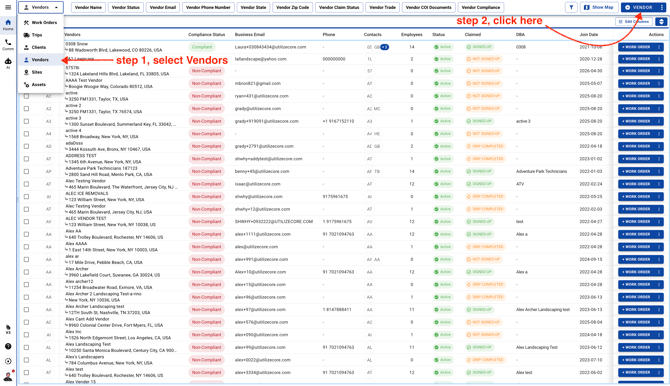
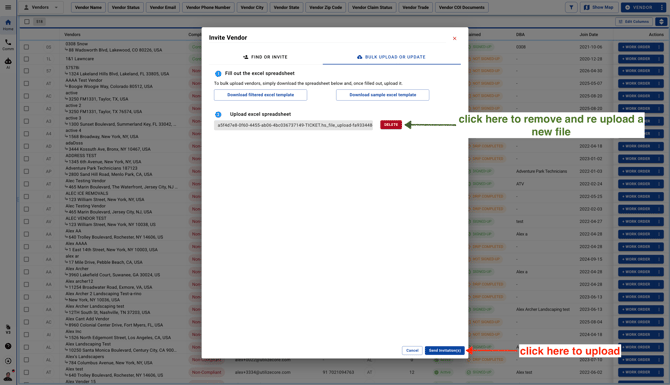
- Follow these steps to upload your file
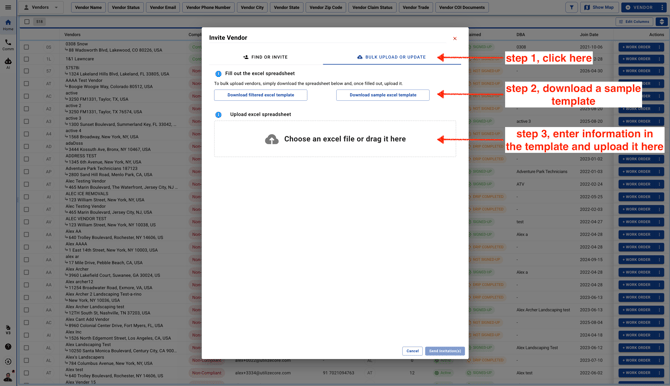
-
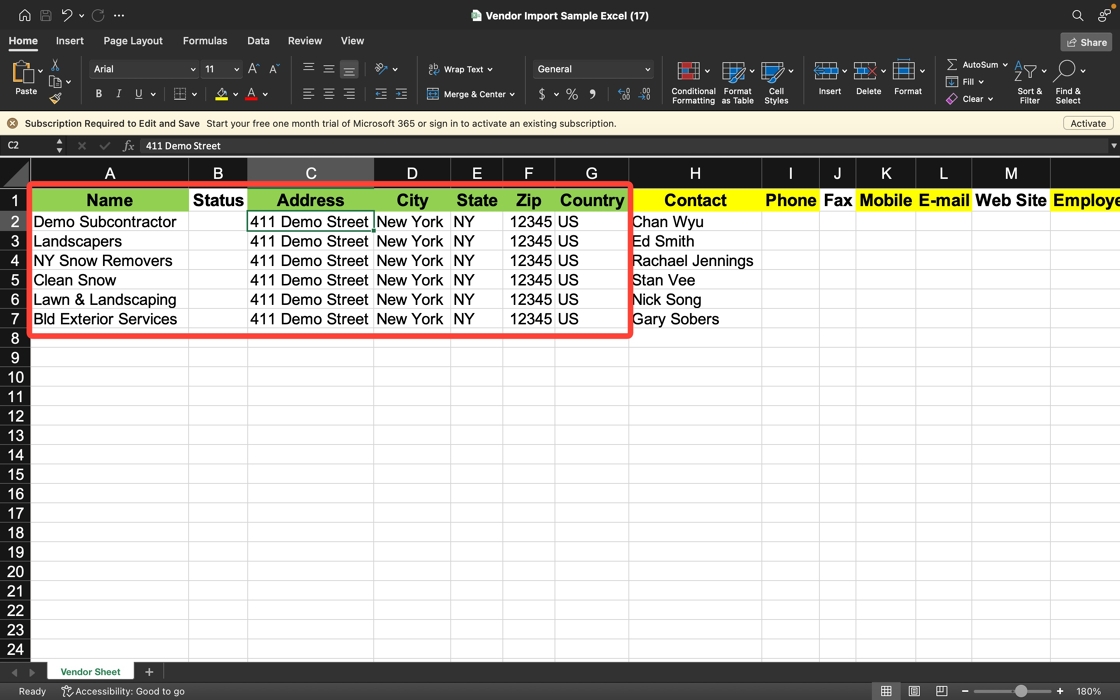
After downloading a Sample Excel Template Enter the important/mandatory fields in green color such as Name, Address, City, State, Zip, and Country
Note: you can enter as much data as possible, however fields highlighted in Green color are mandatory
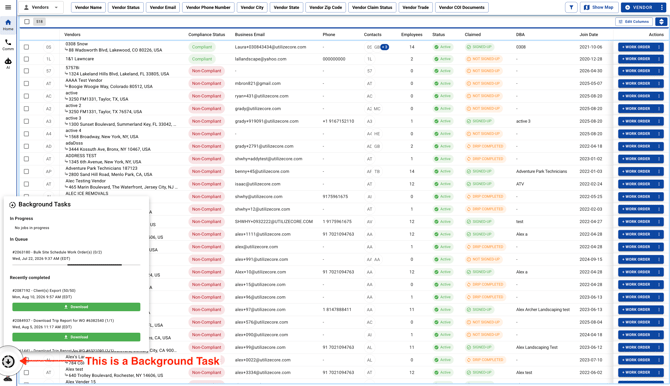
- The file will move to "Background Tasks" and you can check the status there.
- This is a Background Task