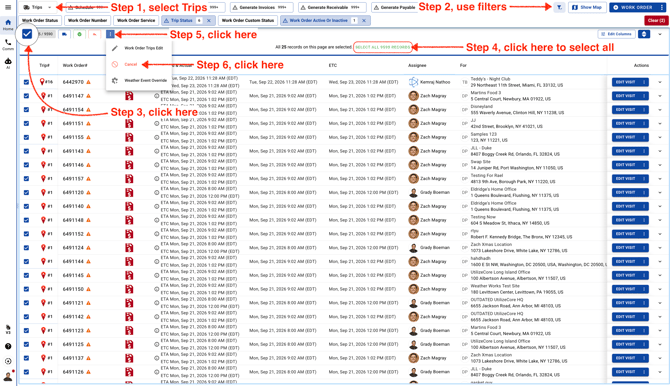
- Go to Trips page and use filters to find the Trips. Select them all and click on Cancel.
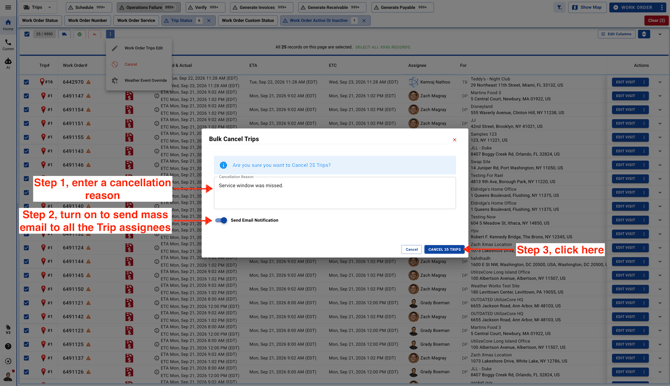
- Enter a cancellation reason, then choose whether to turn the mass email switch on or off. If you turn it off, trip assignees will not receive a cancellation email.
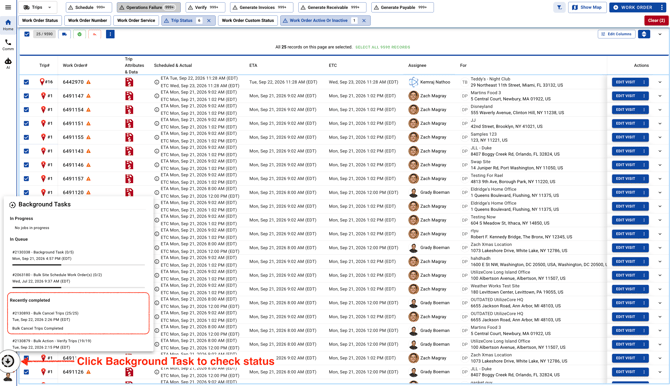
- Go to Background Tasks to check the status.