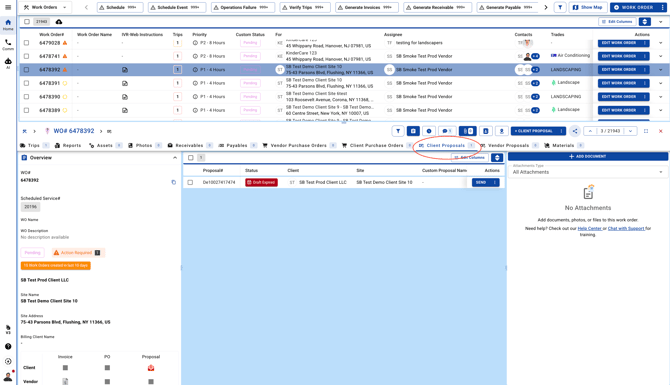
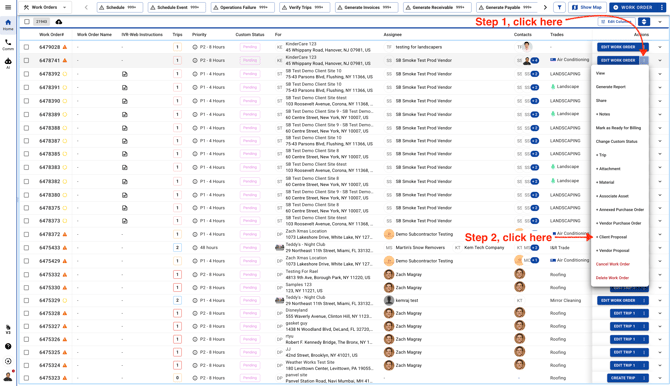
- From the Work Orders list view, click the three dots to add an existing Client Proposal to a Work Order.
From the Work Order partial view, open the Client Proposals tab and click the blue button to add an existing Client Proposal to the Work Order.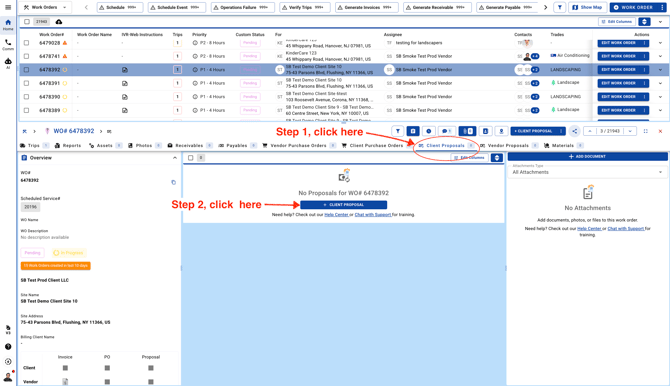
- Choose the last option, then select an existing Client Proposal from the list.
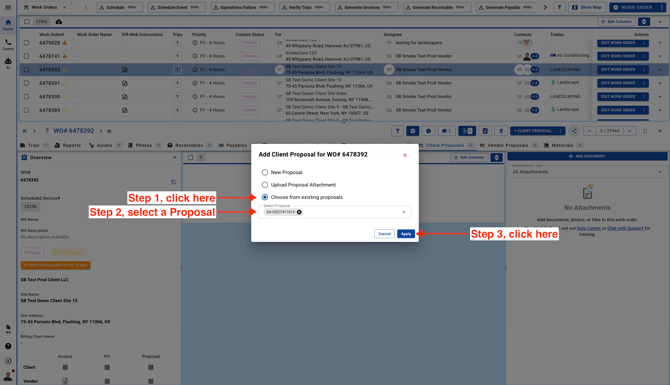
- The Client Proposal will then be added to the Work Order.