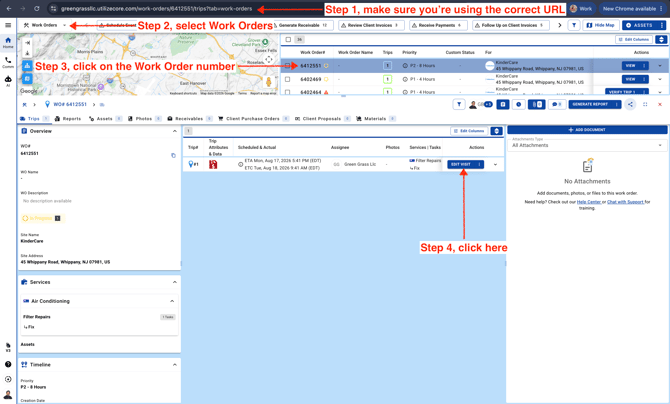
- Please make sure you’re using the correct URL. When creating a new vendor profile in UtilizeCore, Step 2 will guide you to select a URL. You can click here to review the signup steps. Then, go to the Work Orders page and follow the steps below.
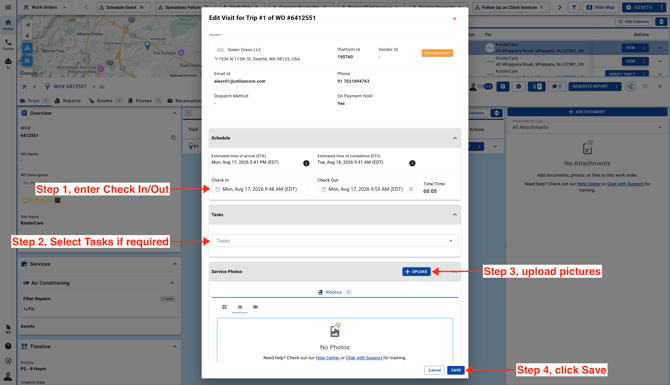
- Enter Trip information and click Save.