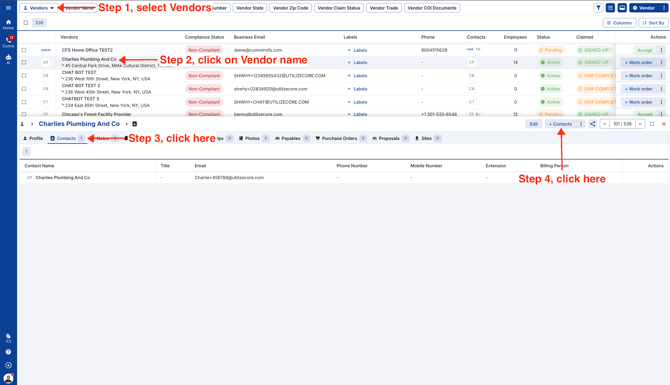
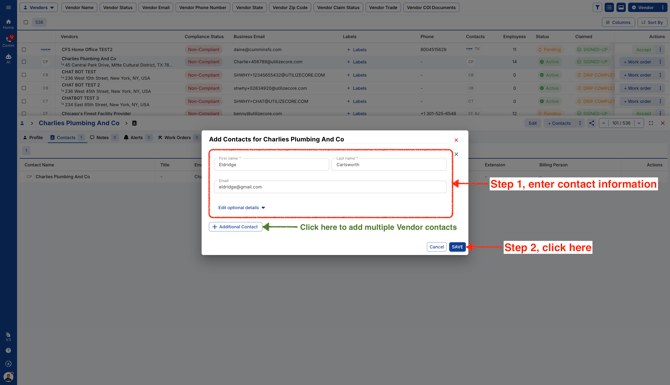
November 5, 2026 How To Add Vendor Contacts Go to Vendors page and open a Vendor. Click on the Contacts tab within the Vendor profile and add a new Contact. Add contact first name, last name and email. You can add multiple Vendor contacts together and click Save. Video