- Start by logging in to your company’s UtilizeCore account. UtilizeCore automatically sets up your account URL when you sign up. For example, if your company is called Martin’s Snow Removers, your URL would be martinssnowremovers.utilizecore.com, unless you chose a different URL name during signup.
From the Work Orders list view, change the Preview Position and click on the Work Order number.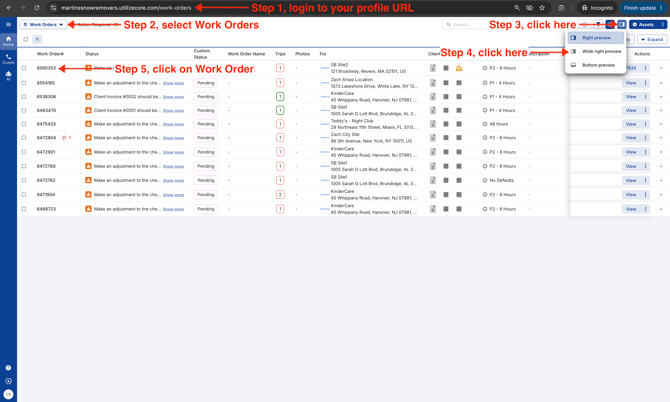
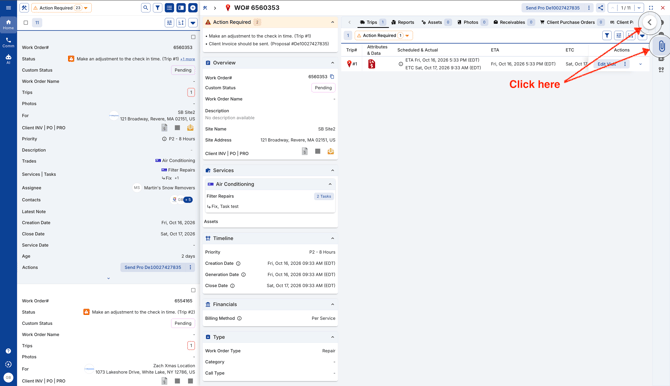
- Click on the side arrow or the Attachment icon to open left panel.
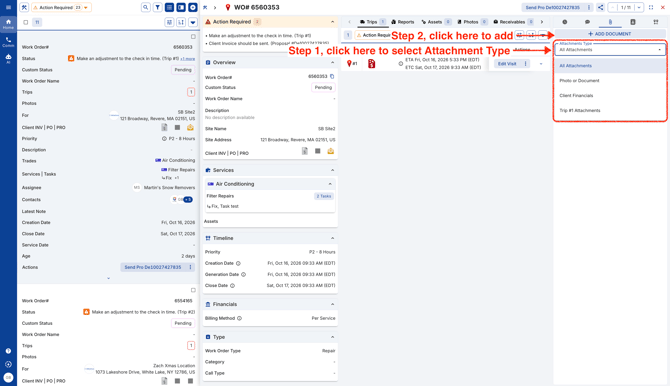
- Add a new document by clicking on the button.
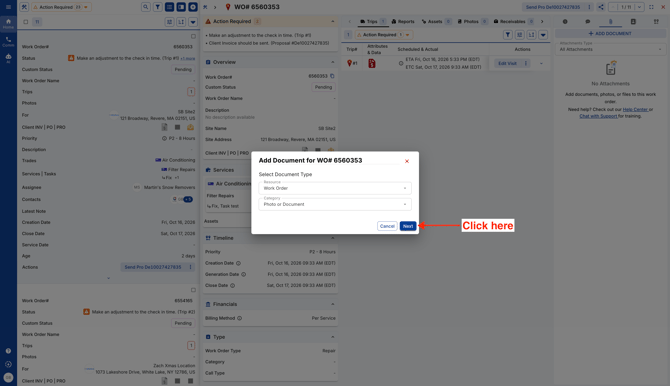
- Click Next.
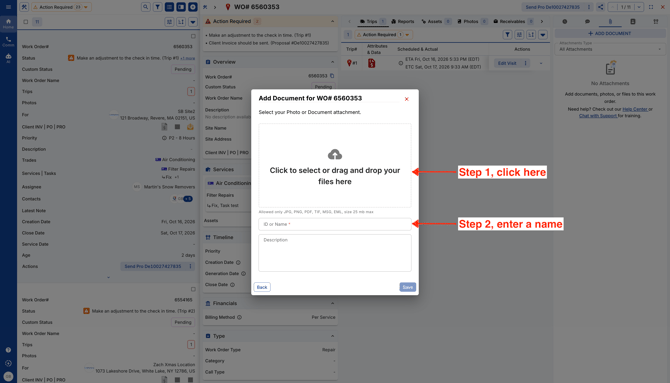
- Upload your attachment, and the system will fill in its name using the file name from your computer. Feel free to give it a new name or keep the original—it’s up to you.
Click Save.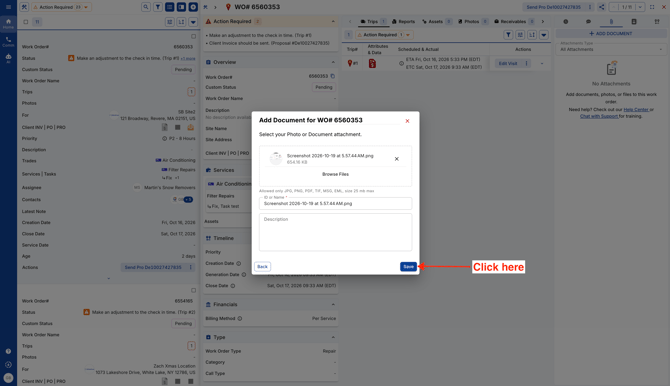
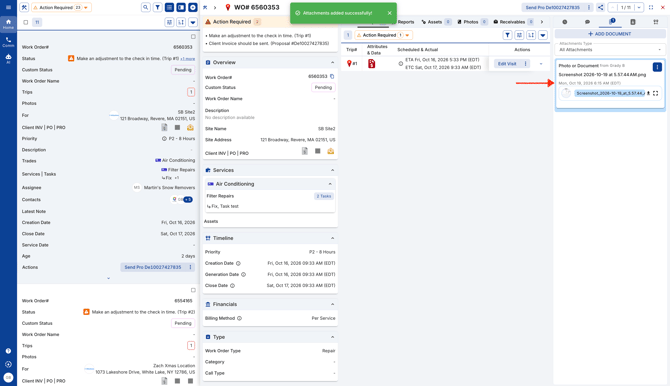
- The new attachment will be visible in the left panel.