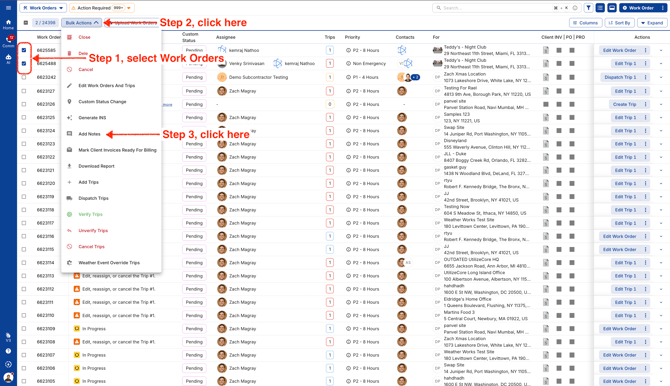
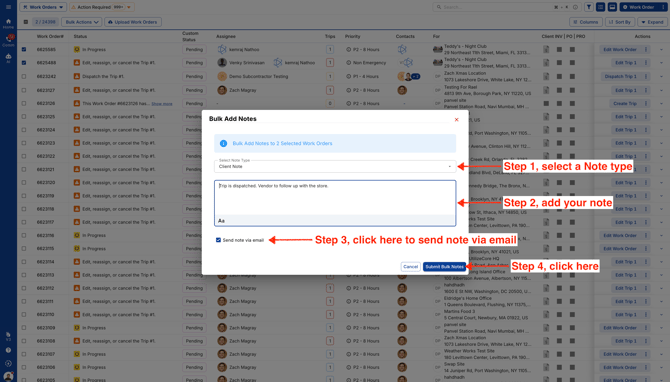
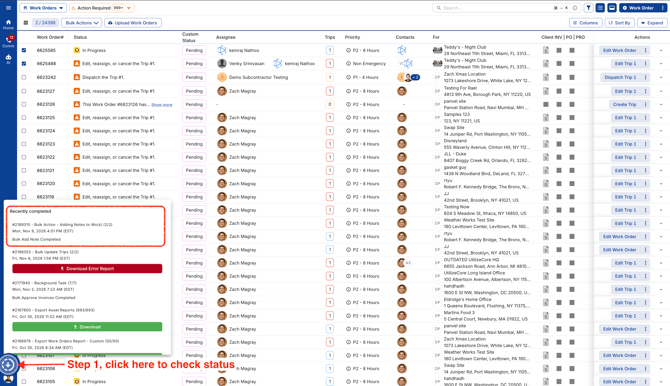
November 9, 2026 How to add notes in bulk Select your Work Orders and click on Bulk Actions. Click on Add Notes. Choose a note type (Vendor, Private, or Client), then add your note. Want to send it by email? Just select the checkbox before saving. Go to Background Tasks to check status.