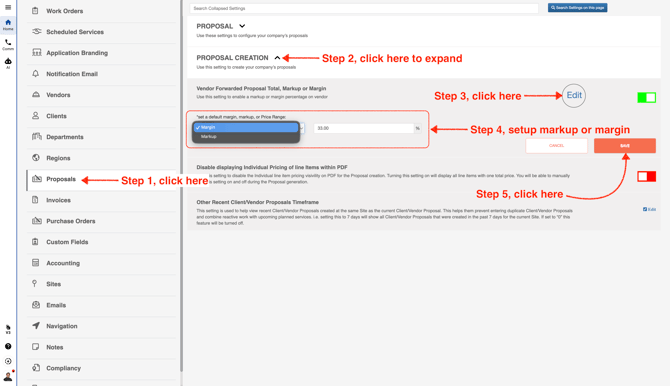
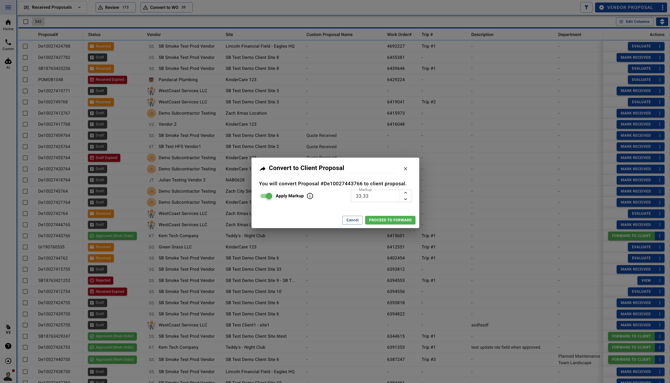
September 13, 2026 How To Add Markup/Margin On Vendor Proposals Go to Company Settings Click **Proposals** in the left menu, enter a markup or margin value, and then click **Save**.When you’re ready to forward a vendor proposal to your client, you’ll see the **Markup/Margin** screen.