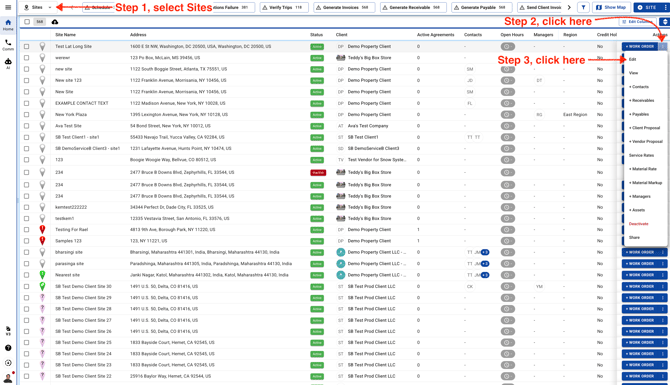
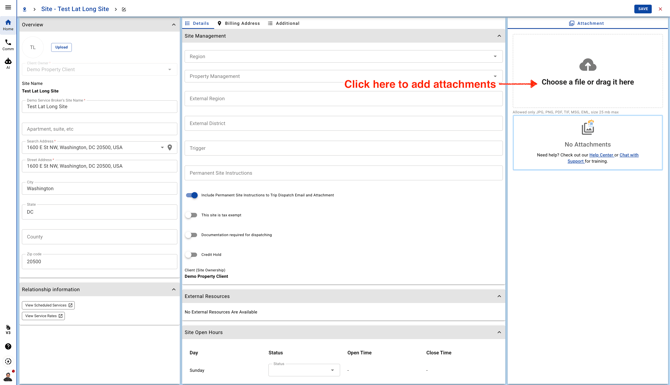
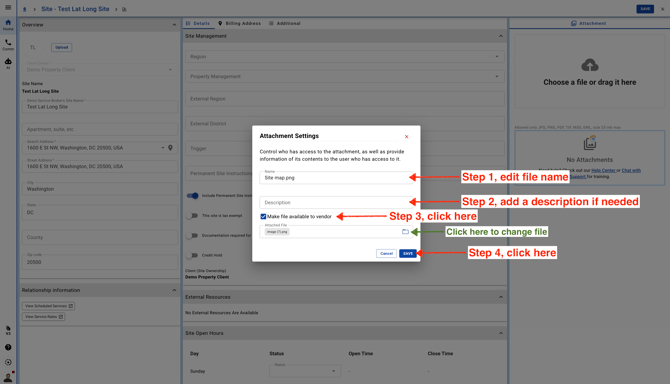
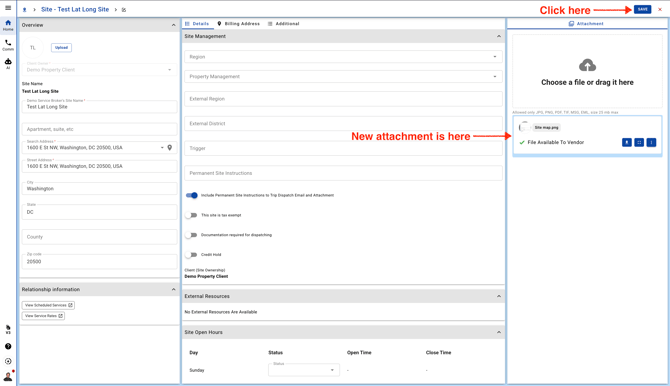
October 9, 2026 How To Add Attachments To A Site Select Sites and click on Edit. Click on the Attachment section to upload your file. Add a file name, description and it's important to select the checkbox so that the file is available to your Vendors in the mobile app. Click Save.