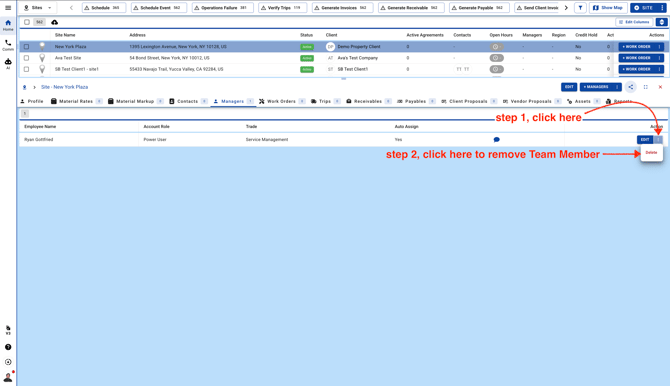
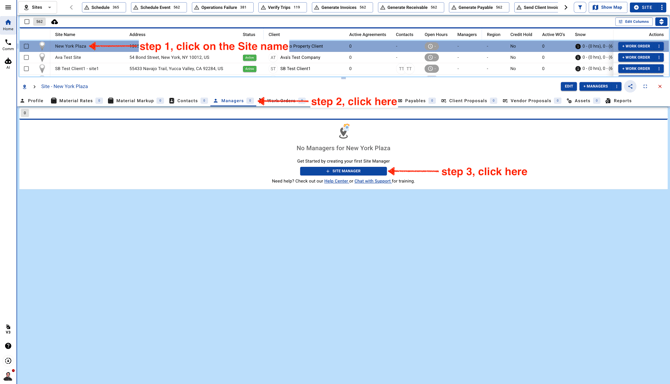
- Go to Sites page
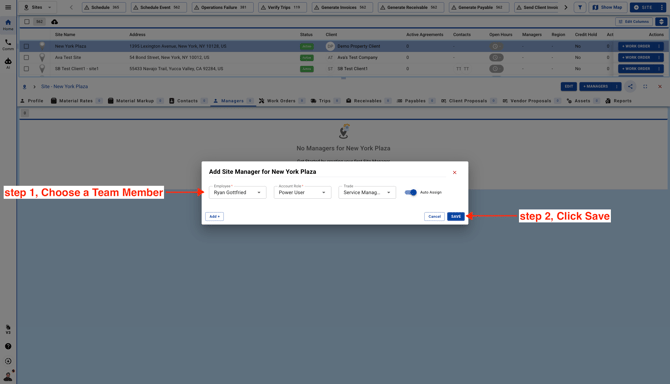
- Choose a Team Member, Select a Role, Trade and Auto-Assign switch.
Please note these Roles are not the Roles assigned to the Team Members at the time of signing them up.
These are Site Roles and you can add these Site Roles from Workflow (previously known as Company Settings)
Select a "Trade" and if you keep the "Trade" field empty the Team Member will be assigned as WO Manager to all the Work Orders for this Site
Click "Auto Assign" checkbox to auto assign Team Member as a WO Manager.