- Start by logging in to your company’s UtilizeCore account. UtilizeCore automatically sets up your account URL when you sign up. For example, if your company is called Martin’s Snow Removers, your URL would be martinssnowremovers.utilizecore.com, unless you chose a different URL name during signup. Go to Work Orders page and open Work Order details.
Make sure you're logging in your account and the URL should not be reactwork.utilizecore.com. Go to Employees page.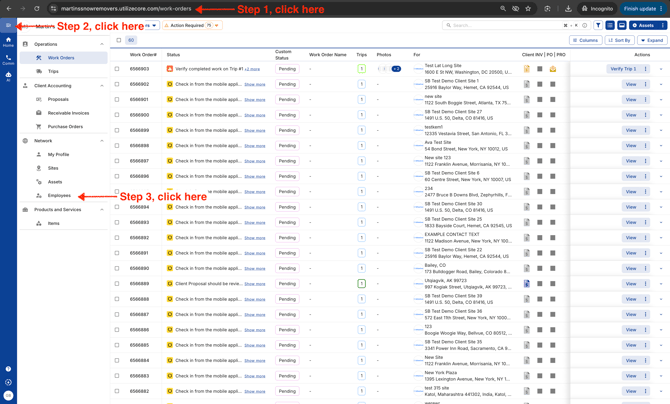
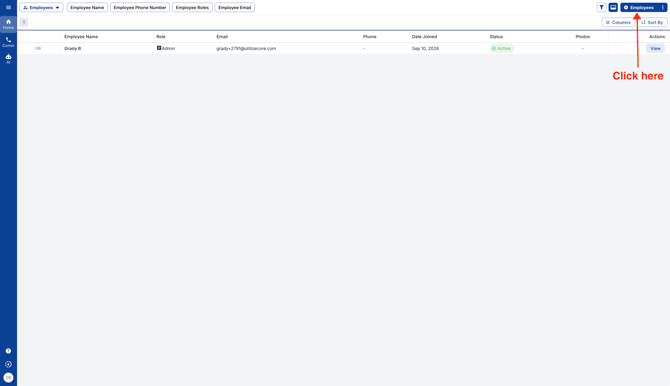
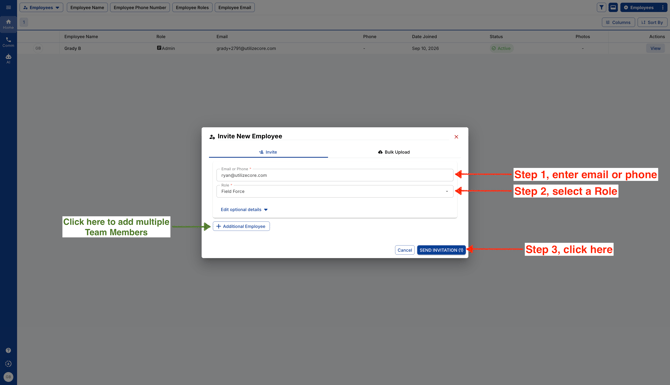
- You can invite your Team Member using their phone number or email. You can add multiple Team Members in one go.
English
