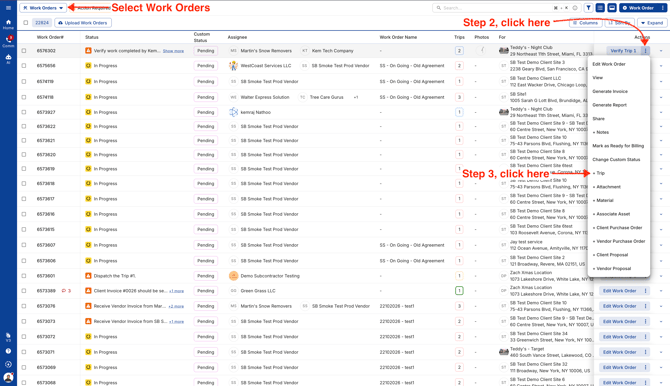
- Head to the Work Orders page, click the three dots next to the work order you’d like to add a trip to, and select “+ Trip.”
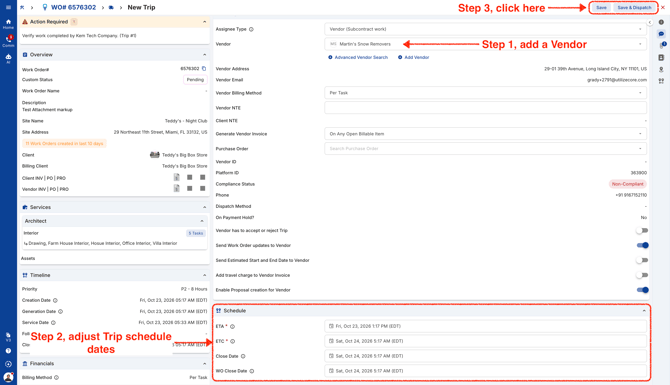
- Next, add a vendor and update the Trip ETA, ETC, and Trip Close Dates as needed. When you’re ready, click “Save & Dispatch” in the upper-right corner.
-
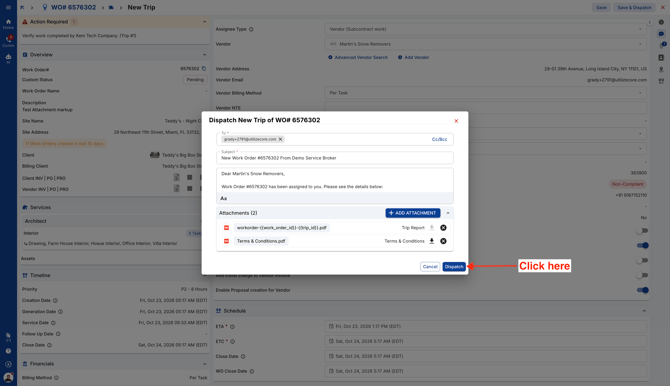
Note: If you click on the button 'Save & Dispatch' this will dispatch the Trip and the Vendor will be able to see this Work Order in the mobile app.
If you click on the 'Save' button the Trip will be created, however, it will not be visible to the Vendor in the mobile app unless the Trip is dispatched.