- Please sign in to your account to get started. Your UtilizeCore account URL is your company name followed by ".utilizecore.com." For example, if your company name is KFC, your login URL would be kfc.utilizecore.com.
Go to Employees page to invite a new Team Member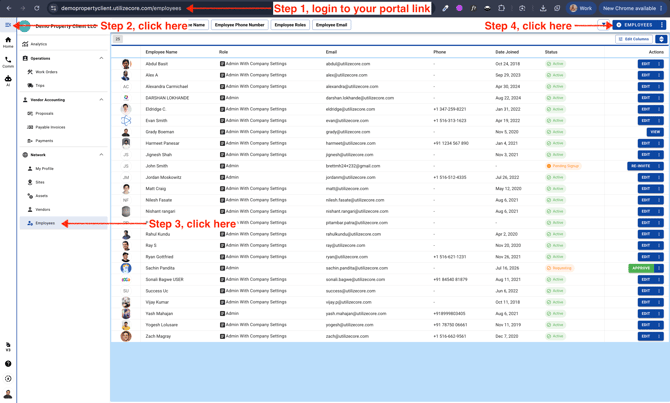
- Enter Email or Phone, select a Role and send invitation
You can add multiple Team Members and invite them together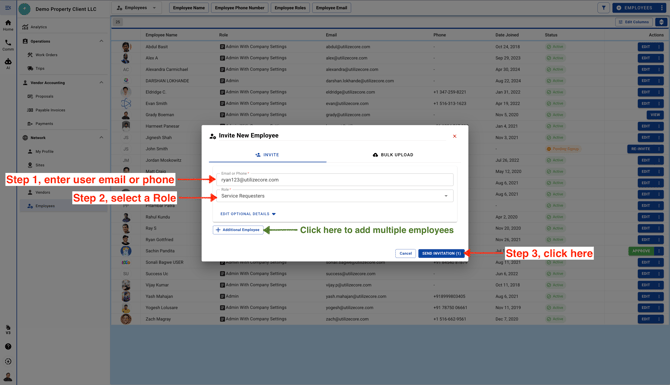
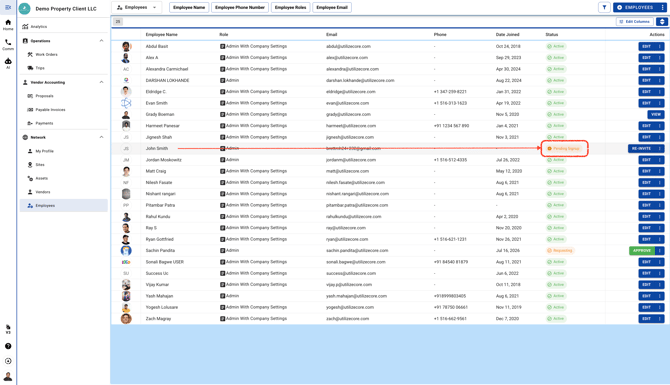
The new Team Member will appear with a "Pending Signup" status at first. Once they complete the signup process, their status will automatically update to "Active."