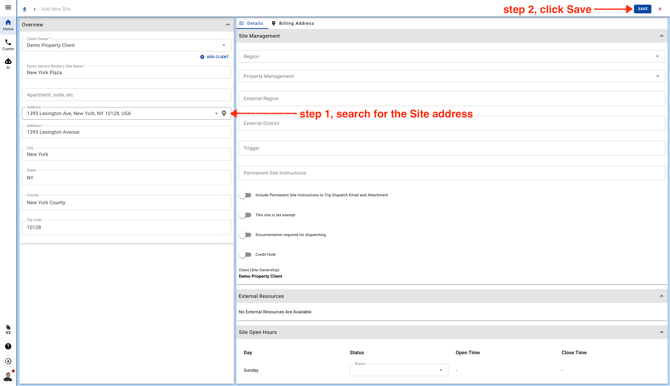
- Go to Sites page
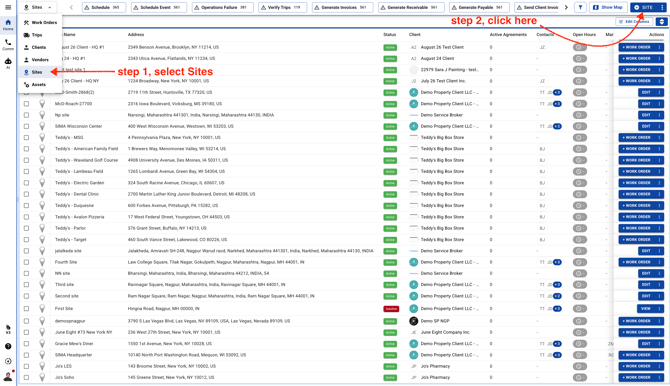
- Start by searching for the Site name. If it’s already in UtilizeCore, you’ll see it in the list—just select it to add it. If you don’t see it, go ahead and continue adding a new Site.
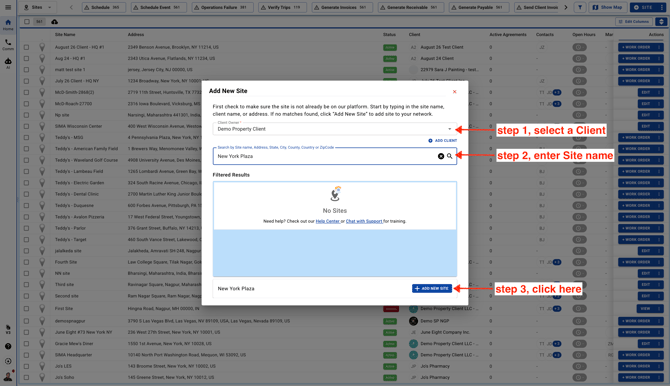
- Enter the Site address in the field with the location pin icon. This field is connected to the Google API, so once you choose the address, the rest of the fields will fill in automatically.