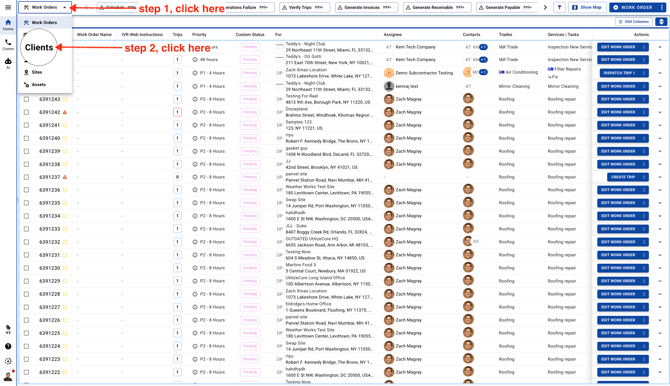
- Select Clients
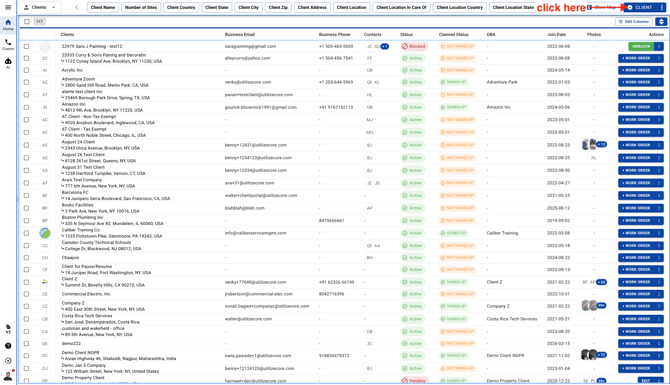
- Click on the button on the top right corner
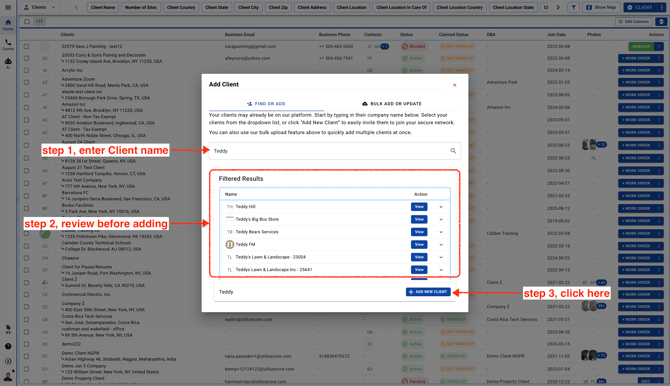
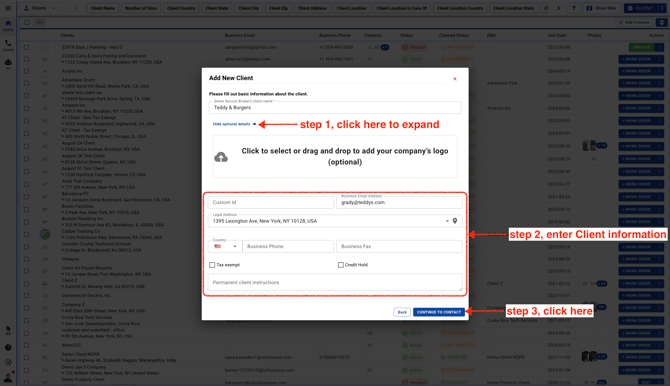
- Enter your client name. If it appears in the list below, please review it before moving to the next step. Click **View** for the client in the search results and add it if it already exists in the system. This helps prevent duplicate accounts. If the client isn’t in UtilizeCore, you can go ahead and add it as a new client.
- Expand the details and add Client information such as email, Client address, Phone number
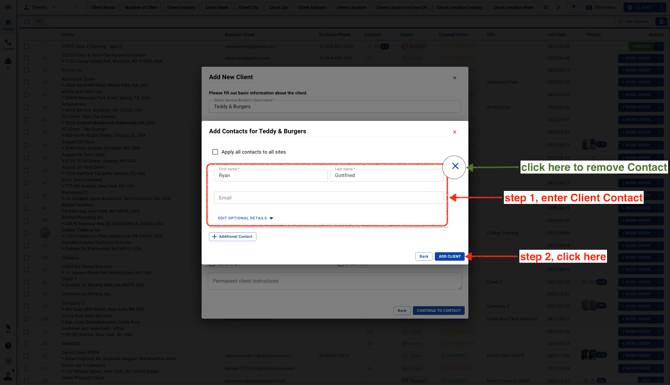
- Add contacts if you'd like. If you don’t want to add any contacts right now, just click the **X** icon and continue adding a new client.